
Purchase Orders
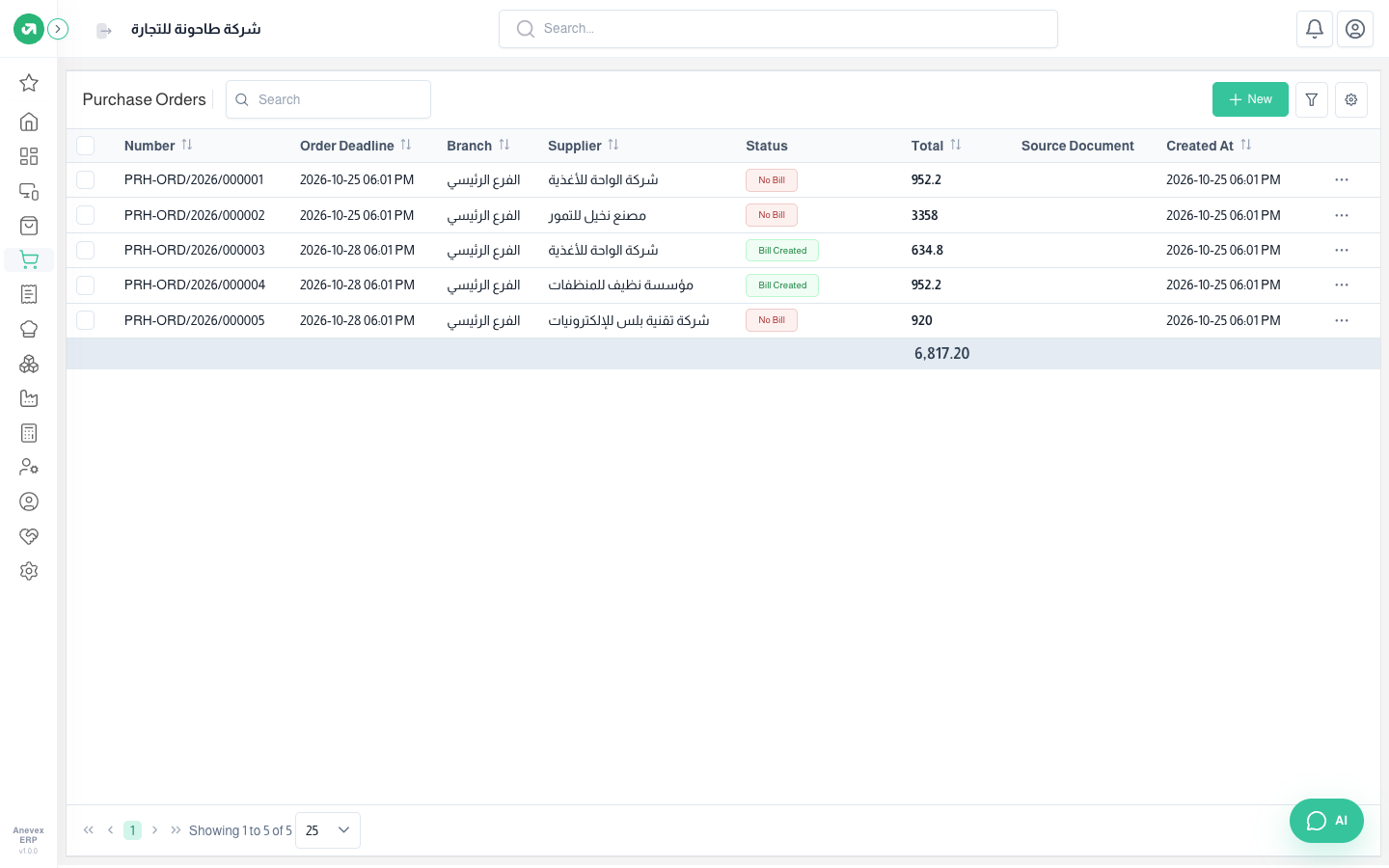
The formal order to the supplier. Confirming it creates the purchase bill and the stock receipt at the bill’s cost.
Overview
Where to find itPurchasesOperationsPurchase Orders
Fields
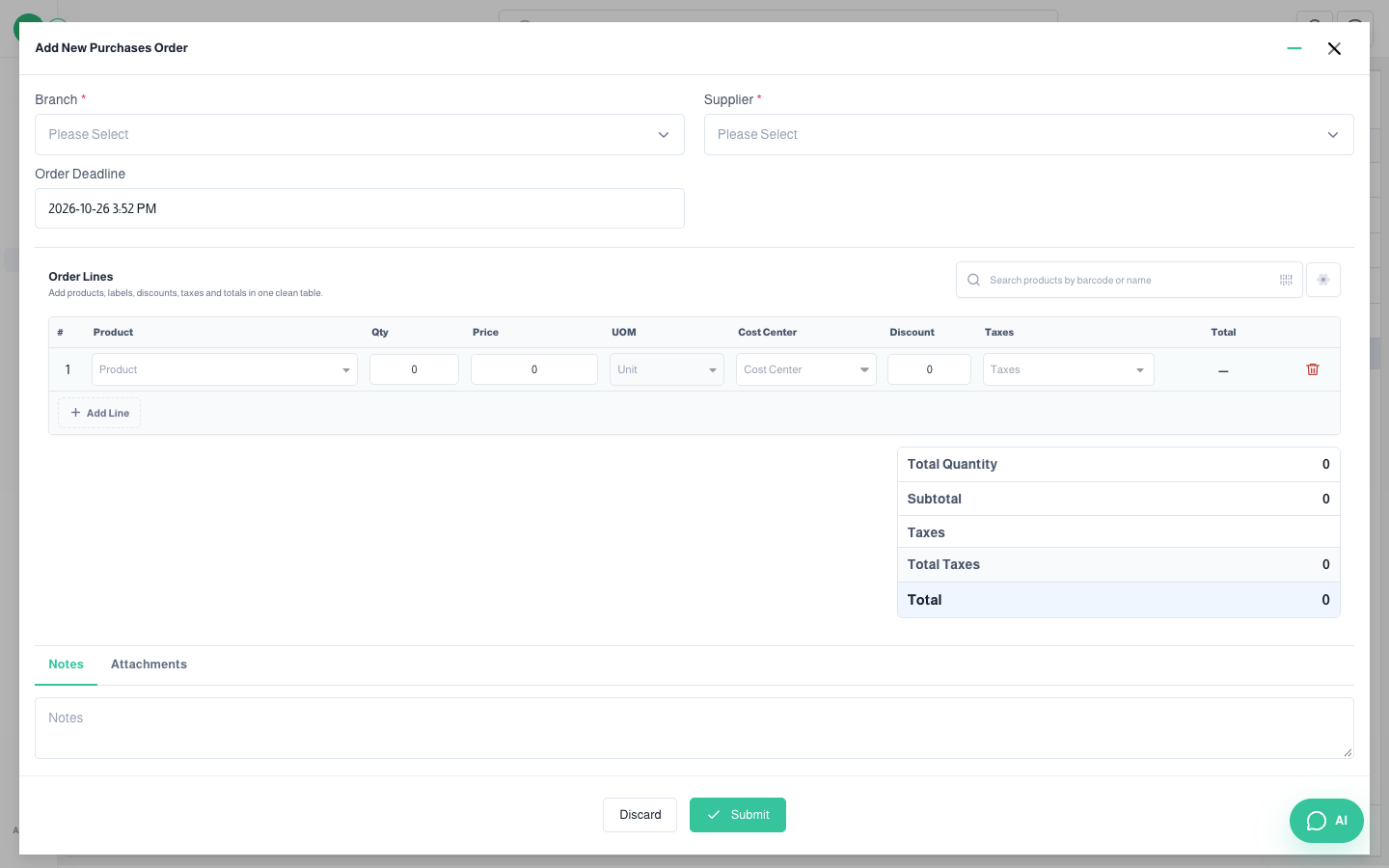
| Field | Required? | Description |
|---|---|---|
| Branch | Required | The buying branch |
| Supplier | Required | From the Suppliers screen |
| Order Deadline | Optional | Latest date for delivery |
| Purchases Price List | Optional | Applies the supplier’s agreed prices |
| Cost Center | Optional | Assigns the cost to a cost center |
Notes
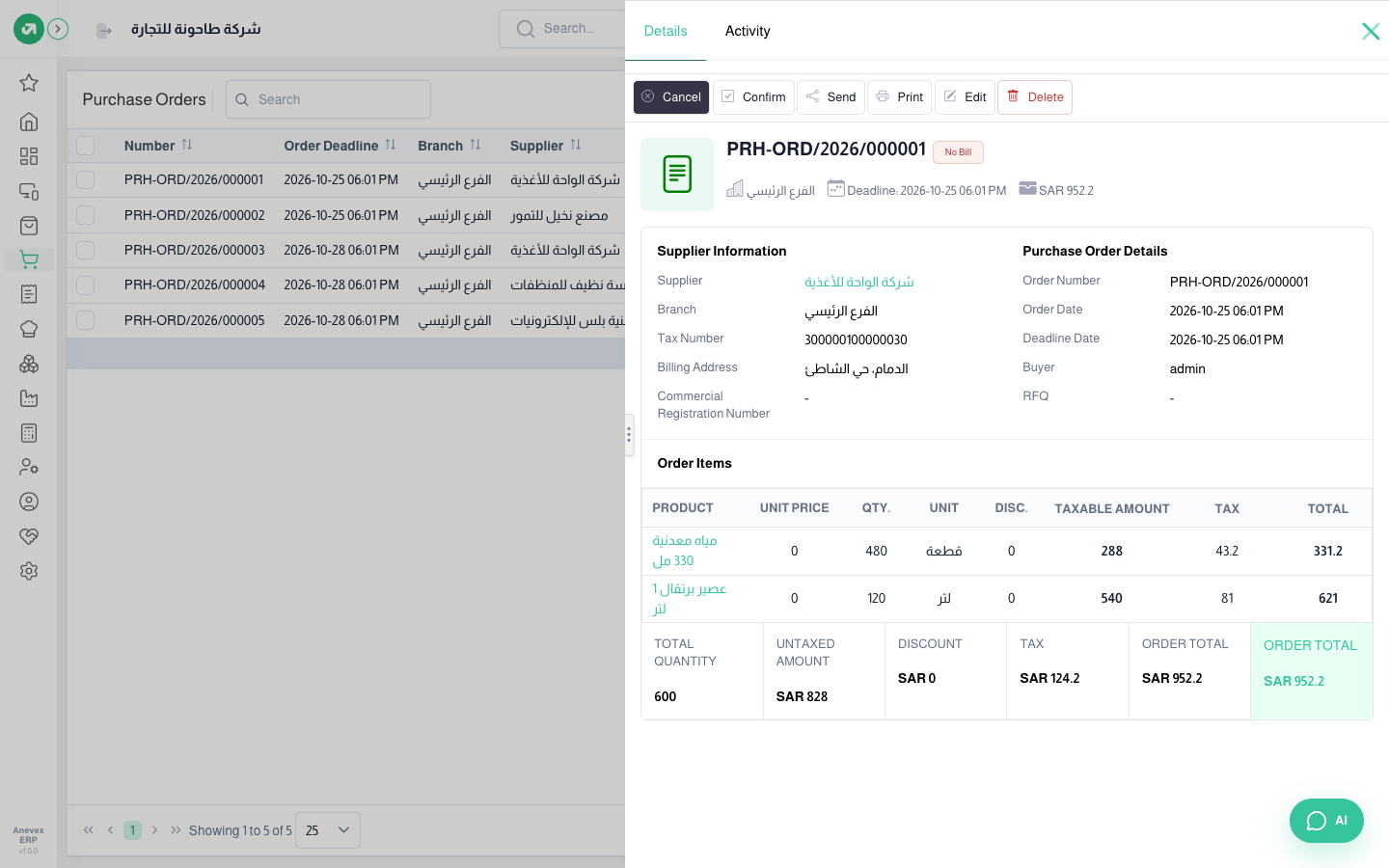
- From the details page: Confirm creates the bill and receipt, Cancel cancels the order, Send and Print share it with the supplier.
- Product cost in stock comes from the purchase bill, so it is best to always receive goods through a purchase order.