
Sales Orders
The customer’s confirmed order. Confirming it creates the sales invoice and the stock delivery.
Overview
Where to find itSalesOperationsSales Orders
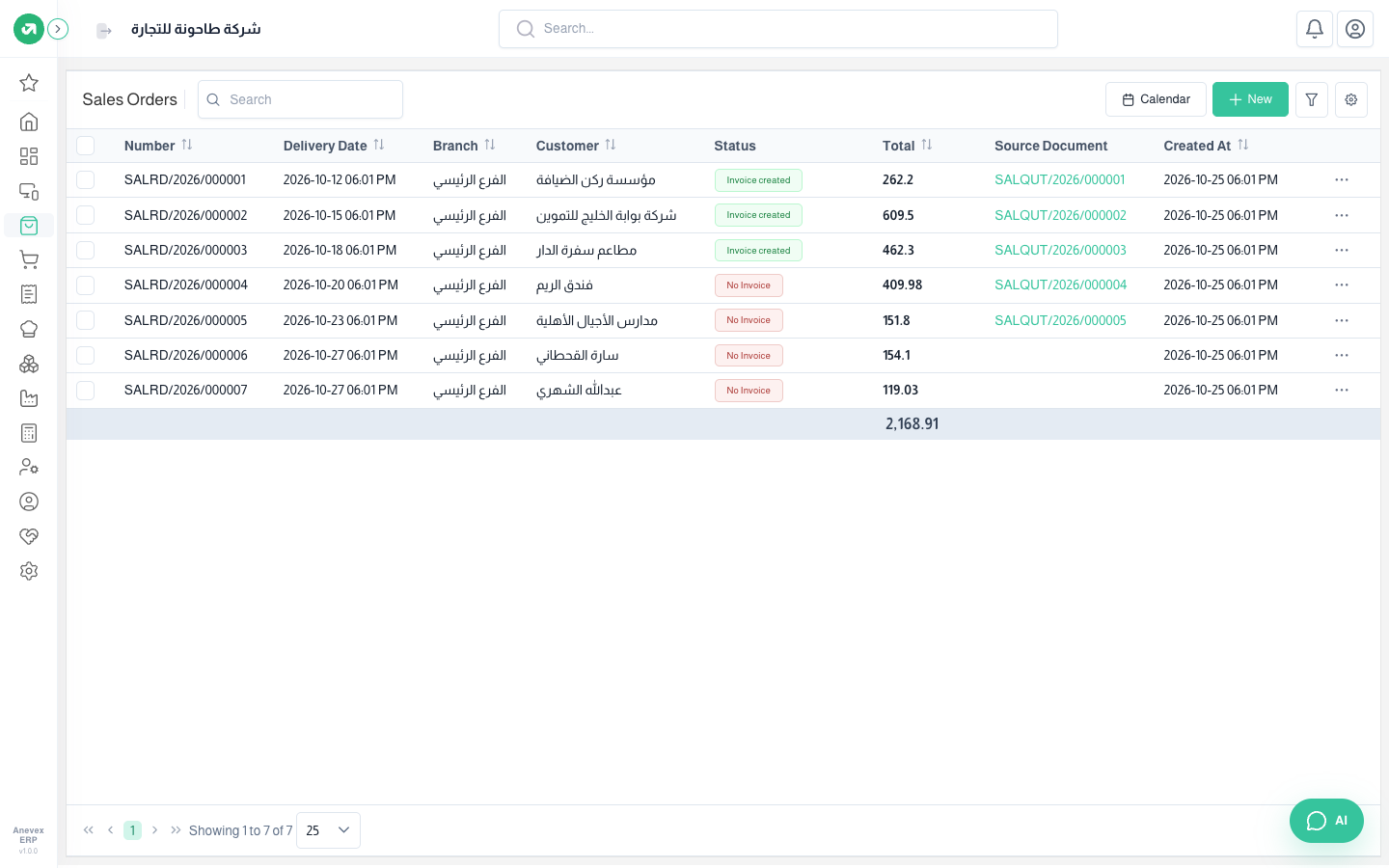
- Source Document shows the quotation the order came from.
- Status: Invoice Created or No Invoice.
- The Calendar button shows orders by delivery date.
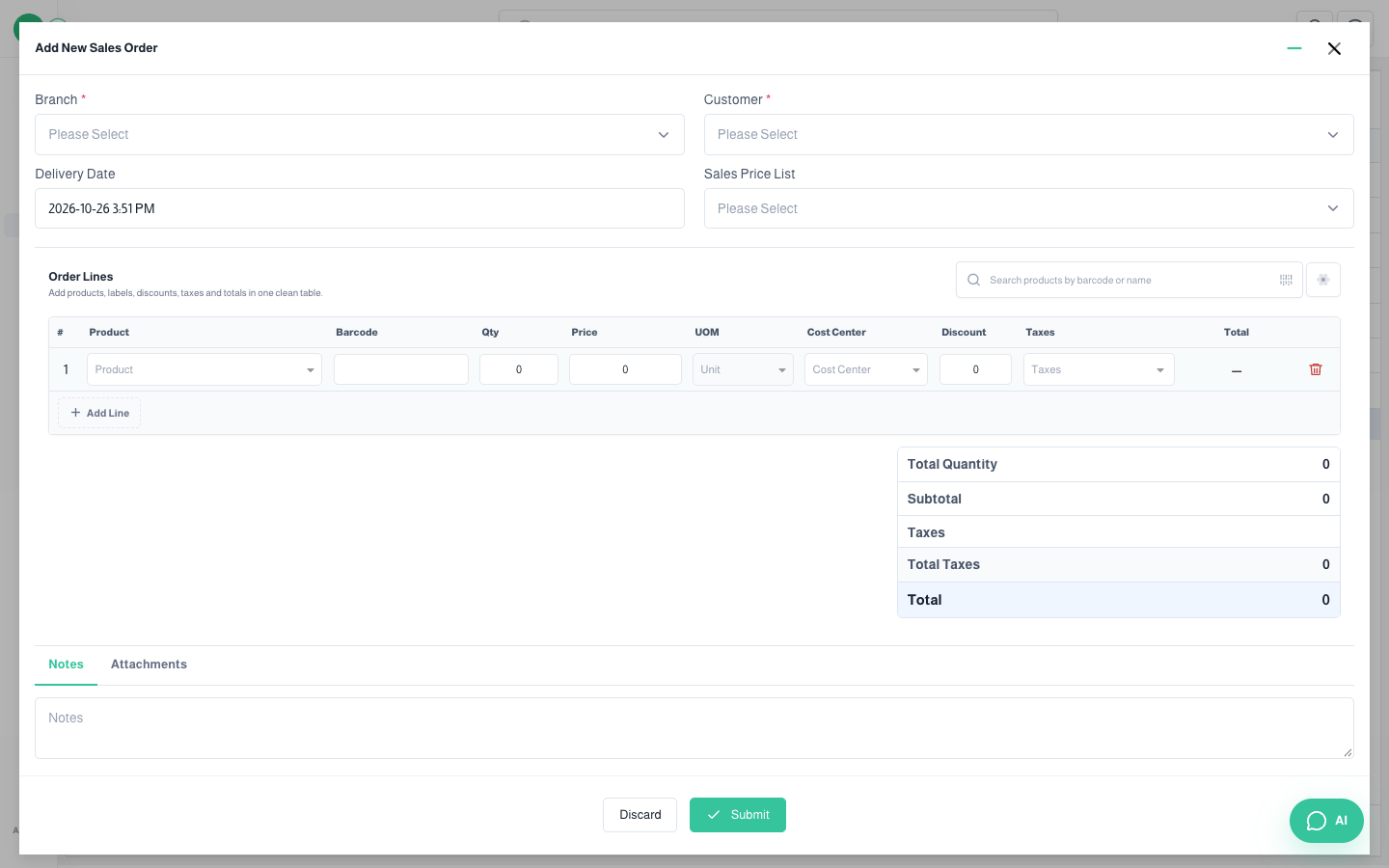
A direct sales order is added with the same steps as a quotation. To confirm it, click … and choose Confirm.
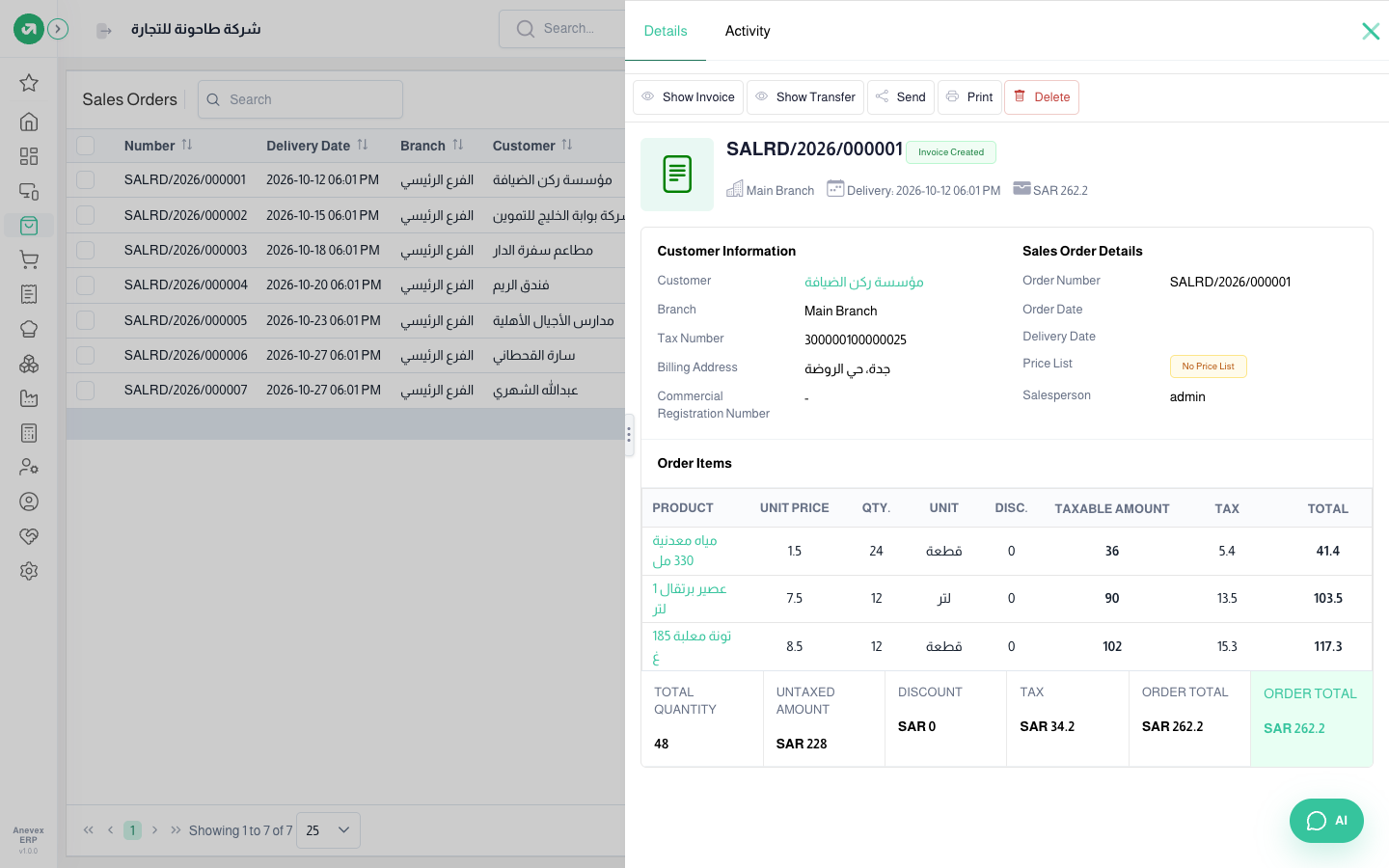
- Show Invoice: opens the sales invoice created from the order.
- Show Transfer: opens the stock delivery.
- Send and Print: to share the order with the customer.
Notes
- Once the invoice exists, Confirm and Edit disappear from the order menu.
- Confirm is blocked when today falls in a closed financial period.