
Customers
Keep a record of the customers you sell to. Customers then appear in quotations, sales orders, invoices and the POS.
Where to find itContactsCustomers
Customer list
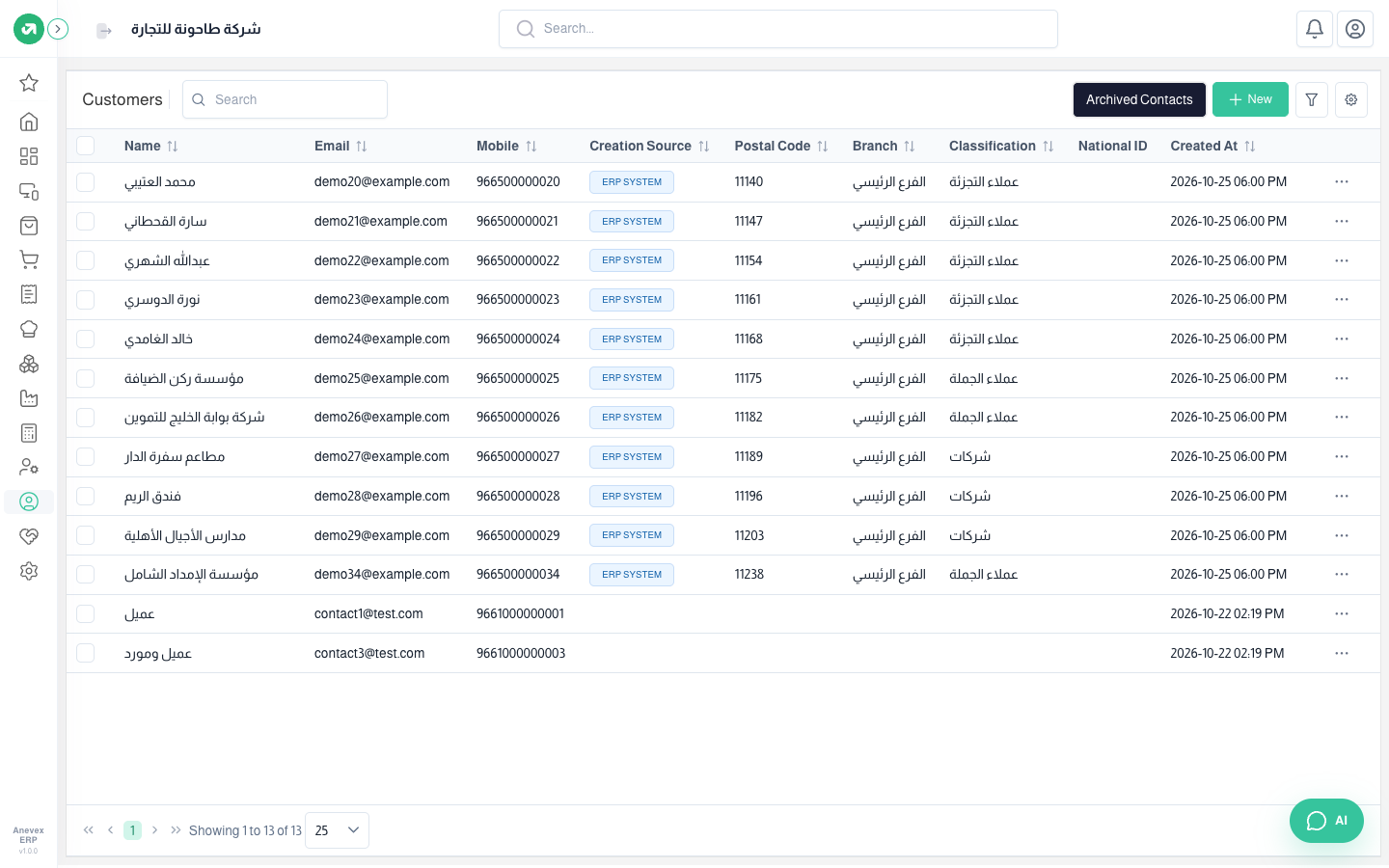
- Search: type a name, email or mobile number in the search box next to the page title.
- Filter: the filter button narrows the list by creation date, branch and creation source.
- Sort: click any column header.
- Columns: the gear button chooses which columns are shown.
- Creation Source: shows where the customer was created: ERP or POS.
Adding a customer
Steps
- Click Add Customer.
- Fill in Name and choose a Type (Individual or Company). These are the only required fields.
- Fill in any other details you need.
- Click Submit.
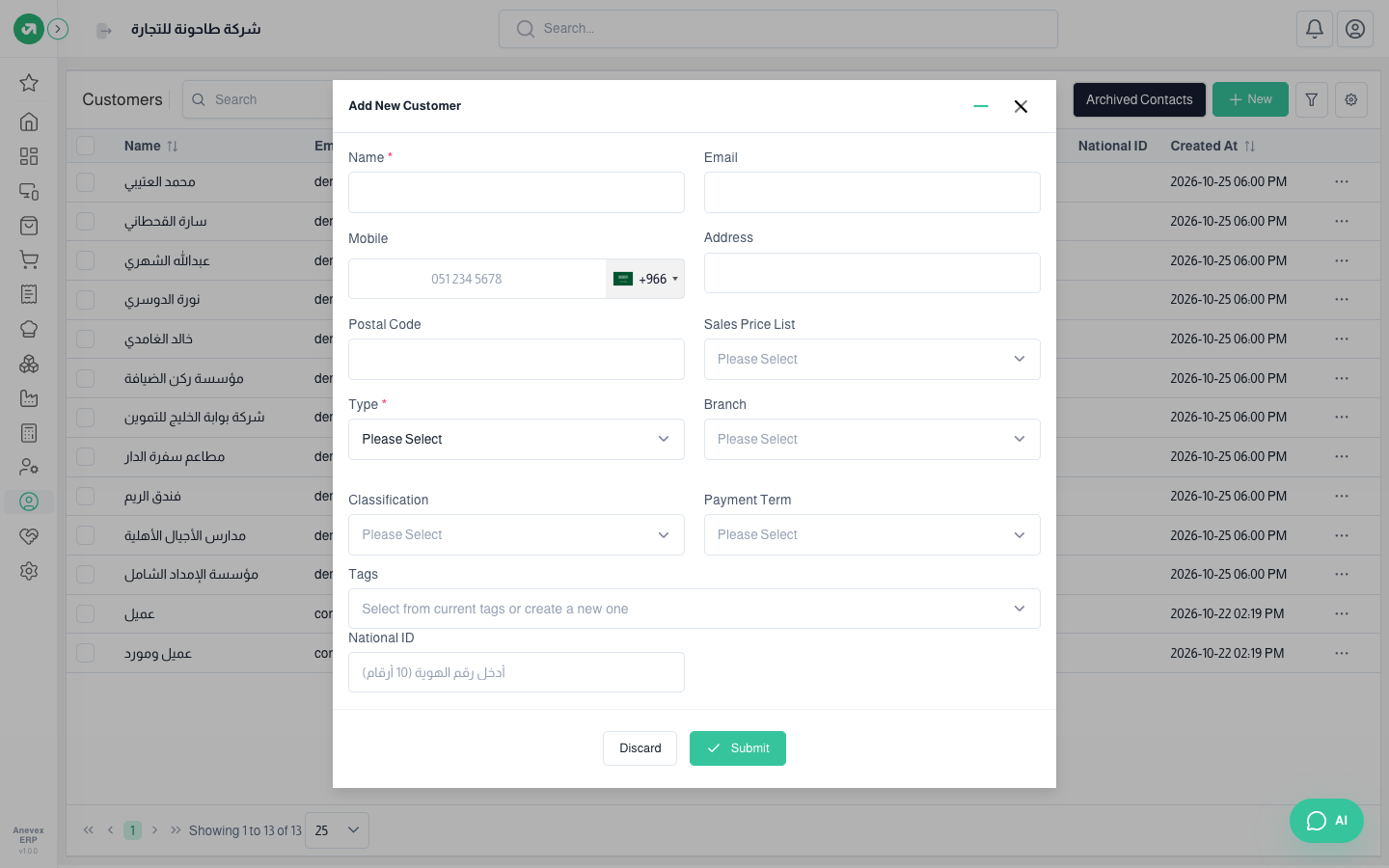
Fields
| Field | Required? | Description |
|---|---|---|
| Name | Required | Customer name as it will appear on invoices |
| Type | Required | Individual or Company |
| Optional | Must not belong to another contact | |
| Mobile | Optional | Pick the country code and enter the number; must not belong to another contact |
| Address | Optional | Customer address |
| Postal Code | Optional | Up to 20 characters |
| Sales Price List | Optional | If the customer has special prices, pick their price list here |
| Branch | Optional | The branch the customer belongs to |
| Classification | Optional | Defined under Contacts → Classifications |
| Payment Term | Optional | For example, payment due in 30 days; defined in Settings |
| Tags | Optional | Pick an existing tag or type a new one |
Viewing, editing and deleting
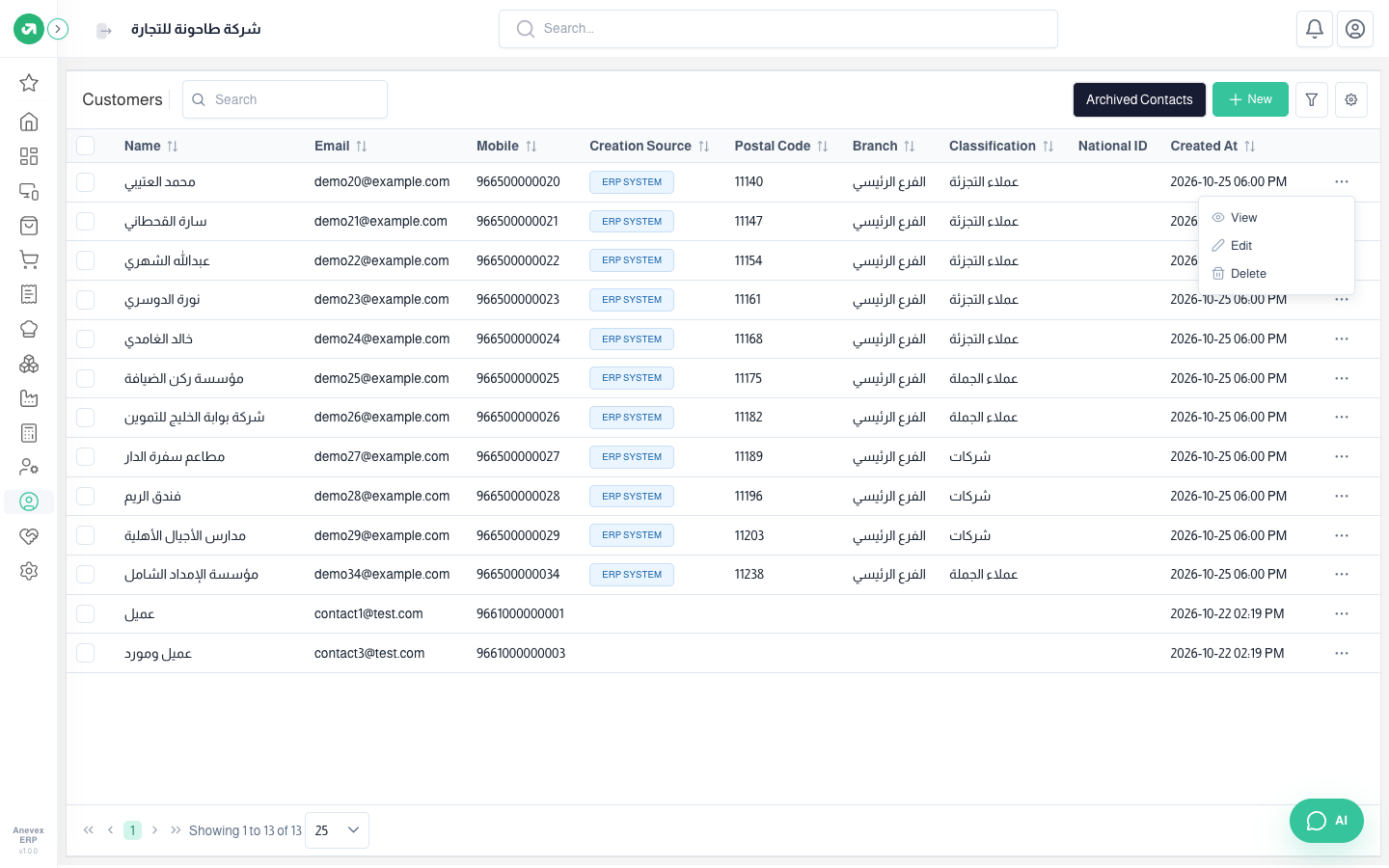
Click … at the end of the customer row and choose View, Edit or Delete.
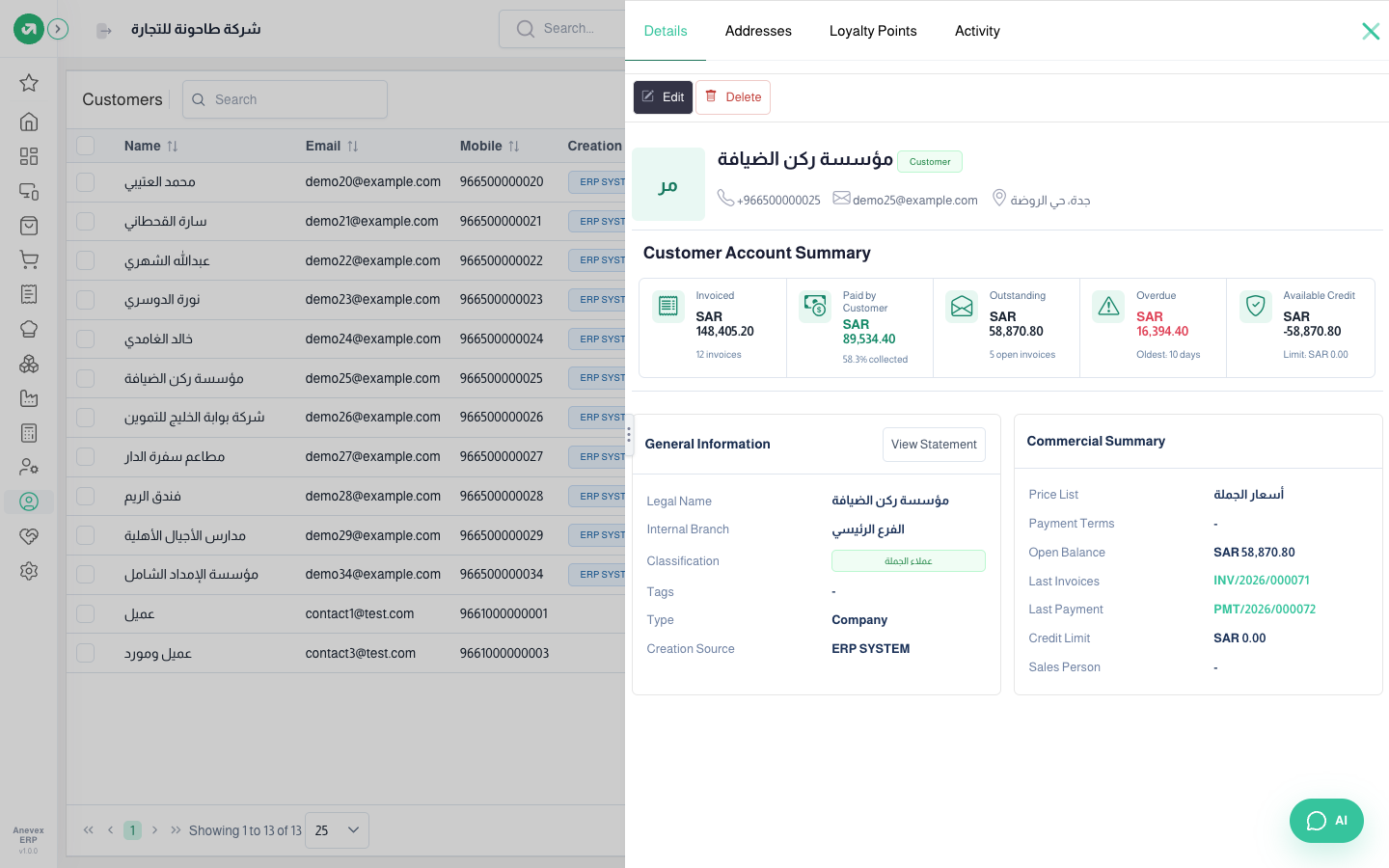
From … → View the customer file opens in a side panel with tabs: Details, Addresses, Loyalty Points and Activity. At the top of Details is the Customer Account Summary: invoiced, paid, outstanding, overdue with the age of the oldest debt, and the credit still available. Below are the general information and the commercial summary (price list, payment terms, balance, last invoice and last payment). View Statement opens the customer’s statement.
Notes
- Deleting is not permanent: the customer moves to Archived Contacts, where you can restore it.
- The system may refuse to delete a customer that is linked to transactions.
- You can tick several customers and change their branch, classification or price list in one go.
- A contact can be a customer and a supplier at the same time.