
AI Agents
An agent is a specialised assistant with its own instructions, tools and model. The system ships with 99 ready agents, such as Sales Analyst, Customer Debt Monitor, Smart CFO and Tax Monitor.
Overview
Where to find itSettingsAI SettingsAI Agents
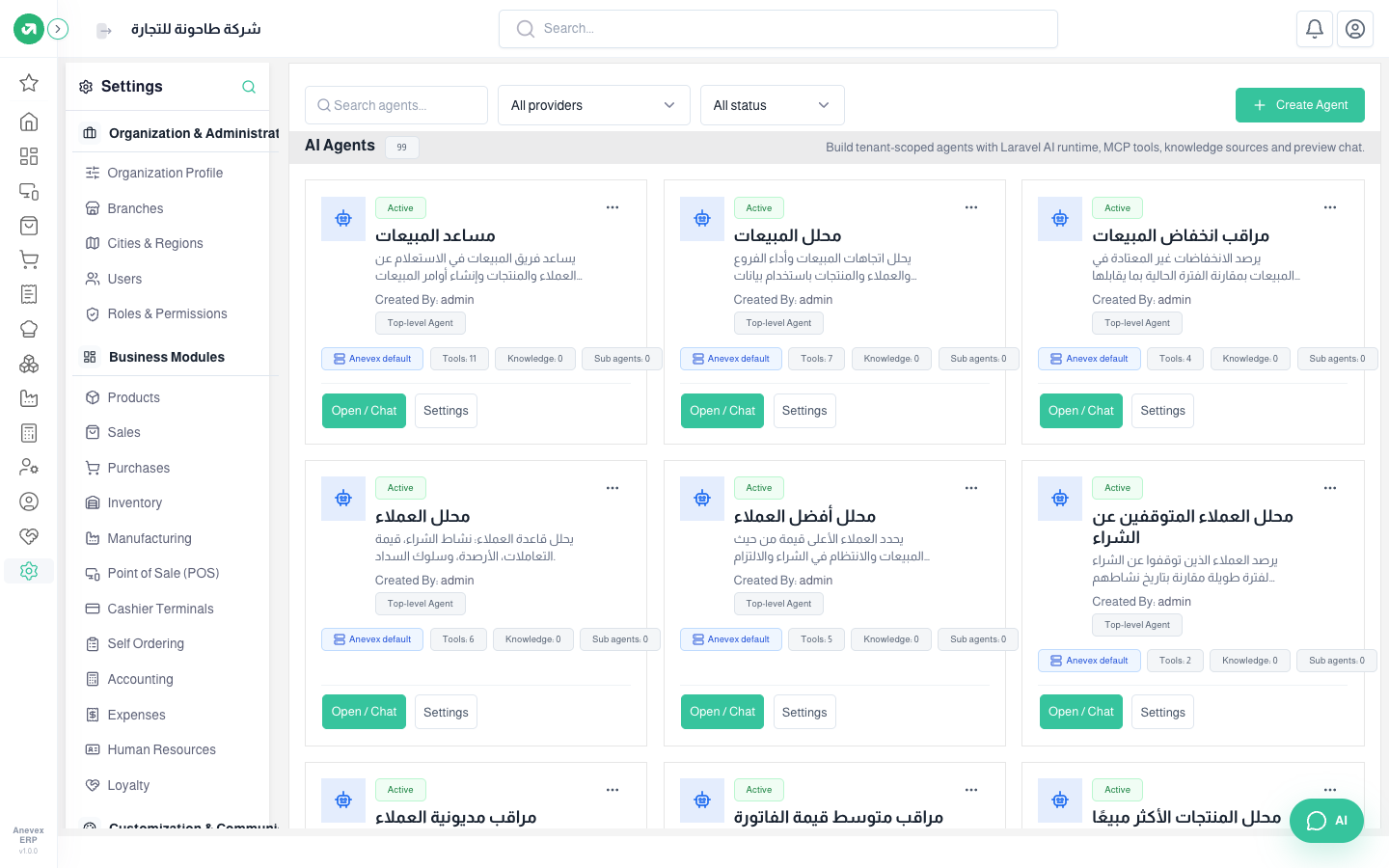
- Search by name, or filter by provider and status at the top.
- Open / Chat: opens a chat with this agent straight away.
- Settings: opens the agent editor. From … you duplicate or delete it.
- Create Agent: a new agent from scratch. It is easier to duplicate a close one and edit it.
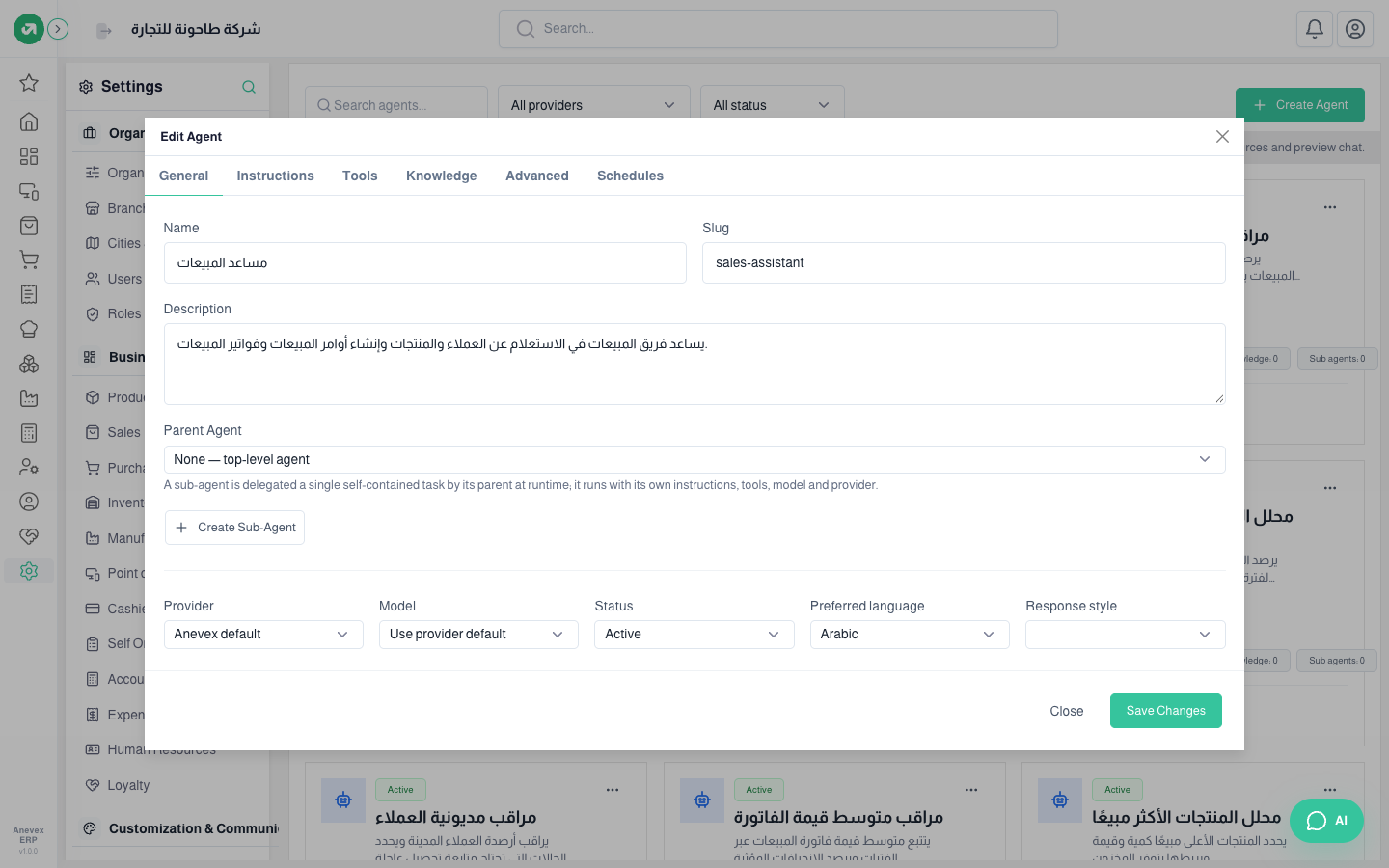
- General: name, slug, description, Parent Agent (if it is a sub-agent another agent hands tasks to), provider and model (the default or a specific one), status, preferred language and response style.
- Instructions: what the agent should do and how it writes. The core security and isolation instructions are always added by the system and cannot be removed.
- Tools: the tools the agent may use (reading invoices, stock, reports…). Each tool has an approval mode: no approval, or always require approval before it runs.
- Knowledge: extra information sources the agent refers to.
- Advanced: max steps and tokens, conversation memory, deferred tool loading, and repairing invalid tool calls.
- Schedules: run this agent automatically. The same as on the AI Commands screen.