
Scheduled Agent Runs
A log of every agent run, scheduled or manual: the result, duration, tokens, and the error if it failed.
Overview
Where to find itThe link /ai/scheduled-runs
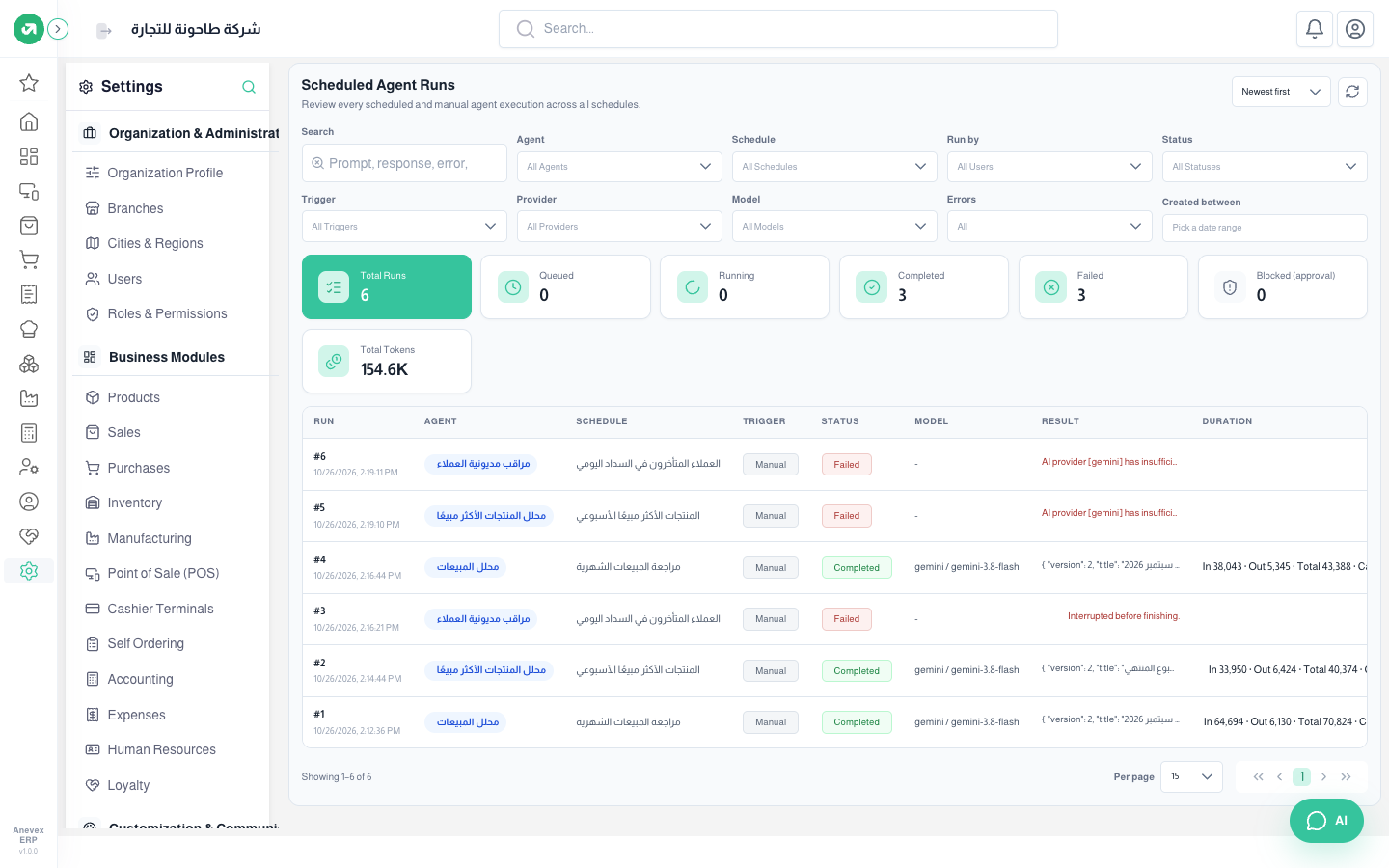
- The cards: total runs, queued, running, completed, failed, blocked (approval) for an agent waiting for approval to use a tool, and total tokens.
- Filters: search in the response and error, agent, schedule, run by, status, trigger (scheduled or manual), provider, model, errors and period.
- The Result column shows the start of the reply, or why it failed, like "AI provider [gemini] has insufficient credits or quota" (the provider account has no credit left).
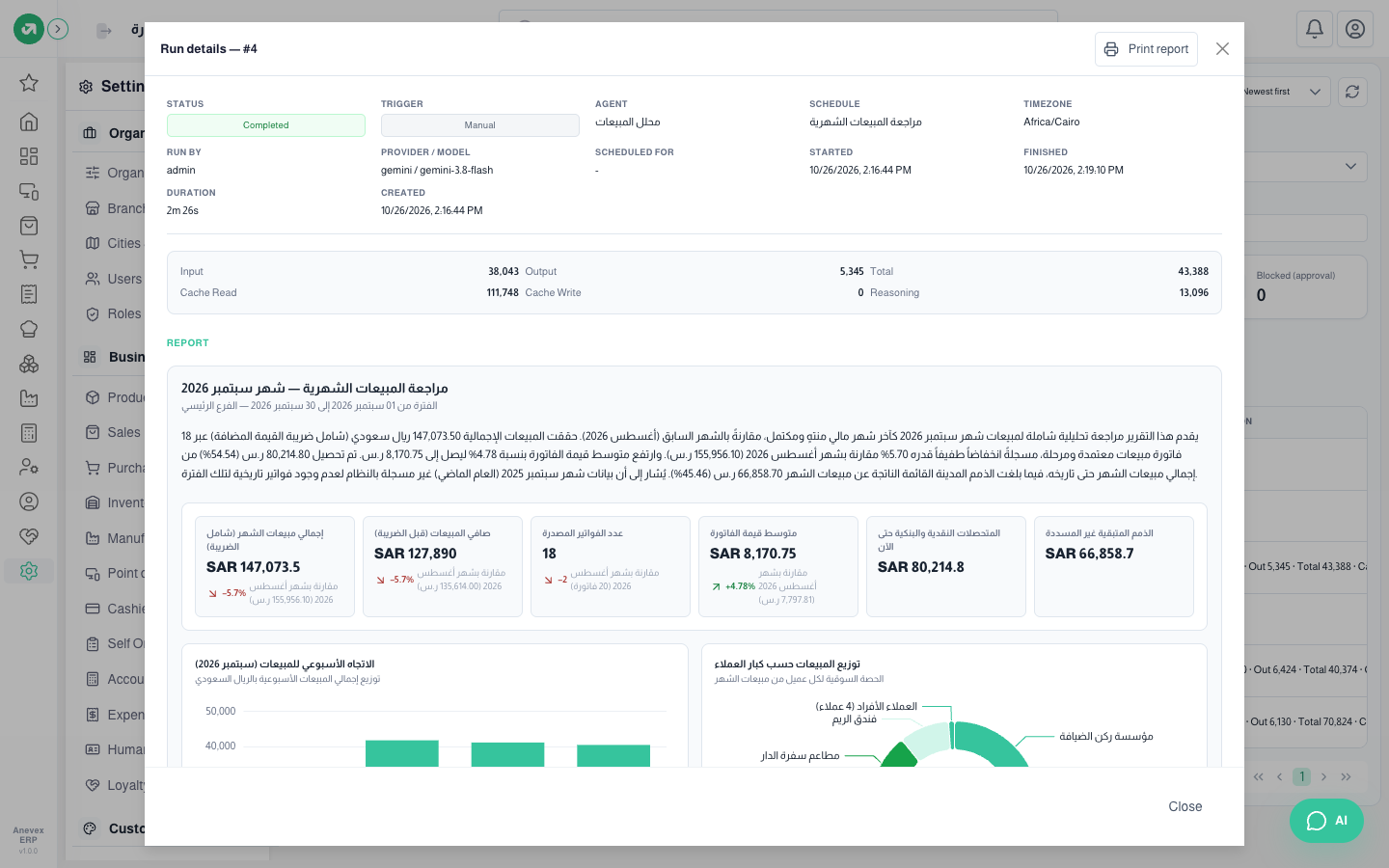
Click any row to open the Run details: status, agent, schedule, provider and model, start and finish time, tokens used, then the report itself. Print report prints it.
Notes
- This screen has no menu link for now. Open it by typing /ai/scheduled-runs after the system address.