
AI Commands
Every scheduled task of every agent in one place: a report written automatically at a fixed time, like the morning executive report or the monthly sales review.
Overview
Where to find itSettingsAI SettingsAI Commands
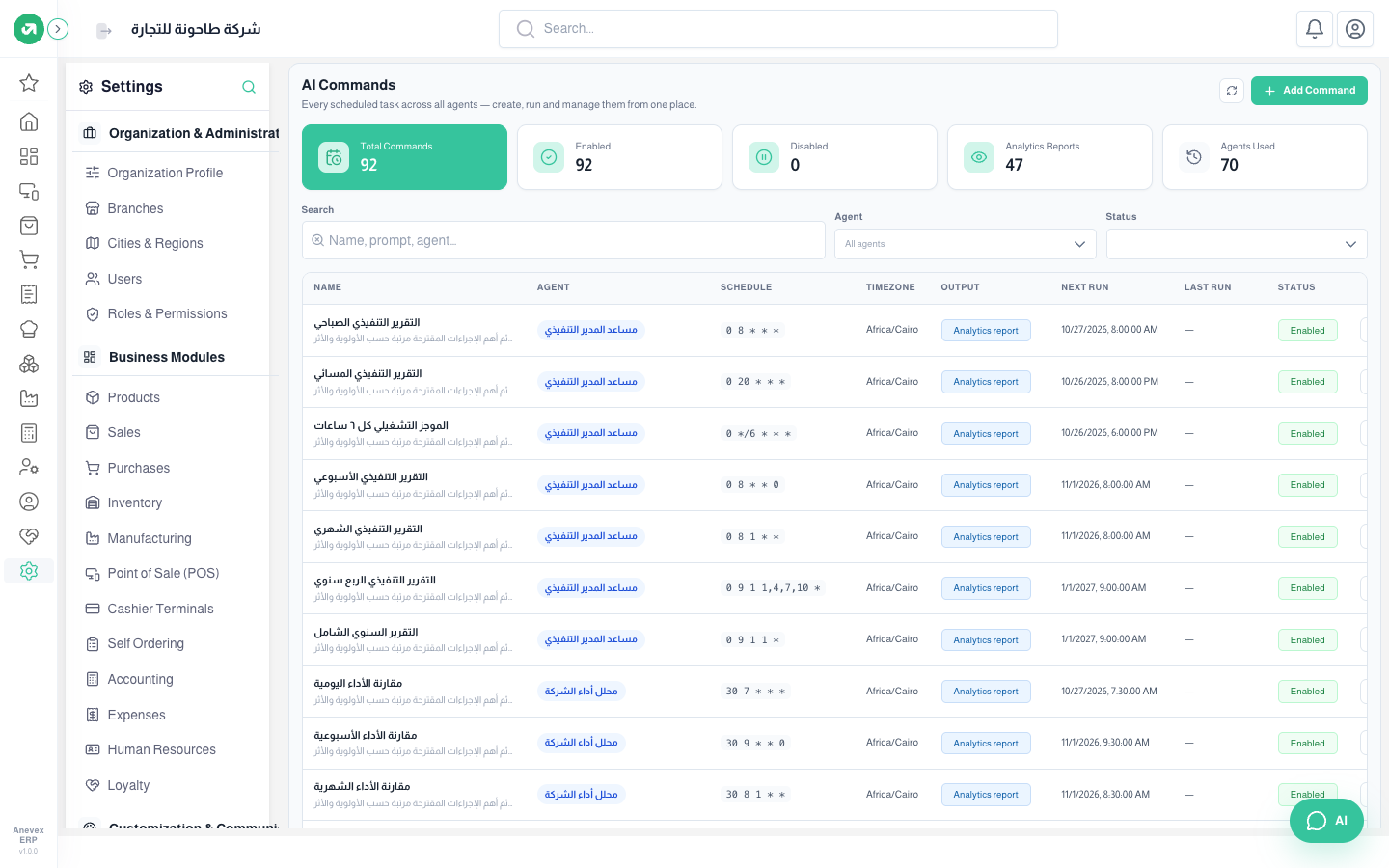
- The cards at the top: total commands, enabled, disabled, analytics reports, and agents used.
- The Schedule column shows the time in cron form, for example 0 8 * * * = every day at 8 am.
- The ▷ button next to a command runs it now without waiting for its time. The switch turns it on or off.
Steps
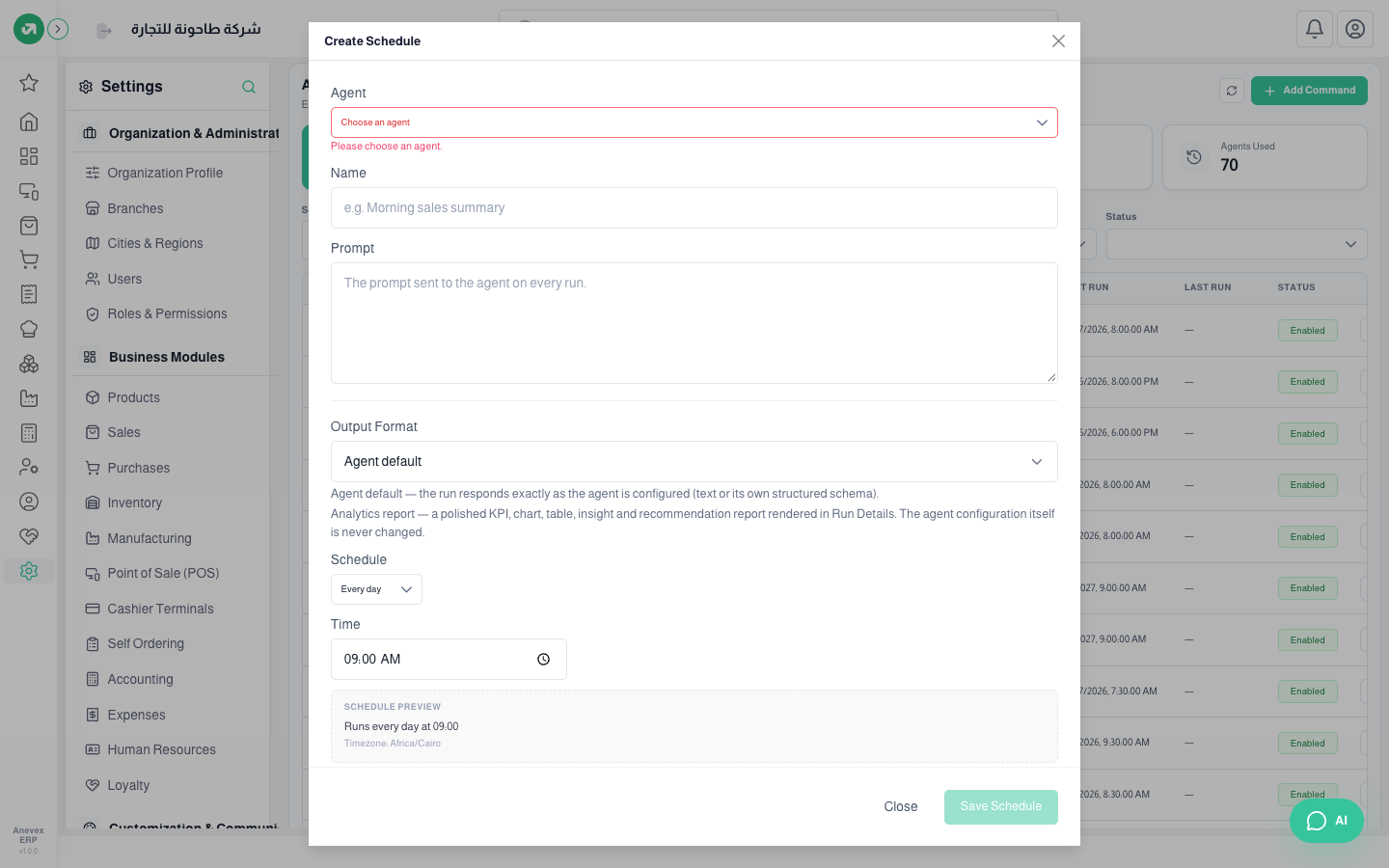
- Click Add Command.
- Choose the Agent and type a name for the command.
- Write the Prompt: the request sent to the agent on every run, for example "Summarise yesterday’s sales against the same day last week".
- Choose the Output Format: Agent default (the agent’s reply as is), or Analytics report (a report with KPIs, tables, charts and recommendations shown in the run details).
- Choose the Schedule (every day, every week…) and the time. A preview of the next times appears.
- Click Save Schedule.
Notes
- A command runs with the permissions of the user who created it. Create financial report commands from an account that has accounting permission.
- Every run uses tokens. 92 enabled commands mean hundreds of runs a month; turn off what you do not need.
- The ready commands use the Africa/Cairo time zone. Check it if your company is elsewhere.