
Loyalty Transactions
Every points addition or deduction: from orders, by hand, on redemption or on returns. The customer’s balance updates with each one.
Overview
Where to find itCustomer Loyalty & OffersLoyalty ProgramLoyalty Transactions
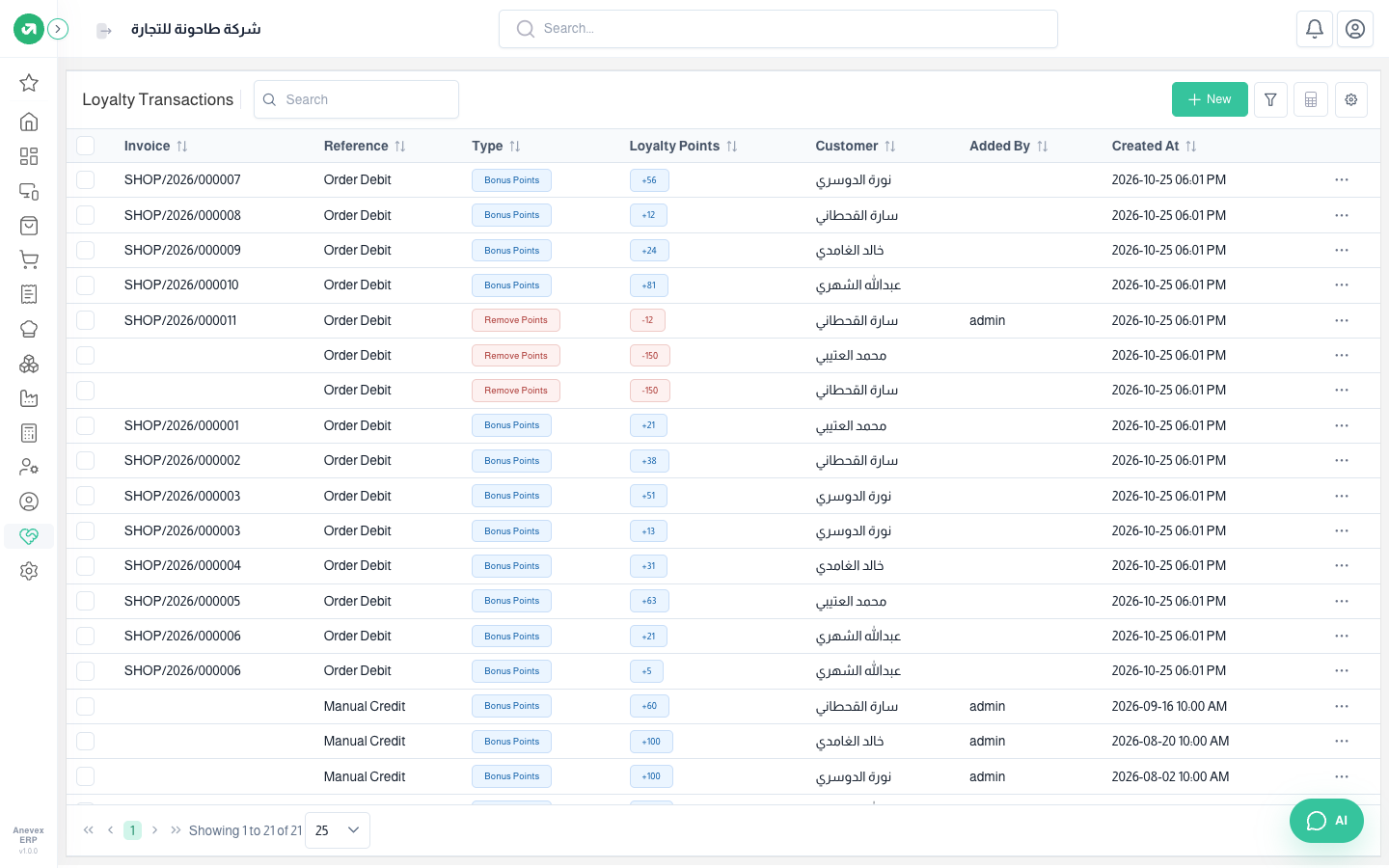
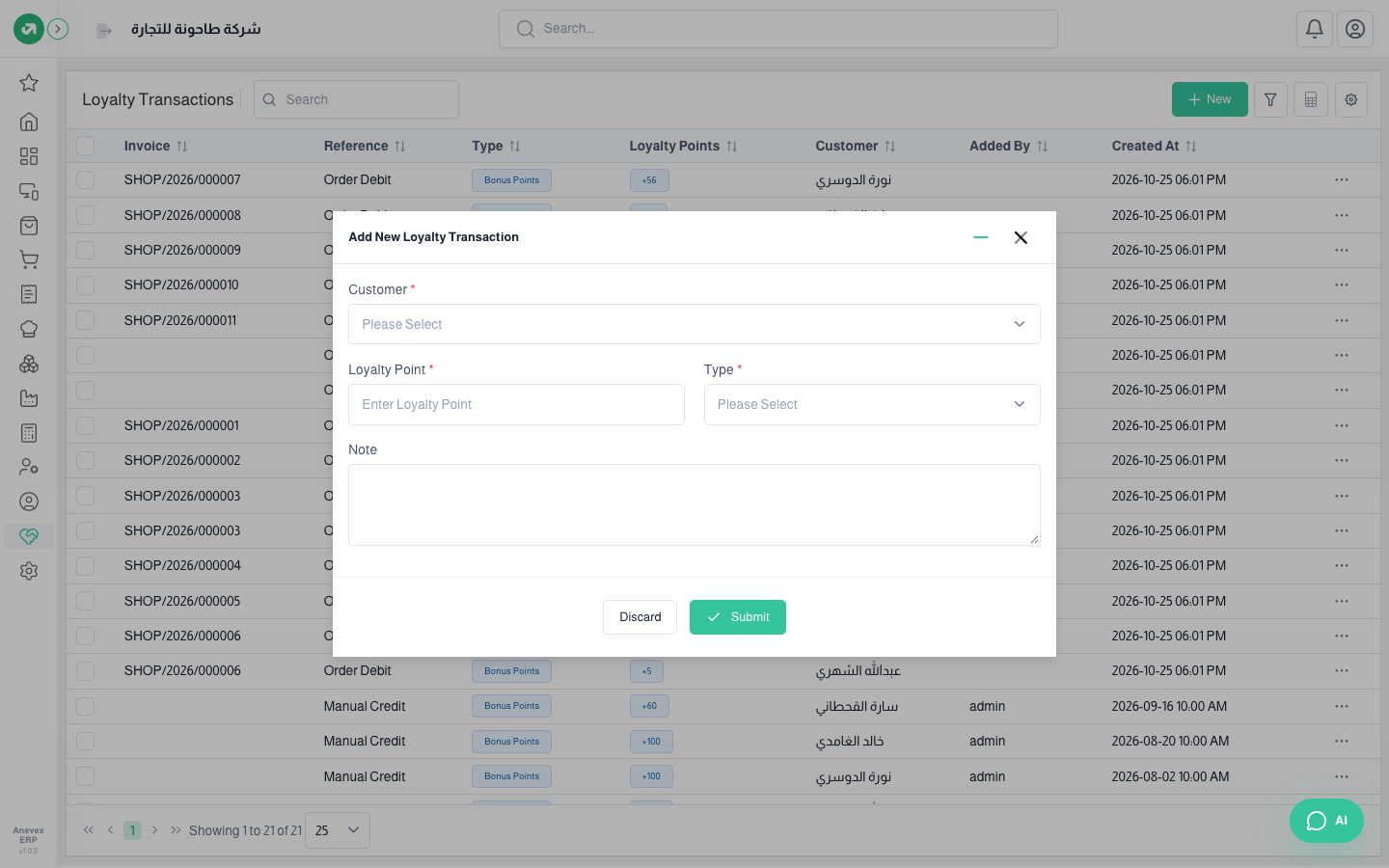
To add points by hand (welcome, compensation) or deduct them, click New, choose the customer, points and type (bonus or remove) and add a note. Transactions can also be imported from Excel.
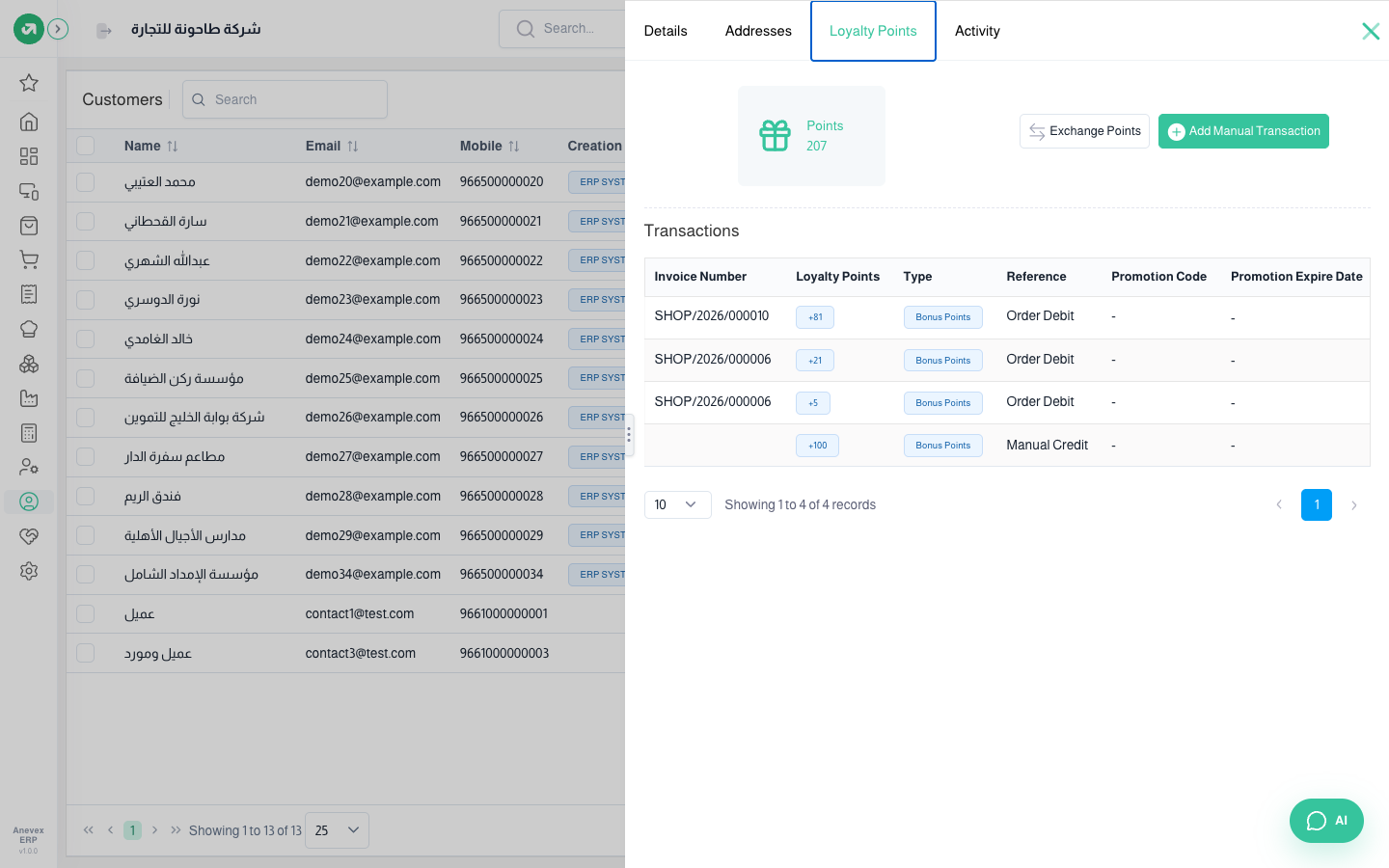
A customer’s points and redeeming them
From Customers open the customer → Loyalty Points tab: the current balance and all transactions, with the offer code and expiry for redemptions.
Steps
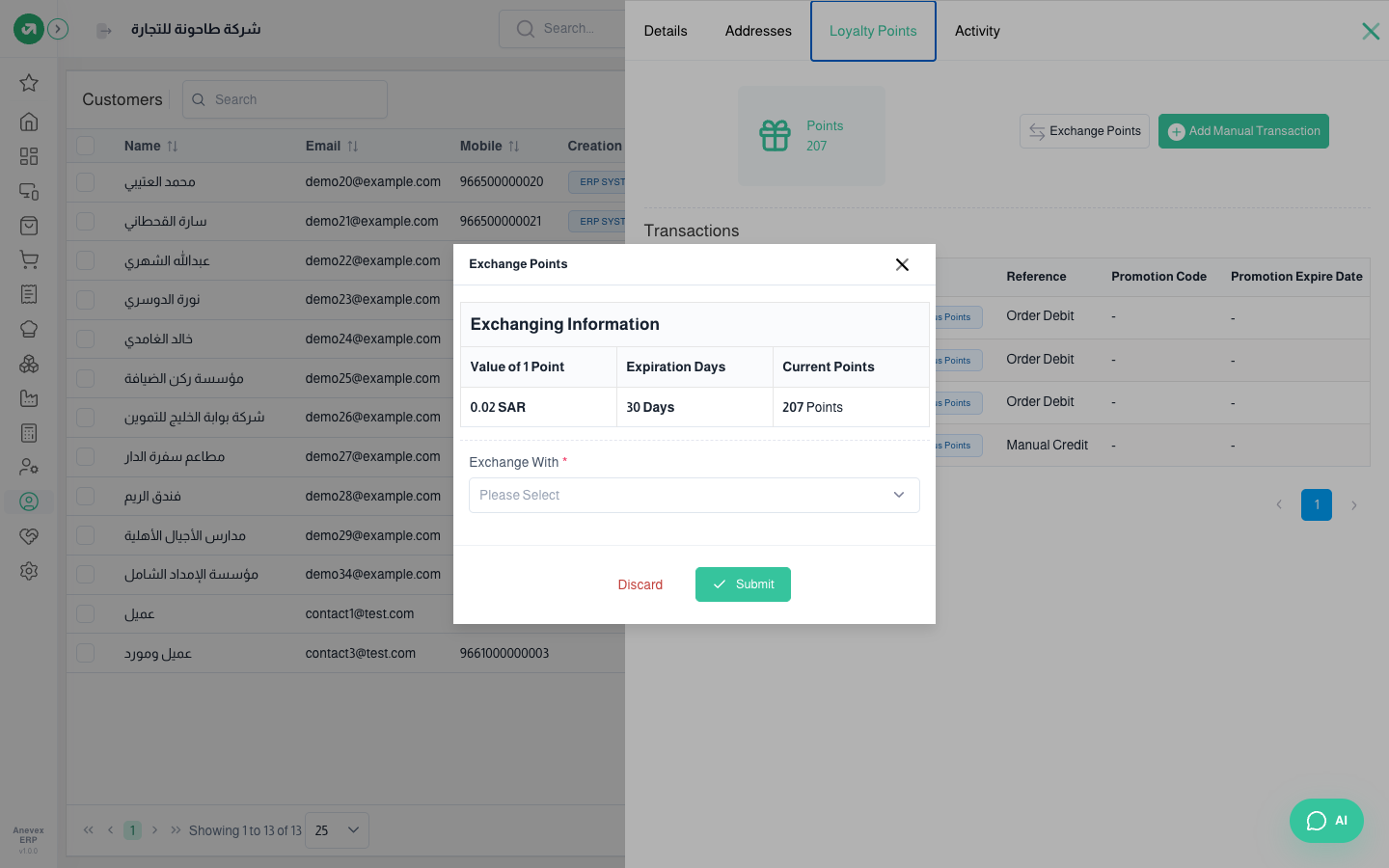
- Click Exchange Points. The point value (0.02 riyal), code validity (30 days) and the customer’s balance are shown.
- Choose Exchange with: points (an amount off) and enter the points, or a product from the reward products the balance covers.
- Click Submit. The system creates a coded offer for this customer only, deducts the points, and texts the code if SMS is set up.
- The cashier types the code in the Coupon window on the customer’s next order.
Notes
- A return removes all of the original order’s points even when only part is returned. In the example one bottle of water was returned and all 12 of the order’s points were removed.
- Redemption transactions show the reference "Order Debit", the same as order points.