
My Tasks
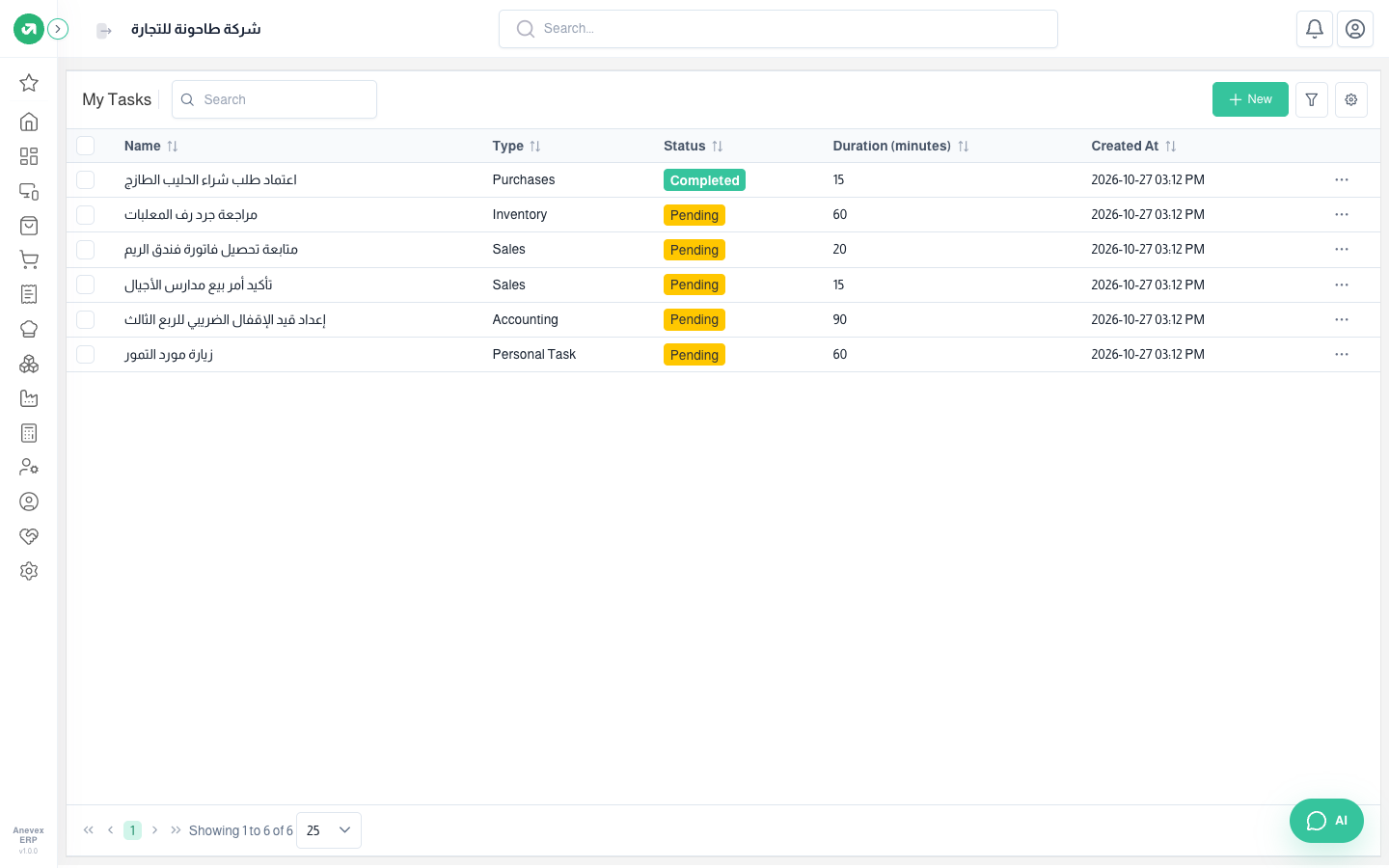
Your own work to-do list: what you need to do today and in the coming days, with a time and duration. Today’s tasks show on the home page so you start your day with them.
Overview
Where to find itHomeToday’s TasksView All Tasks
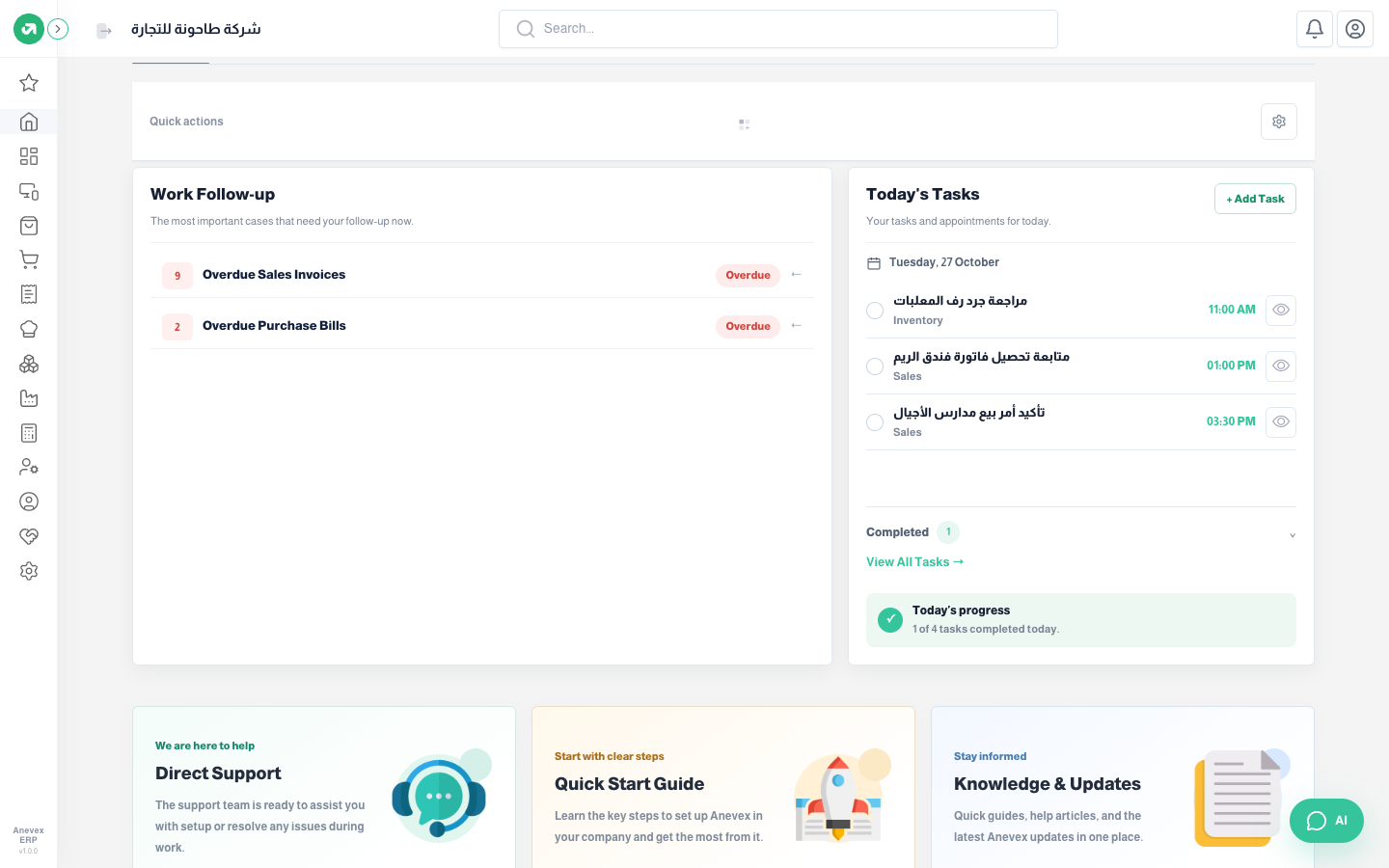
- The home page Today’s Tasks card lists each task with its time and type. Tick the circle to mark it Completed, or use the eye icon to view it.
- At the bottom, Today’s progress (how many of today’s tasks are done), and View All Tasks opens My Tasks.
Steps
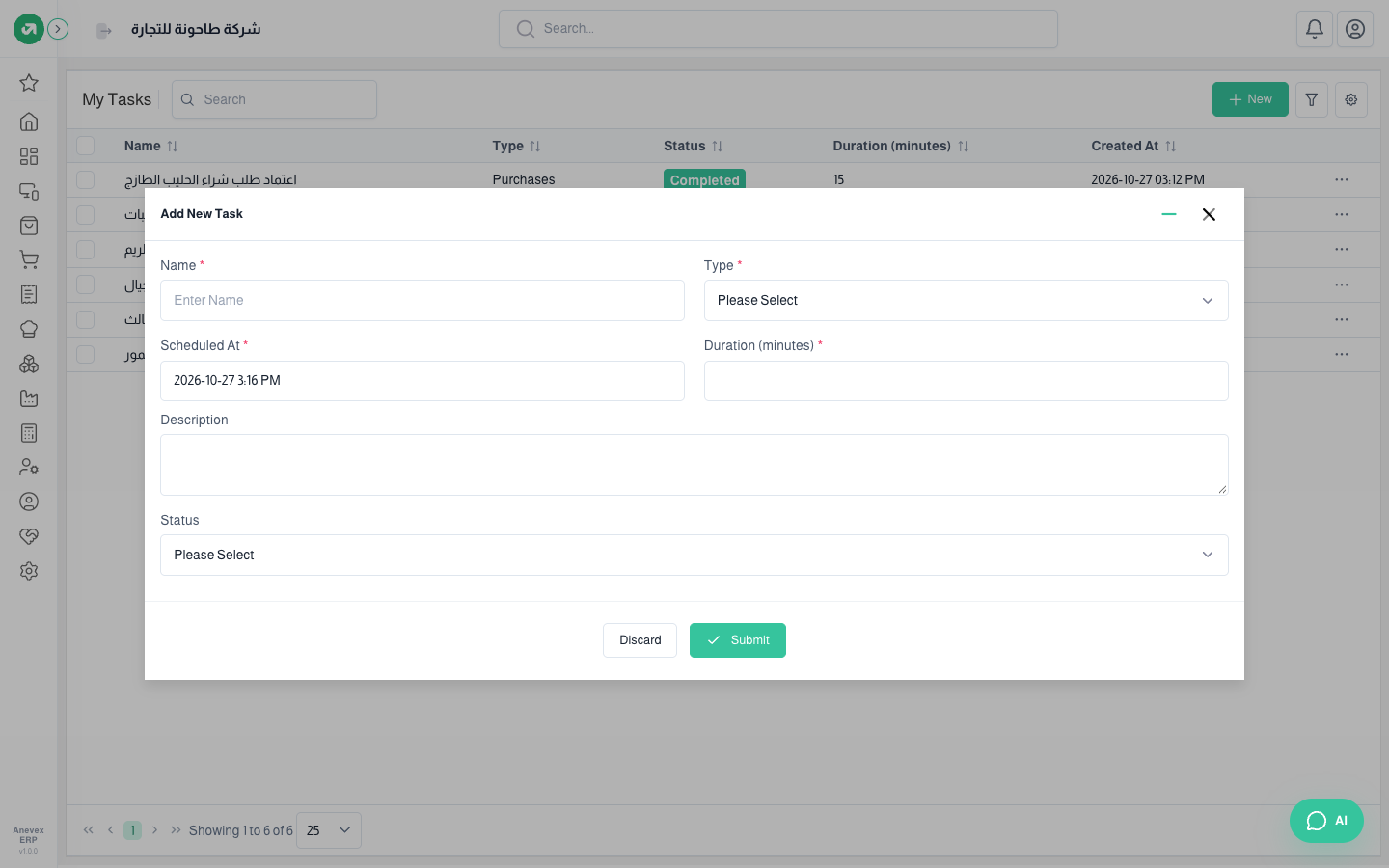
- Click New on My Tasks, or + Add Task on the home page.
- Enter the Name and choose the Type: personal task, accounting, sales, purchases or inventory.
- Set Scheduled At and Duration (minutes), and a Description if you like.
- Leave Status as "Pending" and click Submit. When done, change it to Completed.
Notes
- Tasks are personal: each user sees only their own, and they cannot be assigned to someone else.