
User Menu
Your personal settings in one place: the fiscal year you work in, your profile, how the system looks, the language, and signing out.
Overview
Where to find itTop barUser picture
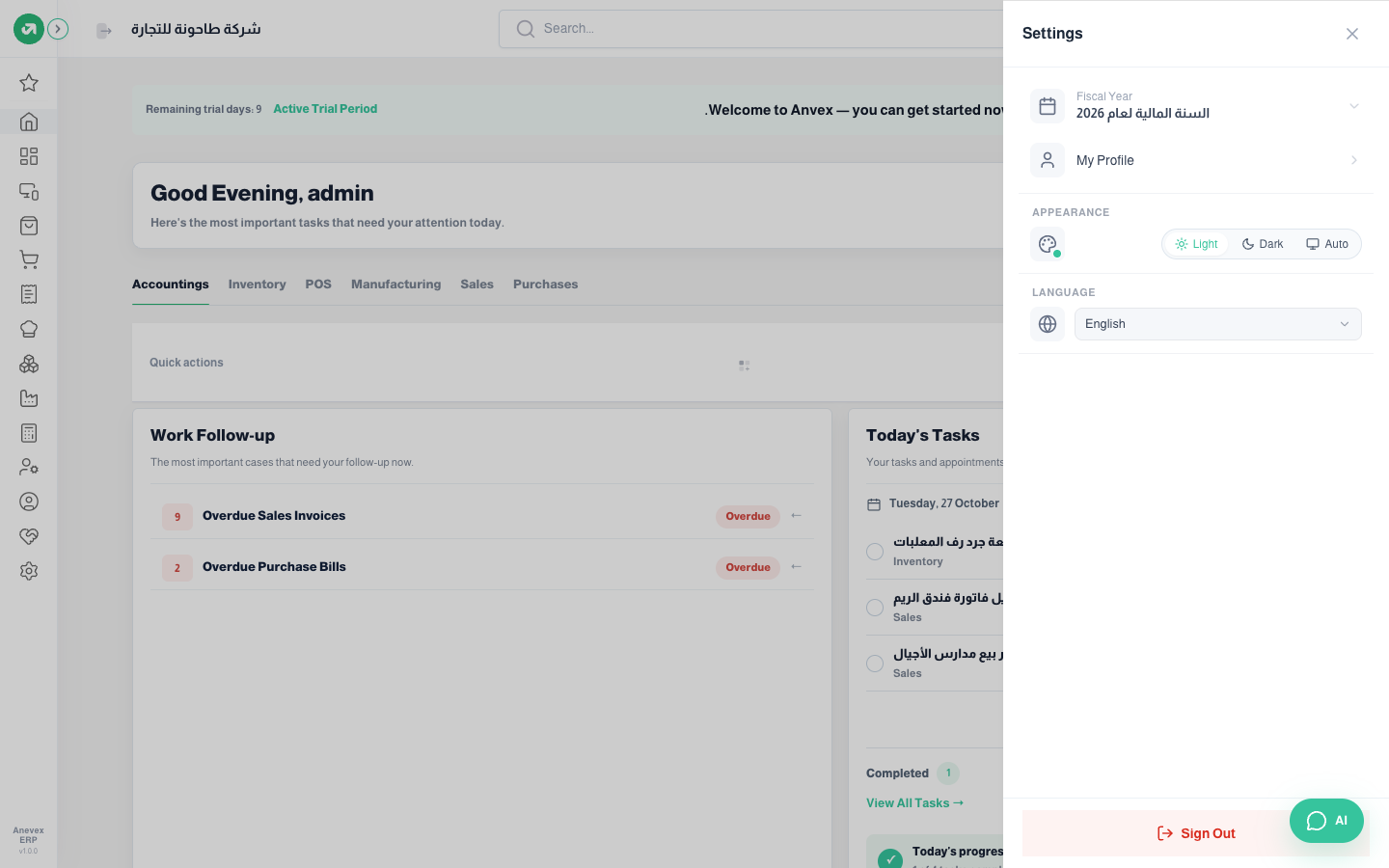
- Fiscal year: the year the screens and reports show. Click it to switch to another year, if you are allowed to change the fiscal year.
- My Profile: your name, email, phone, photo and password. It is the same screen as User Preferences in Settings.
- Appearance: light, dark or auto (follows your device), and the colour dot sets the Accent Color for buttons and links.
- Language: Arabic or English. The interface switches straight away.
- Sign Out: at the bottom of the menu. Always sign out on shared devices.
Notes
- The subscription owner also sees Upgrade My Plan and My subscriptions invoices.