
Bills of Materials Report
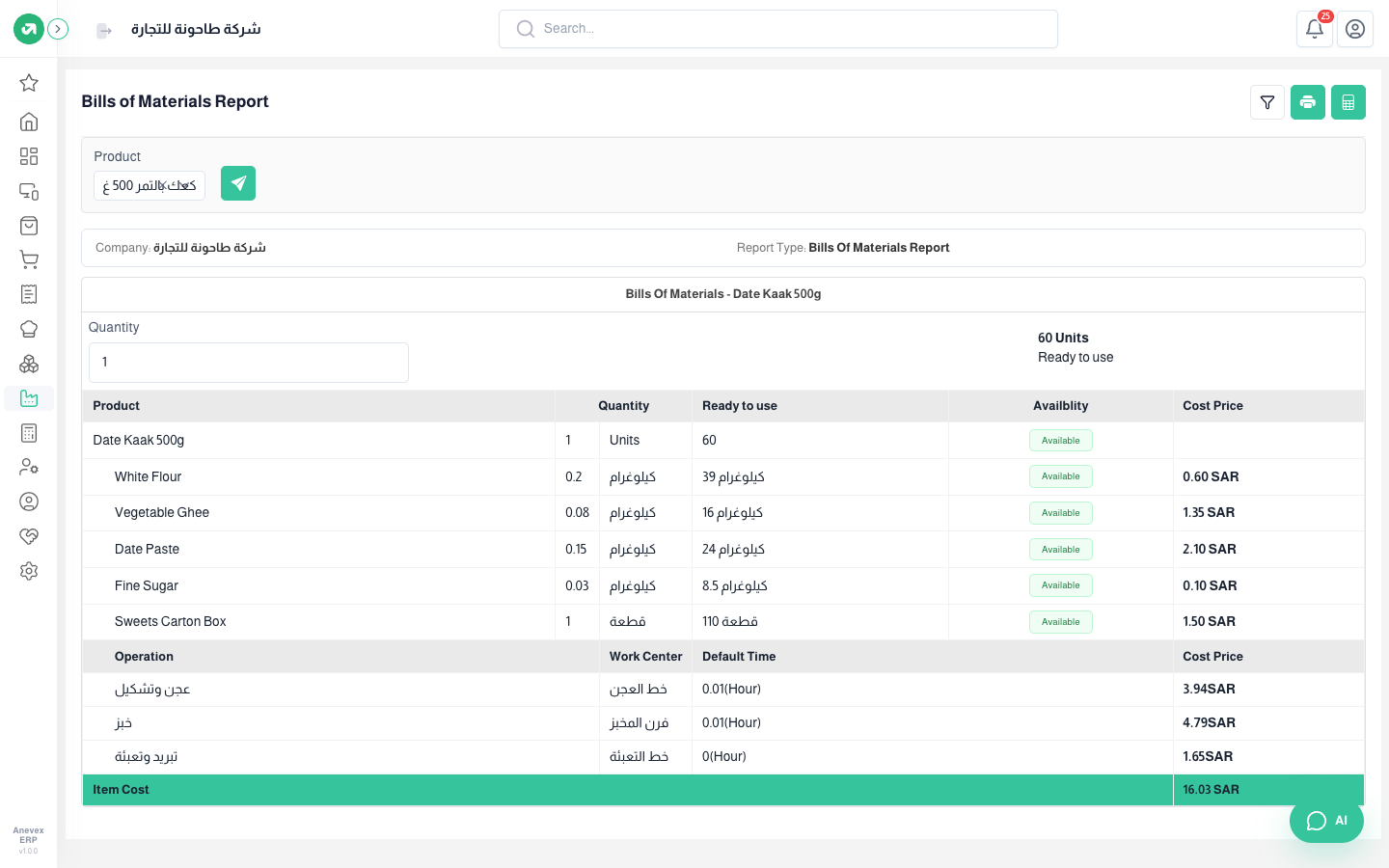
One product’s bill of materials in figures: how much of each component one unit needs, how much is in stock, and its cost, then the cost of each operation and the total unit cost.
Overview
Where to find itManufacturingReportsBills of Materials Report
Steps
- Choose the Product and click apply.
- Change the Quantity to see the need and cost for a larger run, for example 100 boxes.
Notes
- The Ready to use column compares stock with the need; a component that falls short is marked red.