
Work Centers
The place, machine or line where a manufacturing operation happens, with its hourly cost and crew. The system works out the operating cost from it.
Overview
Where to find itManufacturingMaster DataWork Centers
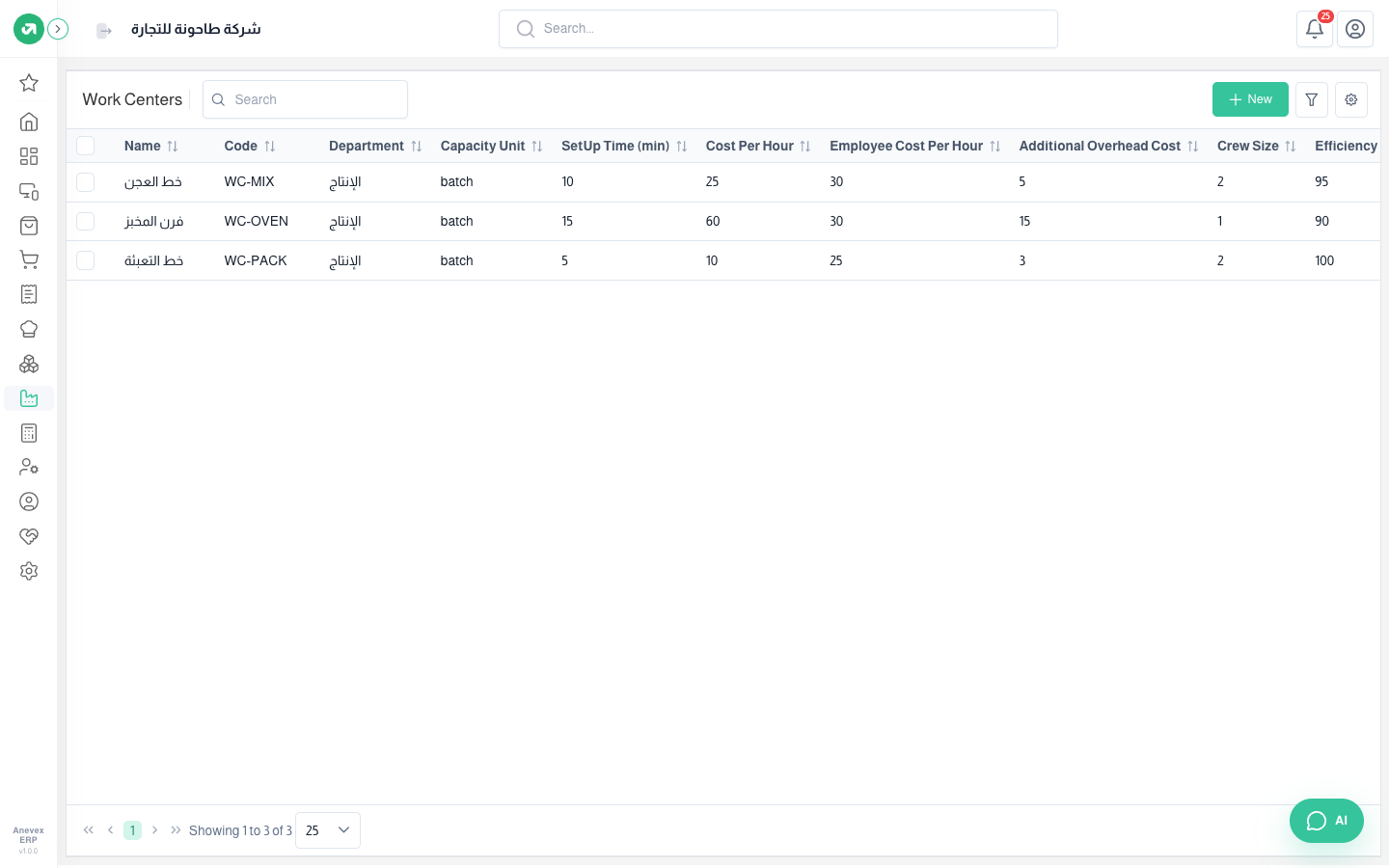
Fields
| Field | Required? | Description |
|---|---|---|
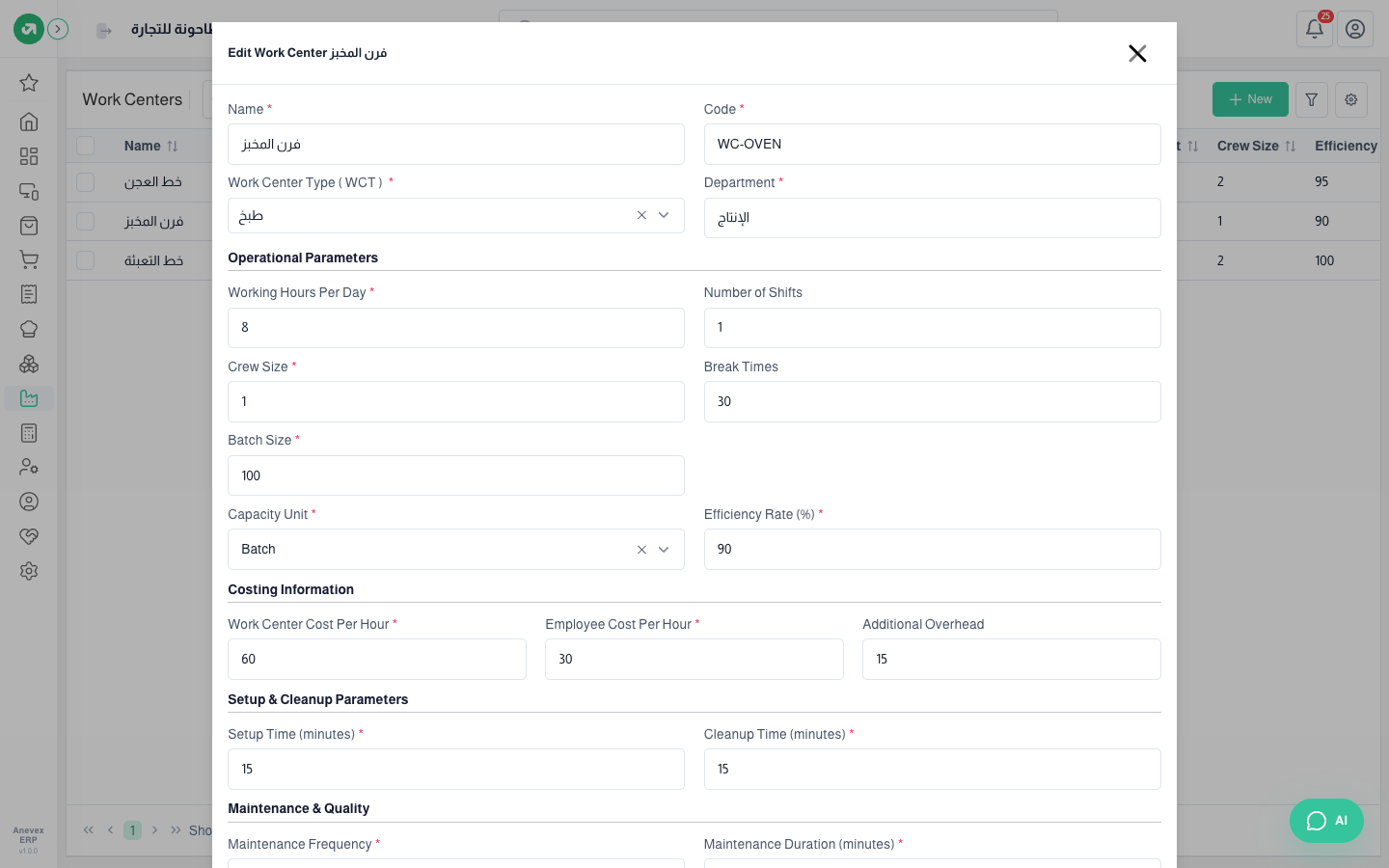
| Name / Code | Required | For example "Bakery Oven" with code WC-OVEN |
| Work Center Type | Required | From the Work Center Types screen |
| Department | Required | The department it belongs to, for example "Production" |
| Working Hours Per Day / Number of Shifts | Required | The center’s daily capacity |
| Crew Size | Required | How many people work it at the same time. The employee cost is multiplied by it |
| Break Times | Optional | In minutes |
| Capacity Unit / Batch Size | Required | Hour, piece or batch. With batch you enter how many pieces one batch holds |
| Efficiency Rate (%) | Required | 90% efficiency means the time is costed about 10% longer |
| Work Center Cost Per Hour | Required | The hourly cost of running the machine or line (power, wear…) |
| Employee Cost Per Hour | Required | One worker’s hourly wage |
| Additional Overhead | Optional | A fixed amount added per batch or piece, depending on the type’s mode |
| Setup / Cleanup Time (minutes) | Required | The setup time is added to every work order’s time in the cost |
| Maintenance Frequency / Duration | Required | How often it needs maintenance, and how many minutes it takes |
| Quality Check | Optional | Turn it on and write what to check, for example "check the baking colour and weight of every batch" |
Notes
- Work order cost = (actual time ÷ efficiency + setup time) × (center cost per hour + crew size × employee cost per hour) + additional overhead.
- Work center names are written in one language and show as they are in the English interface.