
Sales Invoices
Every invoice to customers, whether created here or coming from a confirmed sales order. From here you record collections and returns and print the invoice.
Overview
Where to find itAccountingCustomersSales Invoices
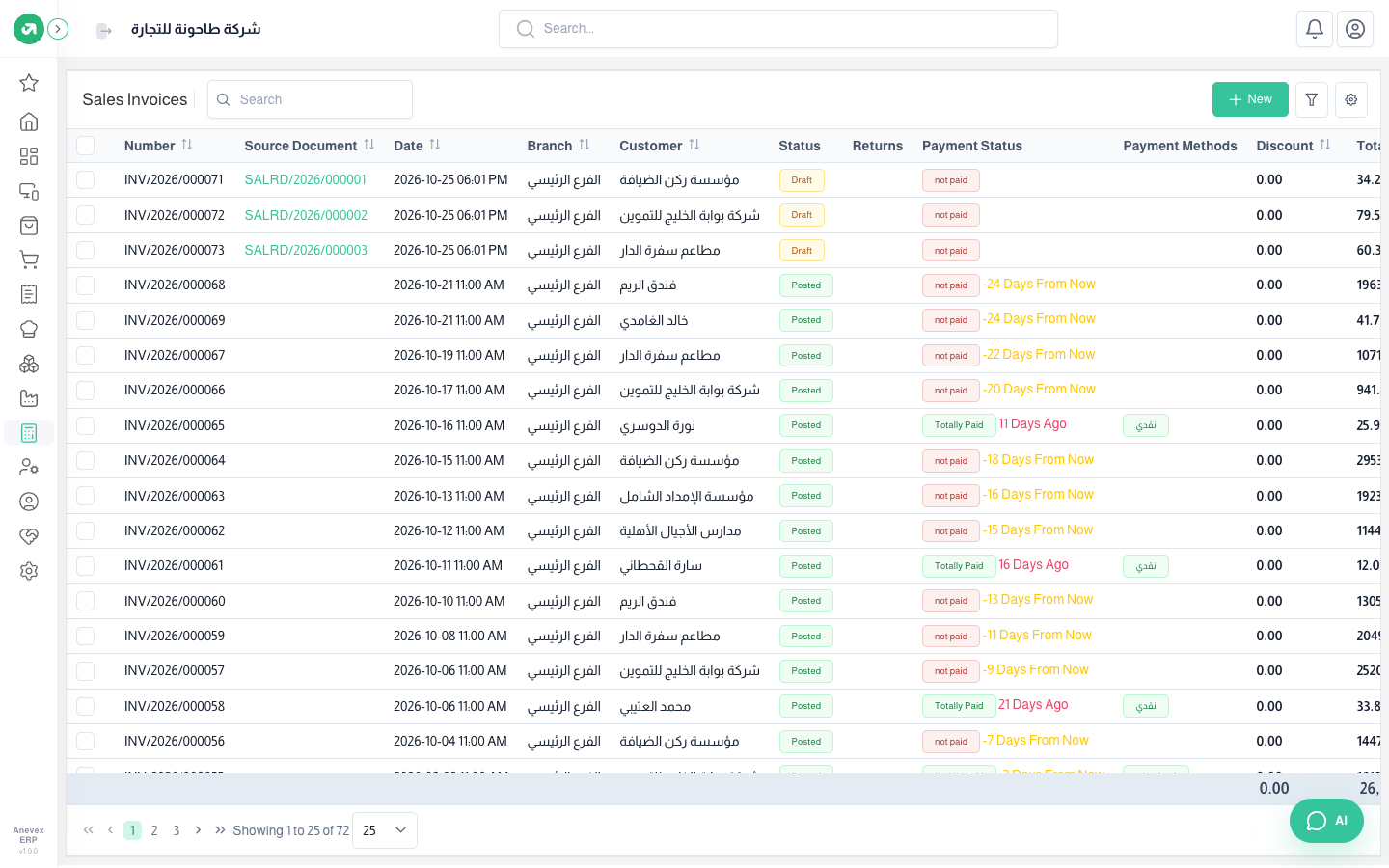
The Status and Payment status columns show draft or posted, and unpaid, partly or fully paid. The due column shows days left or overdue.
Adding an invoice
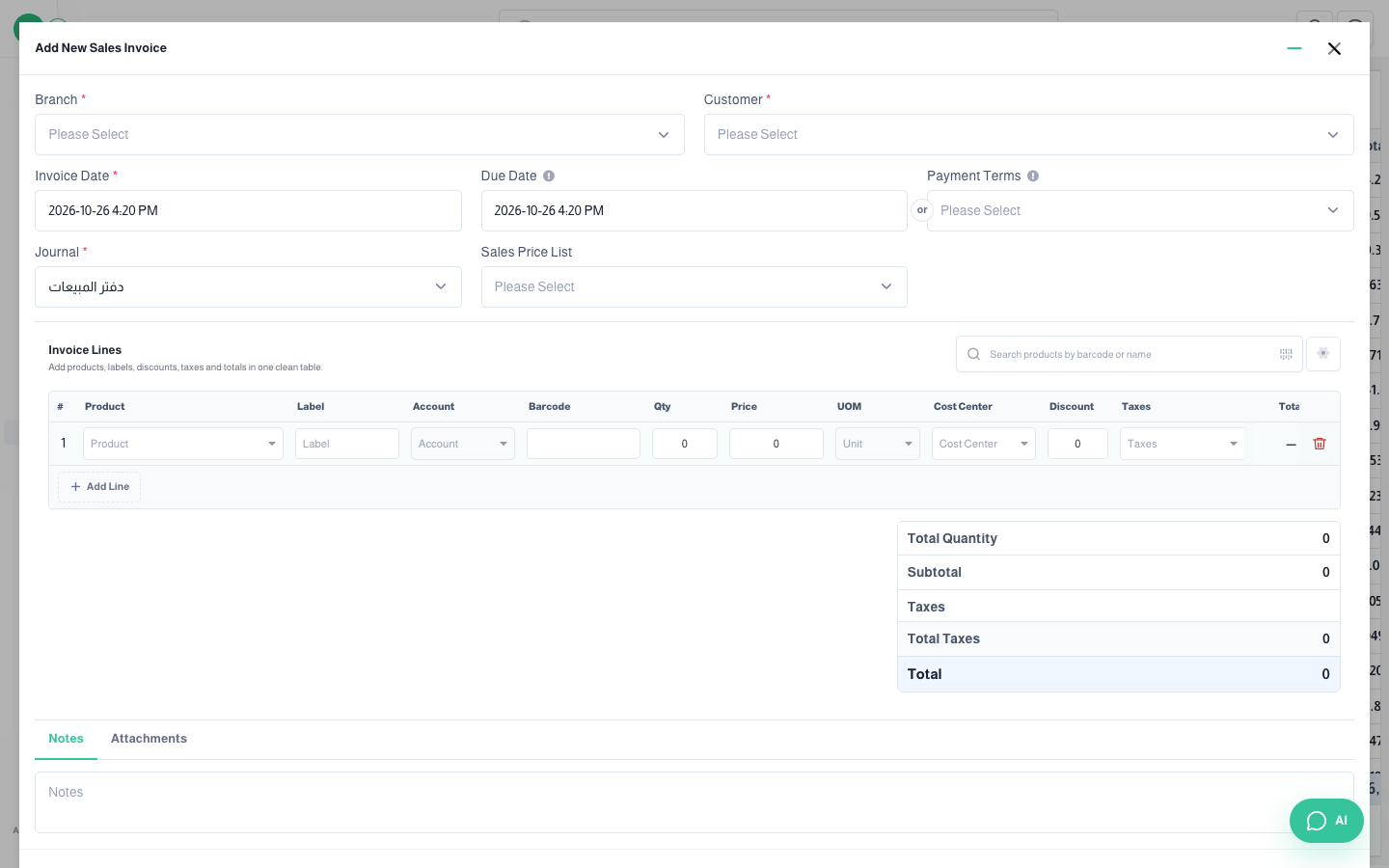
Fields
| Field | Required? | Description |
|---|---|---|
| Branch | Required | The selling branch; it decides which warehouse the goods leave from. |
| Customer | Required | The debt goes to the customer’s account (or the default receivables account). |
| Invoice Date | Required | The accounting date. It cannot fall in a closed period. |
| Due Date / Payment Terms | Optional | When payment is due. The ageing report relies on it. |
| Journal | Required | The sales journal by default. |
| Sales Price List | Optional | To apply special prices. |
| Invoice lines | Required | Product or free text (Label), account (to override the income account for this line), quantity, price, unit, cost center, discount and tax. |
The invoice page
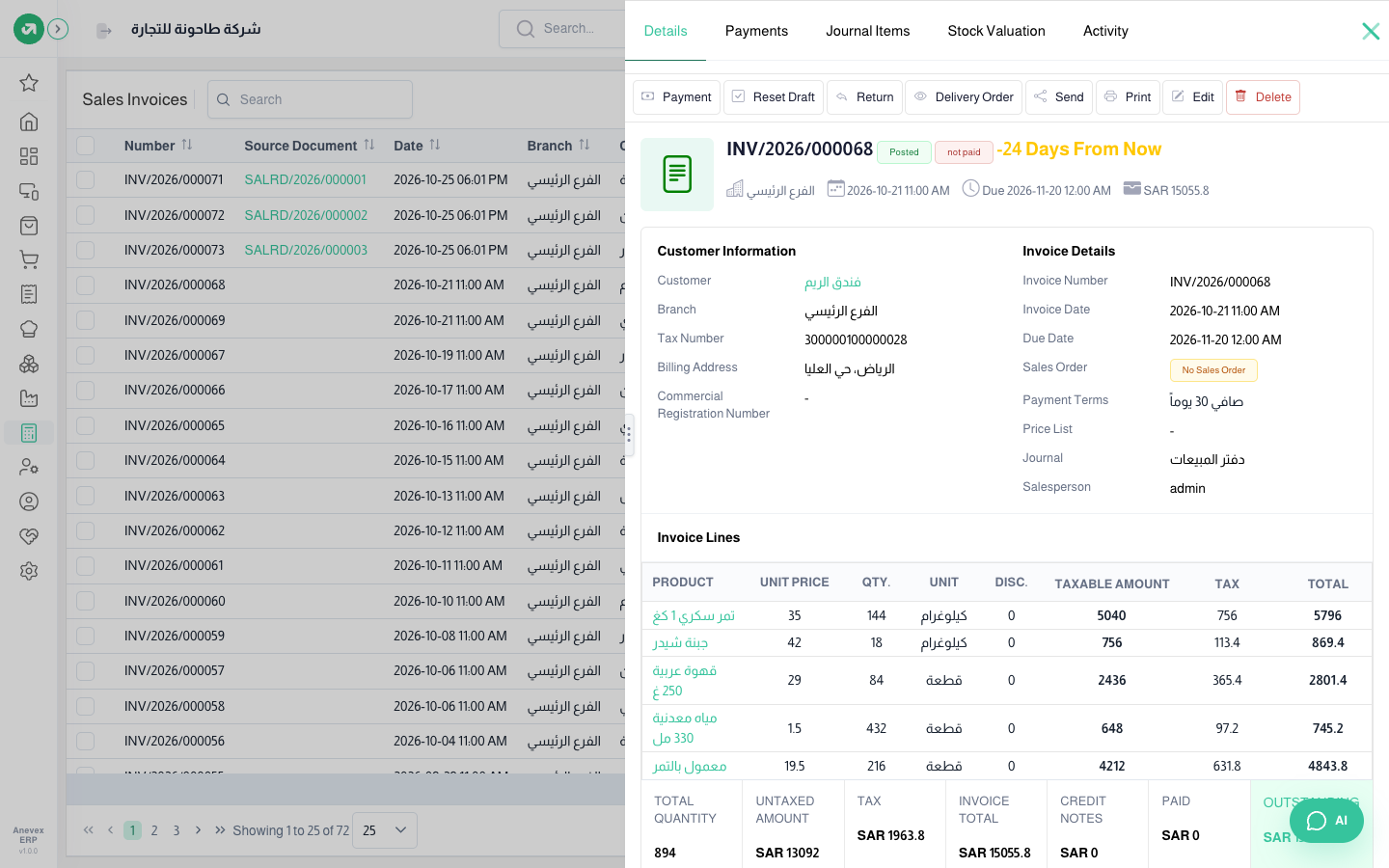
- Tabs: Details, Payments, Journal items (the invoice’s entry), Stock valuation (the cost entry), Activity (change log).
- Buttons: Payment, Reset draft, Return (credit note), Delivery order, Send (WhatsApp / email / SMS), Print, Edit, Delete.
- At the bottom: total quantity, untaxed amount, tax, total, returns, paid and outstanding.
Notes
- If the invoicing policy is "on delivered quantities", the invoice cannot be posted before its delivery is validated.
- If overselling is off, the invoice is refused when stock is not enough.