Employees
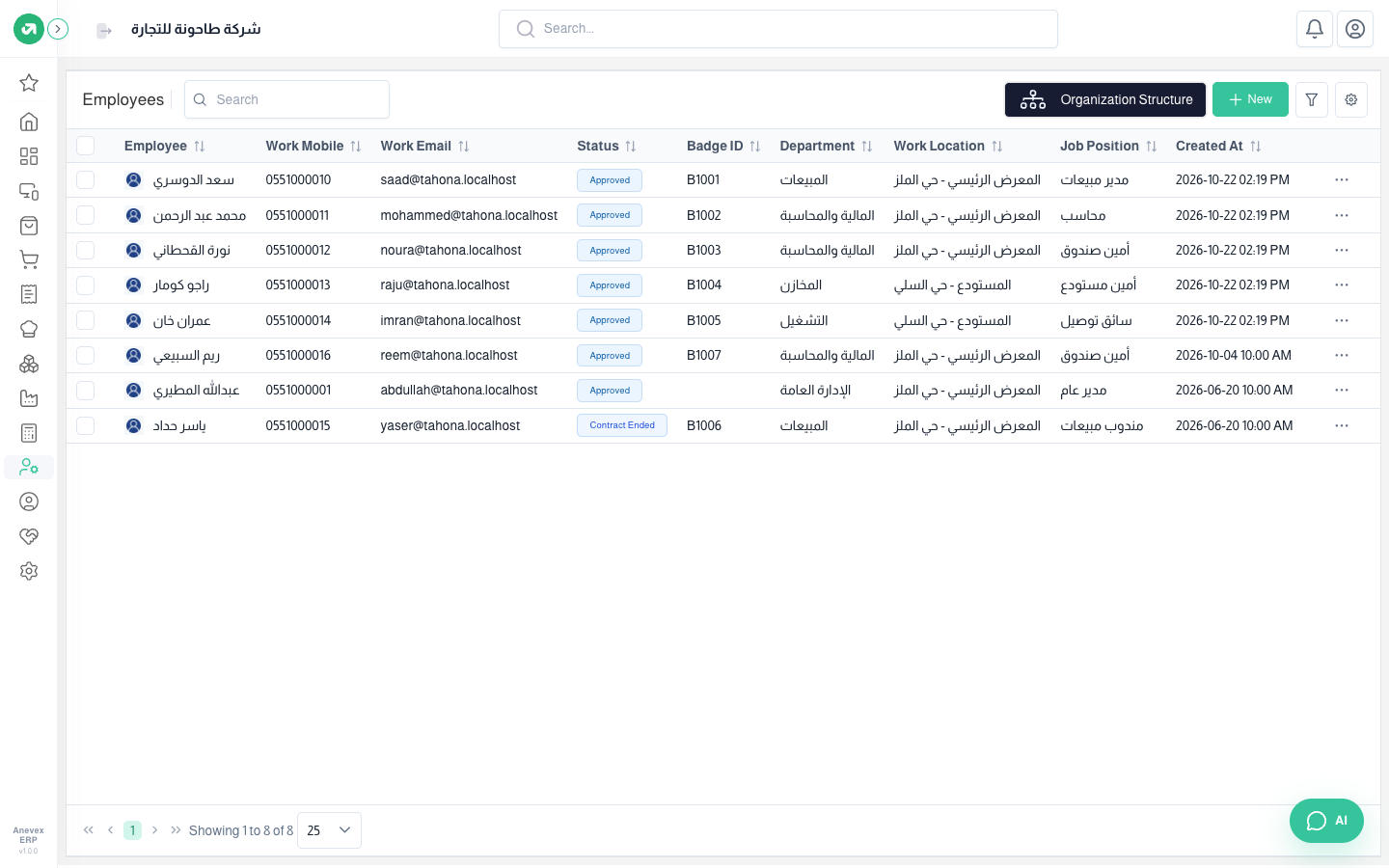
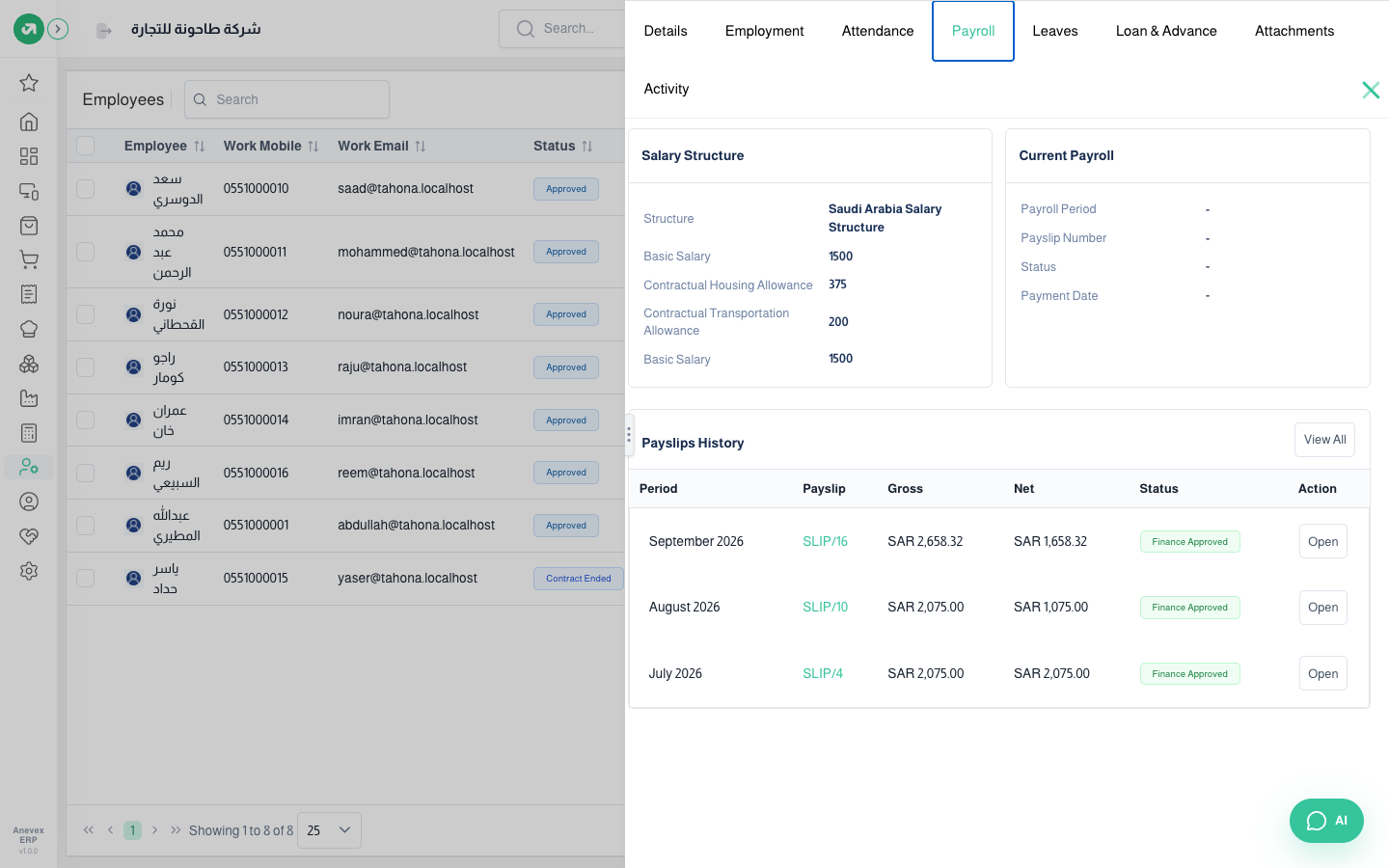
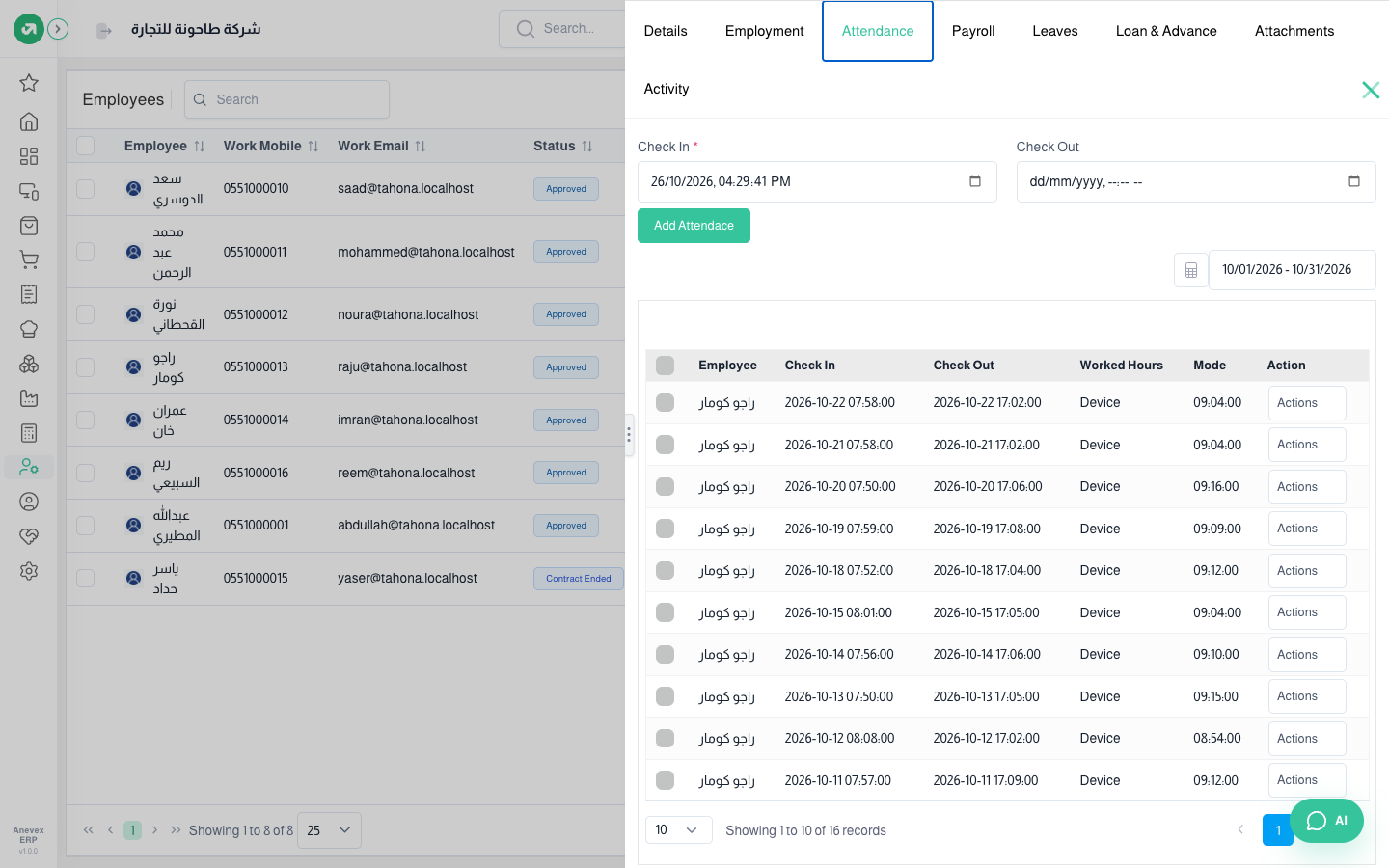
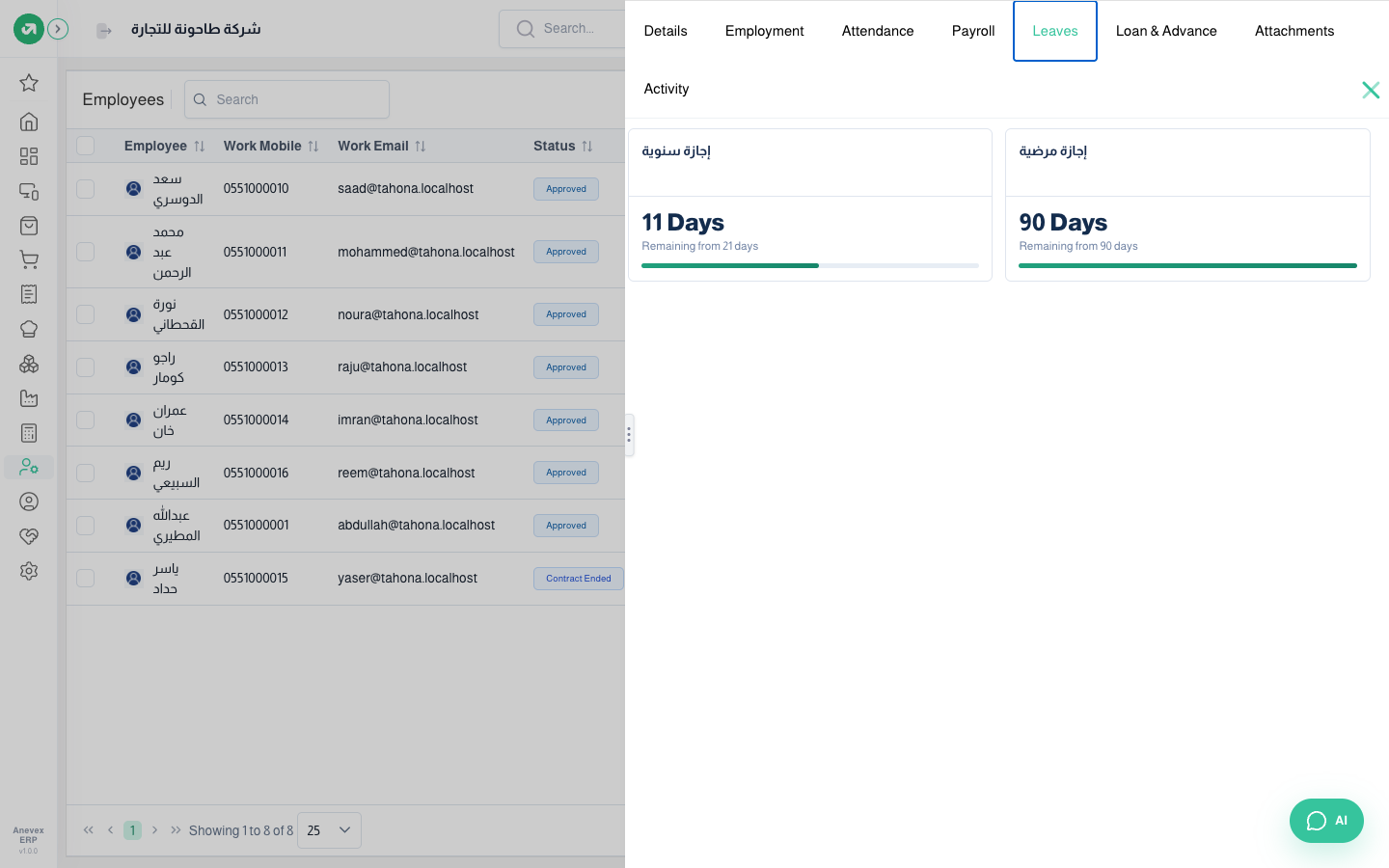
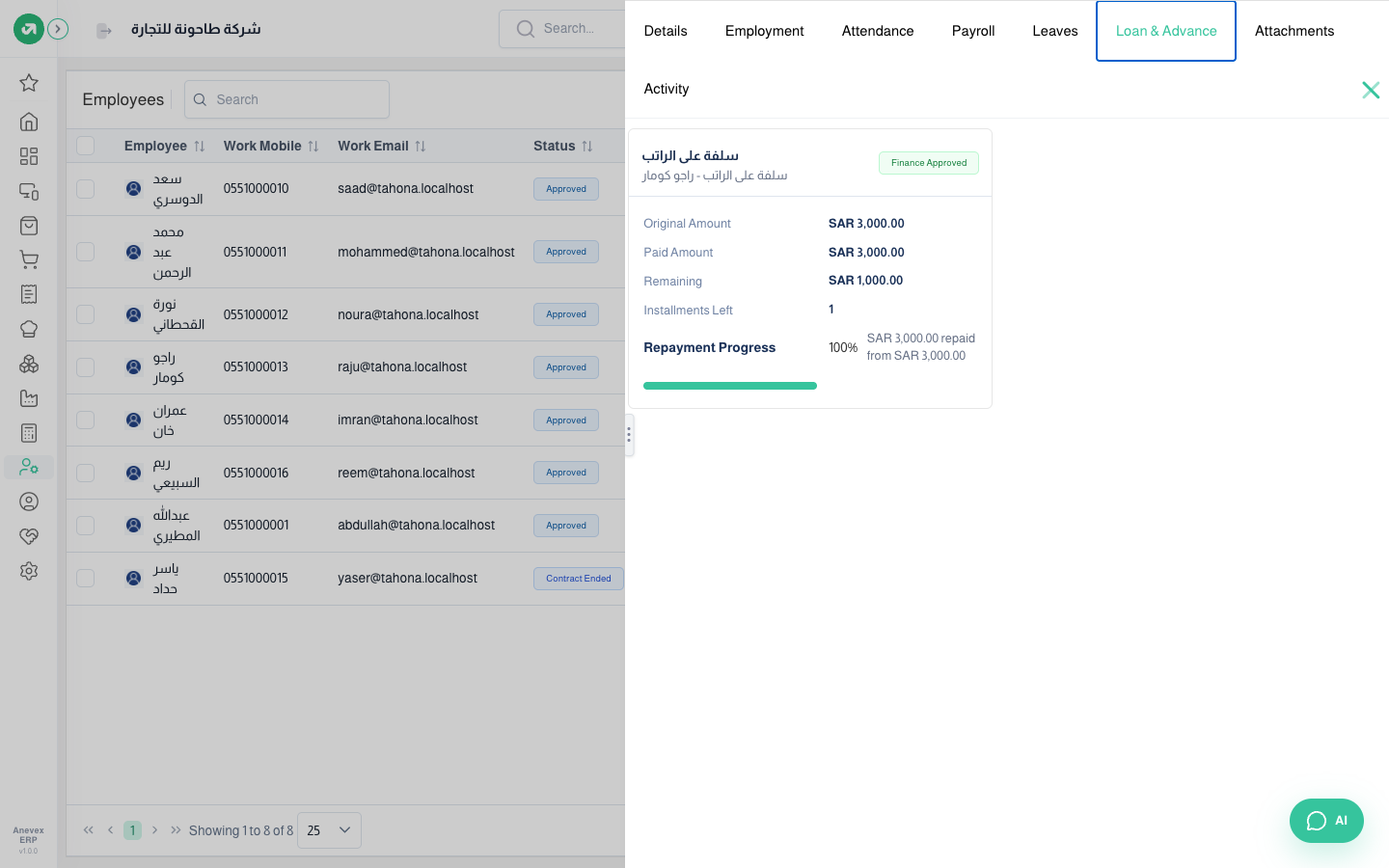
Each employee’s file: personal and job details, working schedule, salary structure, leave and loan balances. When an employee leaves through a final settlement the status changes (e.g. "Contract Ended") and they drop out of drop-down lists.
Overview
Where to find itHR & PayrollEmployeesEmployees
Steps
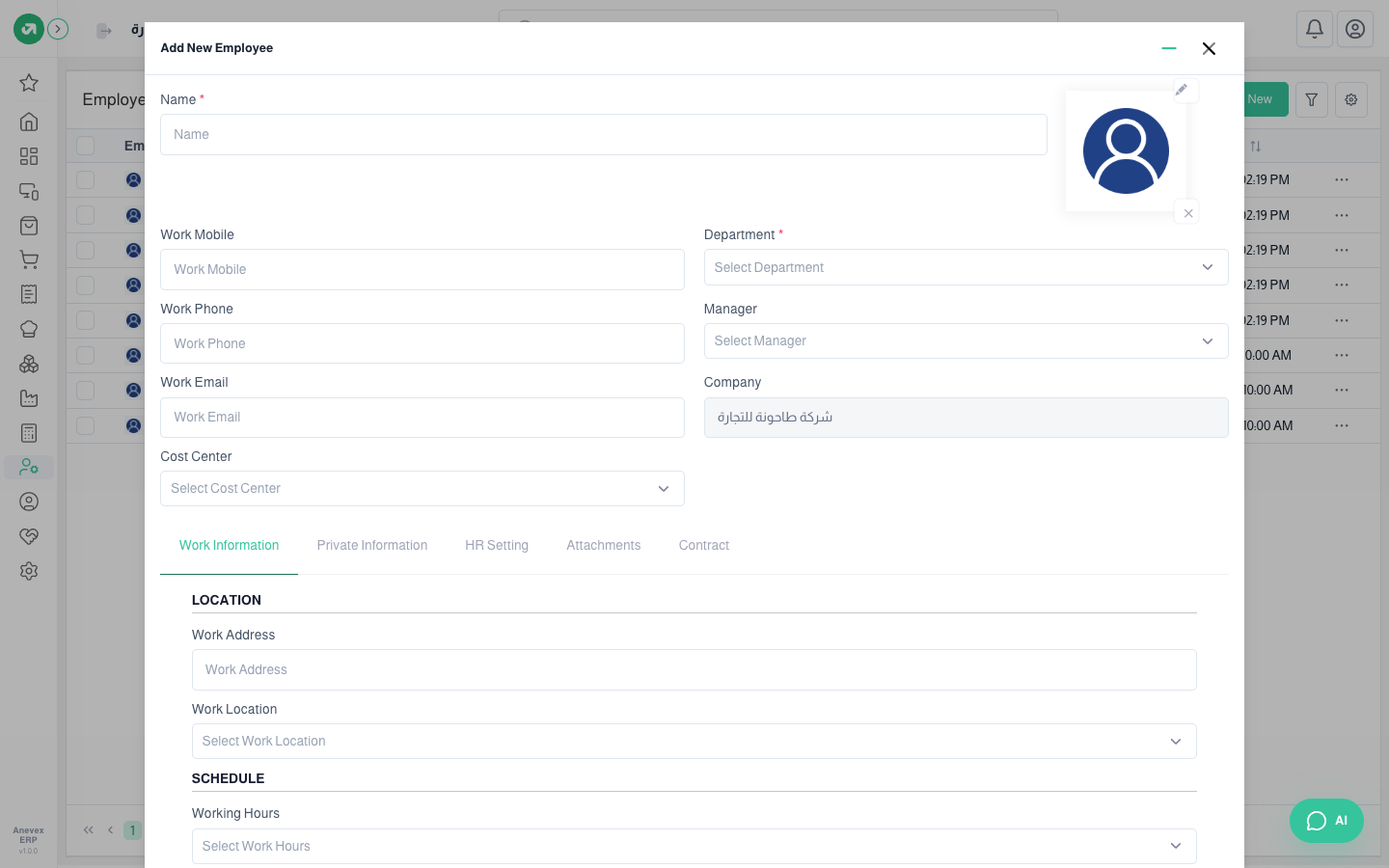
- Click New and enter the name, department, direct manager, contact details and cost center.
- On Work Information choose the work location and working schedule.
- On Private Information enter nationality, ID, residence permit, passport and their expiry dates, and marital status.
- On HR Settings link the employee to a system user (for attendance and manager approvals) and set the job position, badge number and attendance PIN.
- On Contract choose the employment type, salary structure and contract start and end. Then adjust the salary rule amounts for this employee.
- Click Submit. Saving an employment type with a start date creates the paid leave balances automatically.
Fields
| Field | Required? | Description |
|---|---|---|
| Name | Required | Must be unique |
| Department / Manager | Optional | The manager approves leave, permissions and loans as direct manager |
| Working Schedule | Optional | Needed for attendance evaluation and payroll |
| Salary Structure | Optional | Sets the salary rules and pay schedule. No payslips without one |
| Contract start / end | Optional | Start drives leave balances; the end date is needed for a final settlement |
| Cost Center | Optional | Reporting only for now; the payslip entry does not carry it |
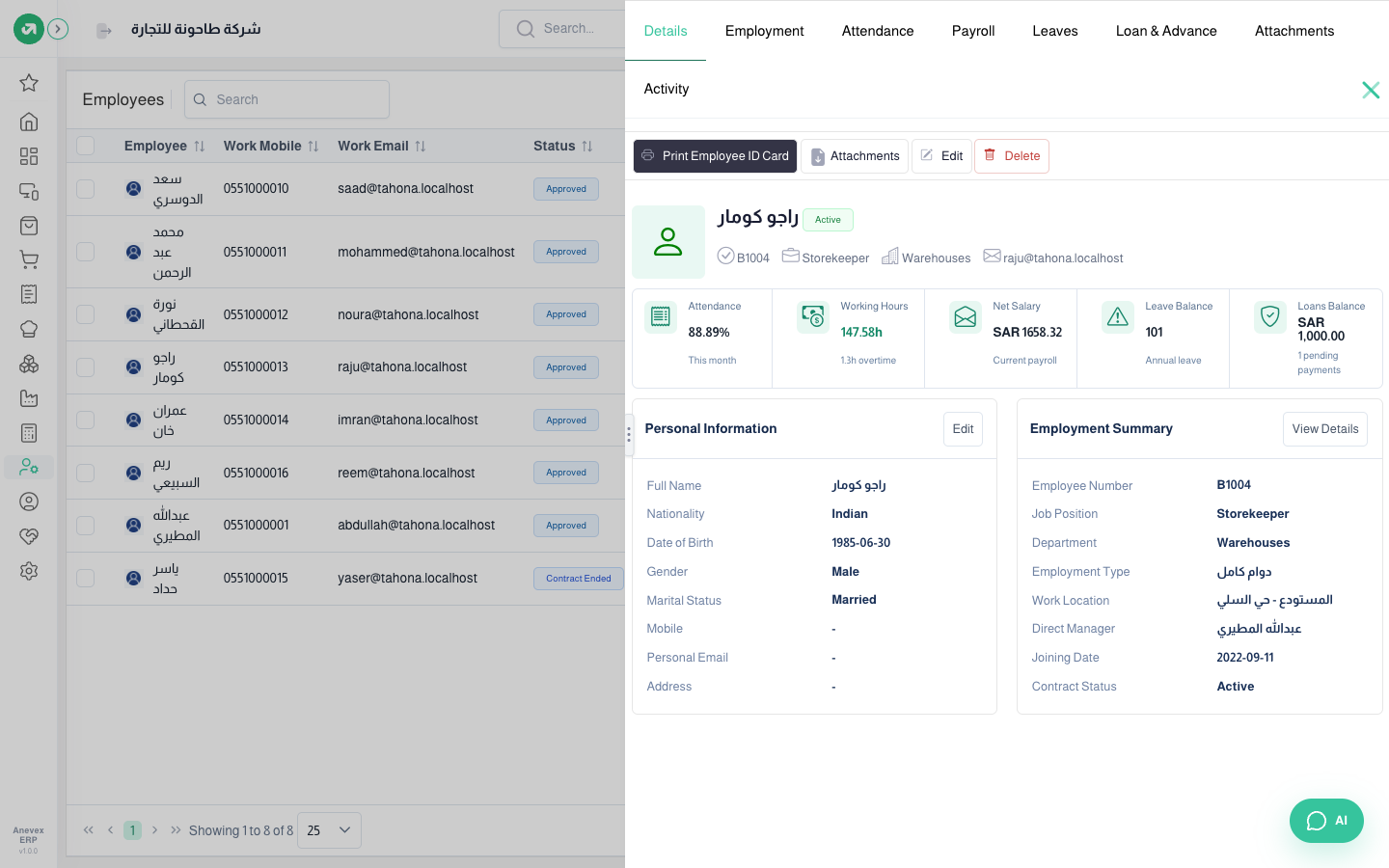
From the list click … → View to open the file. Cards at the top show this month’s attendance rate, worked and overtime hours, last net salary, leave balance and loan balance.
Notes
- The leave balance card adds all types together (annual 11 + sick 90 = 101); use the Leaves tab for each type’s balance.
- The Loans tab counts the advance payout as paid, so it shows "100% repaid" while 1,000 is still outstanding.
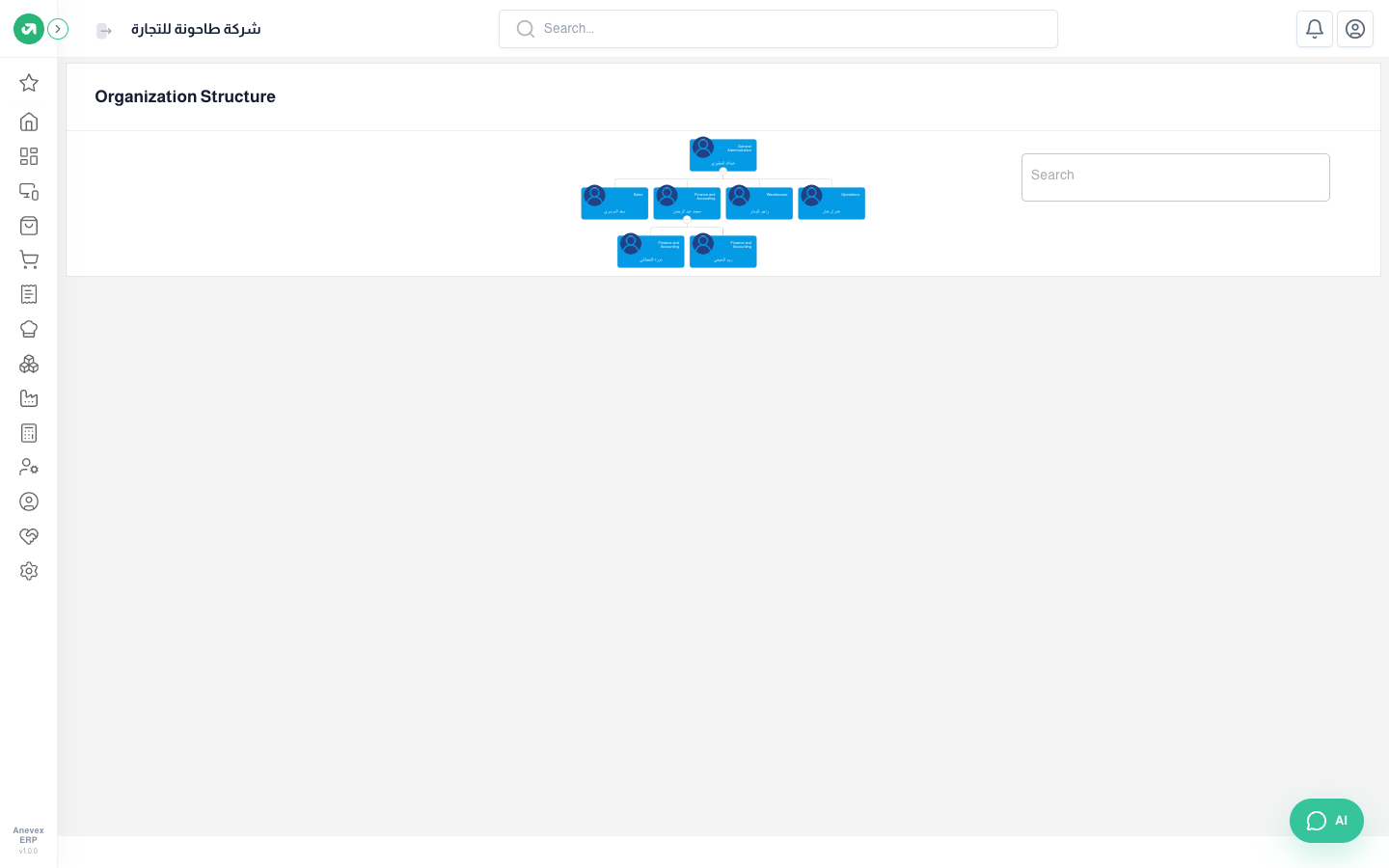
- The Organization Structure button shows the staff tree by direct manager.