
Final Settlements
The settlement when someone leaves: pay from the last payslip to the last working day, allowances, unused annual leave, end-of-service gratuity, minus deductions, remaining loan instalments and recovered assets.
Overview
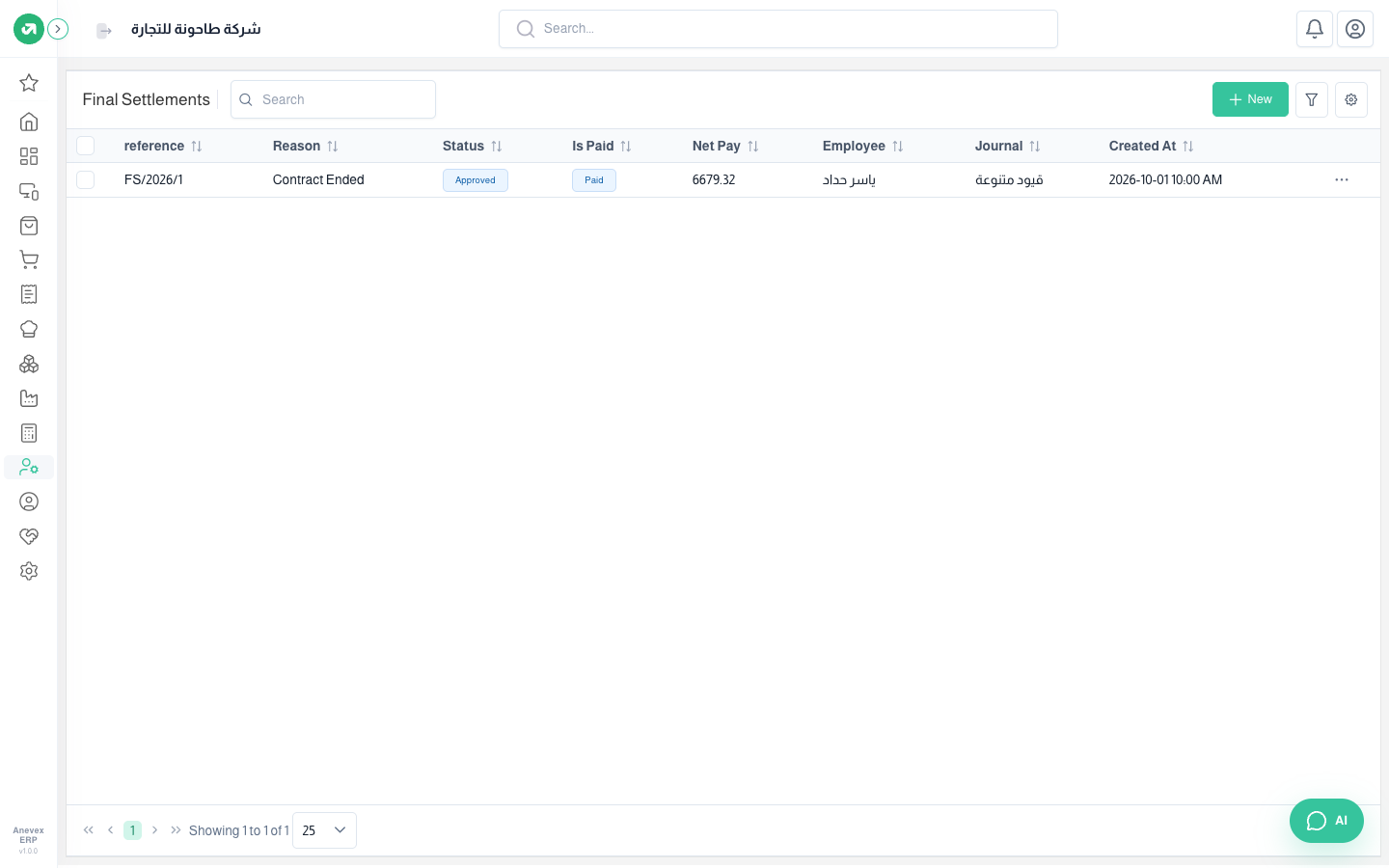
Where to find itHR & PayrollPayrollFinal Settlements
Steps
- Make sure the employee has a contract end date; without it they are not listed.
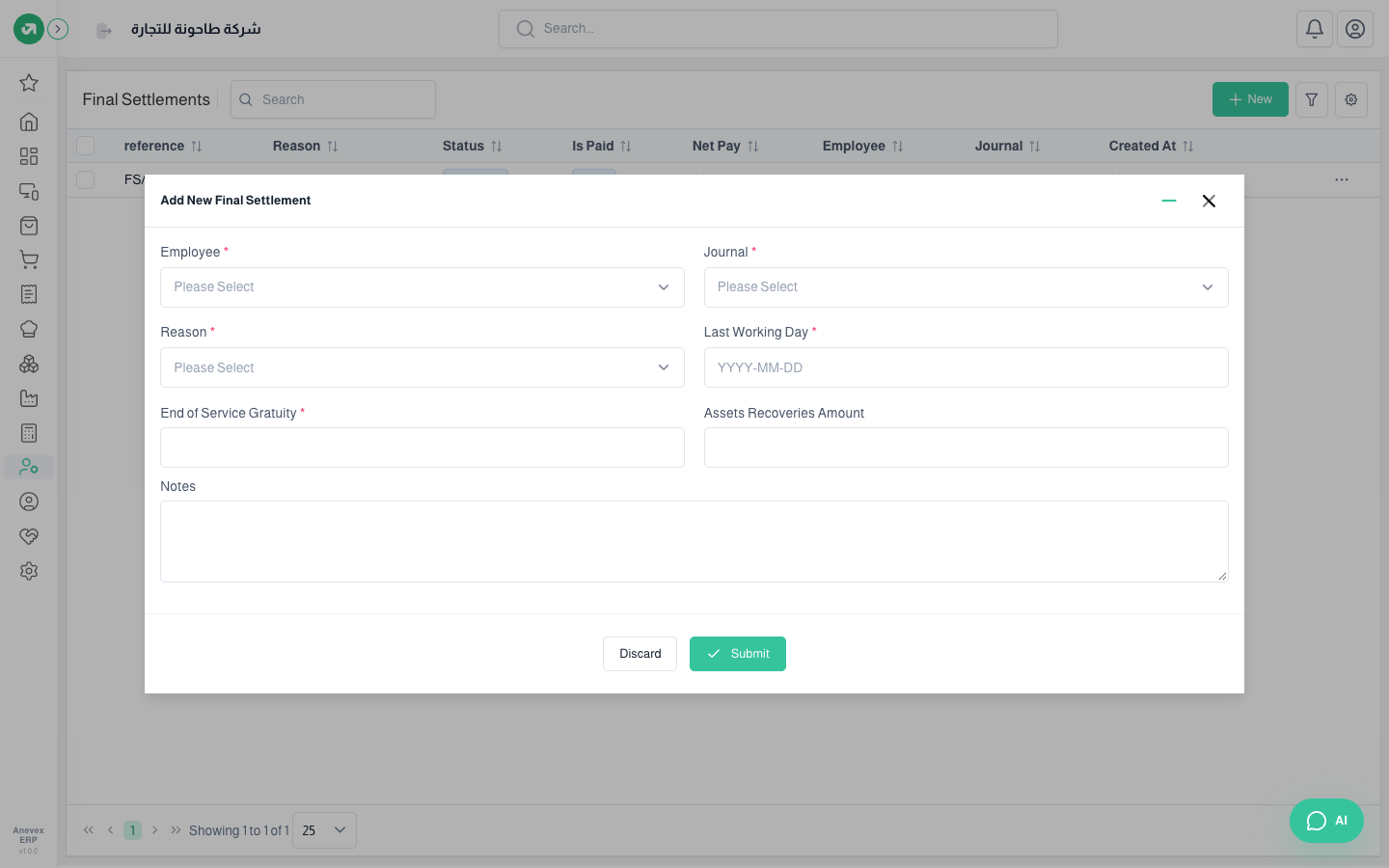
- Choose the employee, journal, reason (resignation, termination, contract ended, retirement) and last working day (must be before today).
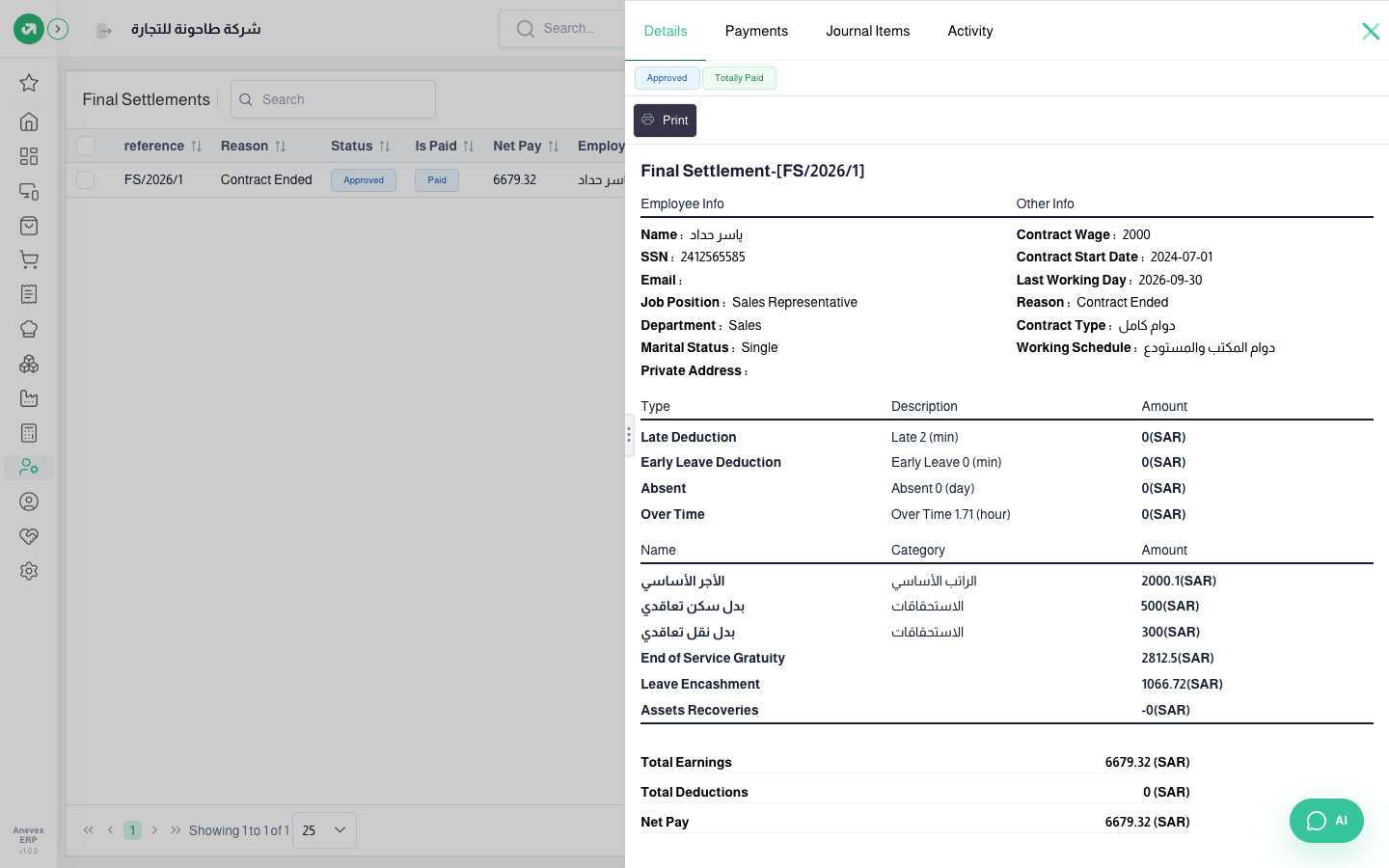
- Enter the end-of-service gratuity yourself; the system does not calculate it. In the example: half a month’s wage (basic + housing 2,500) × 2.25 years = 2,812.50.
- Click Submit, then select it and click Approve. Approval changes the employee’s status and removes their leave balances.
- Post its entry, then click Payment to pay it.
Notes
- Do not issue a payslip for the last month; the settlement covers it.
- Allowances are paid for the full month even when someone leaves mid-month; only basic is prorated.
- The settlement entry takes the day it was created as its date; check the date before posting.