
Loan & Advance Requests
The advance request, its approvals and instalment schedule. Instalments come off the following periods’ payslips automatically.
Overview
Where to find itHR & PayrollLoans & AdvancesLoan & Advance Requests
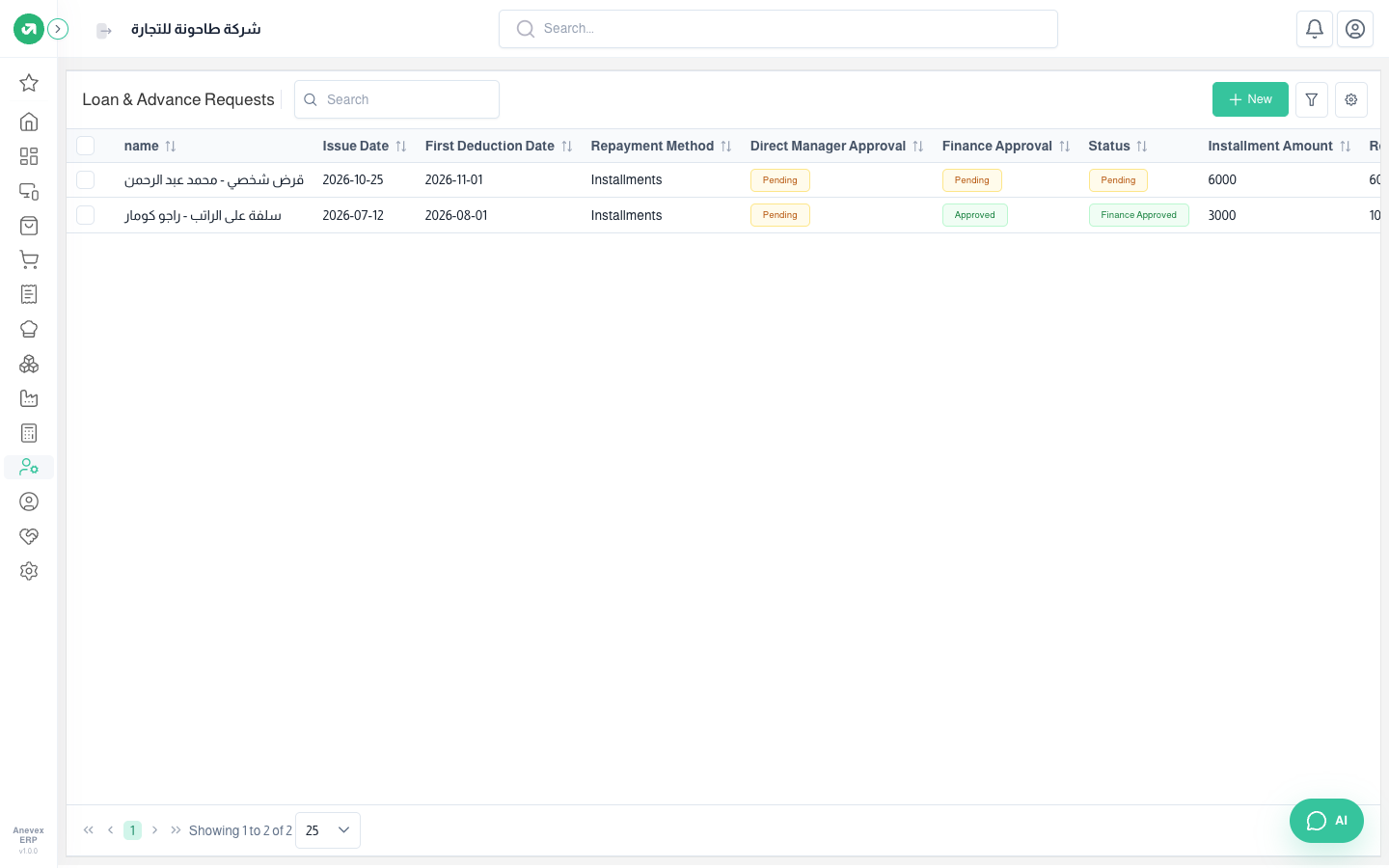
Steps
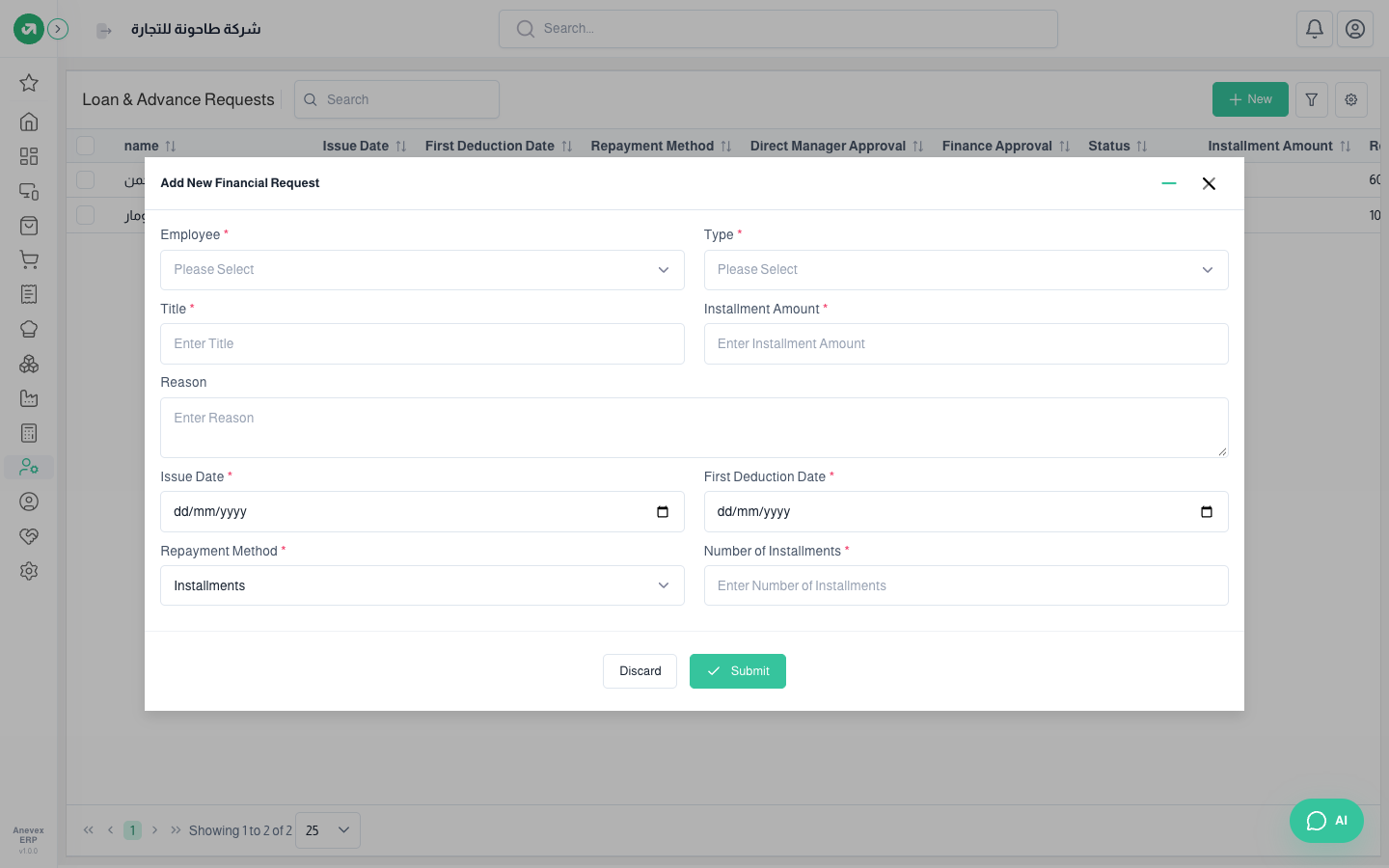
- Click New and enter the employee, type, title, amount, reason, issue date, first deduction date and number of instalments.
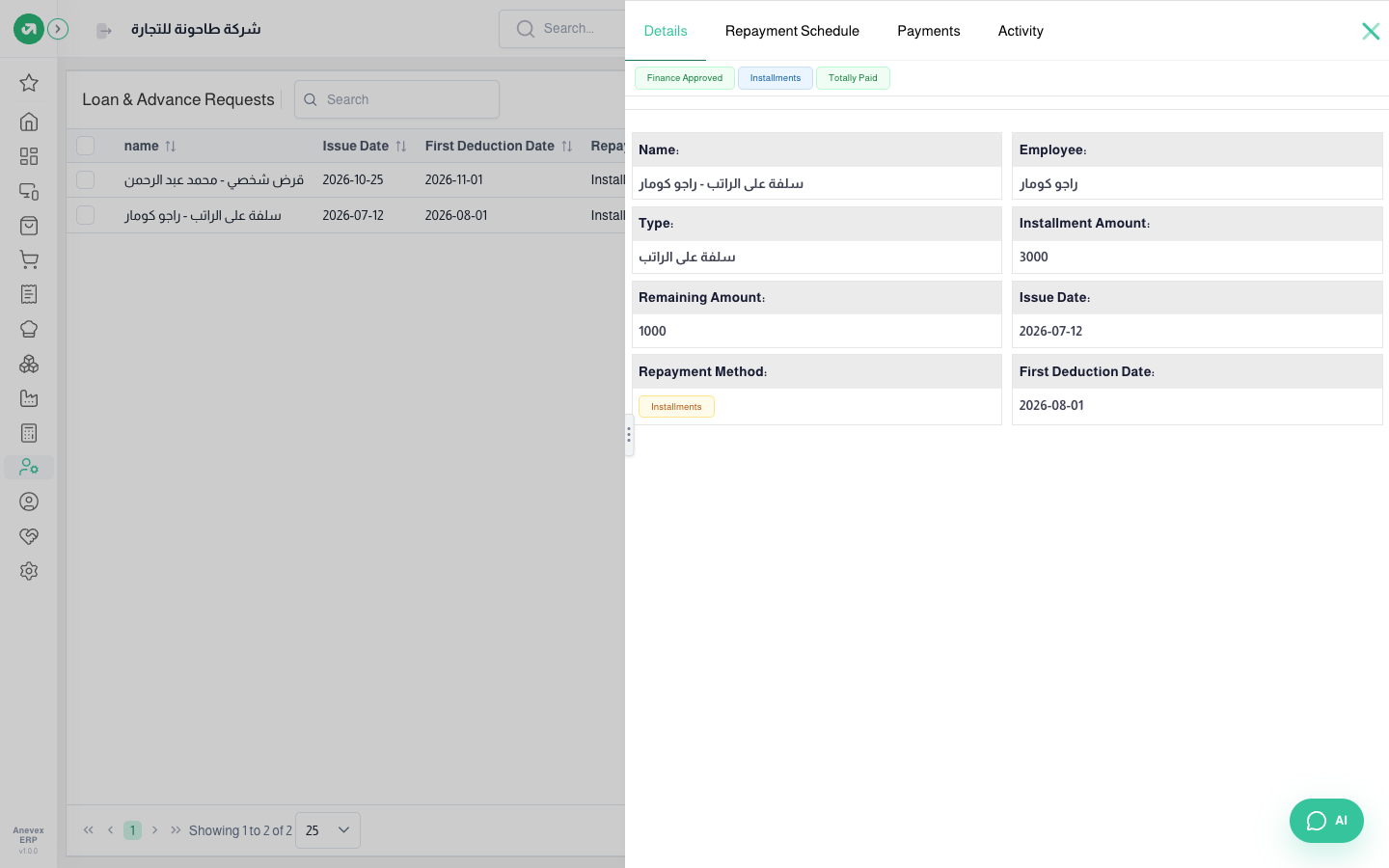
- From … → Approve check the amount and instalments and approve. One instalment is created per payroll period from the first deduction date.
- Then Finance Approval, and then Payment to pay the employee.
Notes
- Instalments are only created for existing payroll periods; if there are fewer periods than instalments, fewer are created.
- Early settlement rolls the remaining instalments into one on the first period without payslips.