
Editing a bill line
Tap any line in the bill to change its quantity or price, or add a discount or a note.
Overview
Where to find itPOSCashier screen
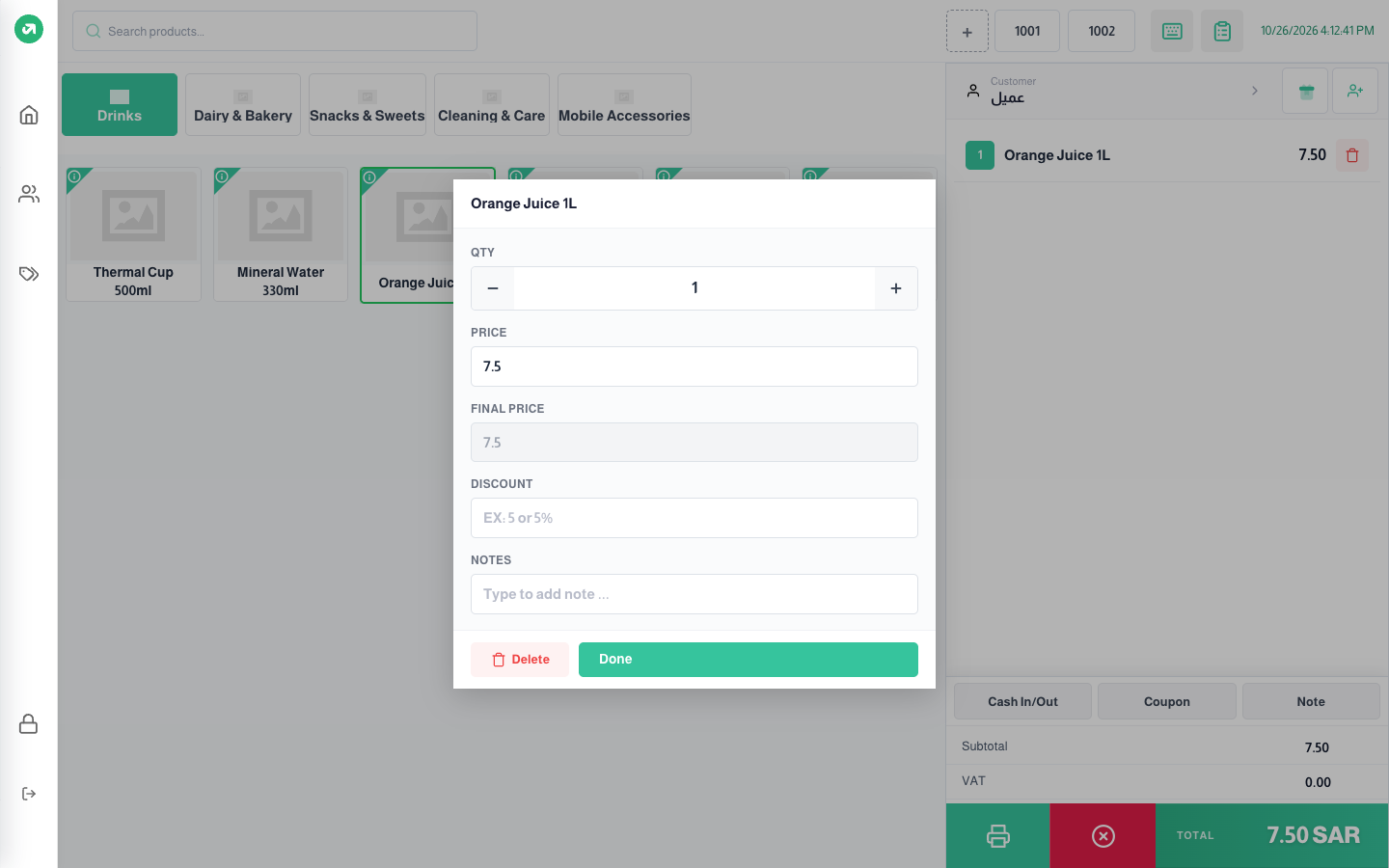
Fields
| Field | Required? | Description |
|---|---|---|
| QTY | Required | The quantity. The buttons step by 1, or 0.1 if the unit is a weight or volume. |
| Price | Required | Can only be changed when editable prices is on in the settings and the user has the "override price" permission. It cannot go below the product’s minimum price. |
| Final Price | Optional | Shown only when a price list is active; it shows the price after the list is applied. |
| Discount | Optional | Type a number for a fixed discount (5) or a number with % for a percentage (5%). Shown when discount per line is on. |
| Notes | Optional | A note on this line ("no sugar", for example). Shown when customer notes is on. |
Press Done to keep the changes, or Delete to remove the line.
Notes
- Line discounts and a total discount cannot be combined. If any line has a discount and you add a total discount, a warning appears and the total discount is removed.