
Holding and resuming orders
If a customer steps away or forgets something, hold their order and serve the next one. Shown when pause orders is on.
Overview
Where to find itPOSCashier screen
Steps
- Press + in the top bar (or F5). The current order is held with a number (1001, 1002...) and an empty bill starts.
- To go back to a held order, press its number. If the current bill has products, it is held automatically too.
- Once a resumed order is completed, it leaves the held list.
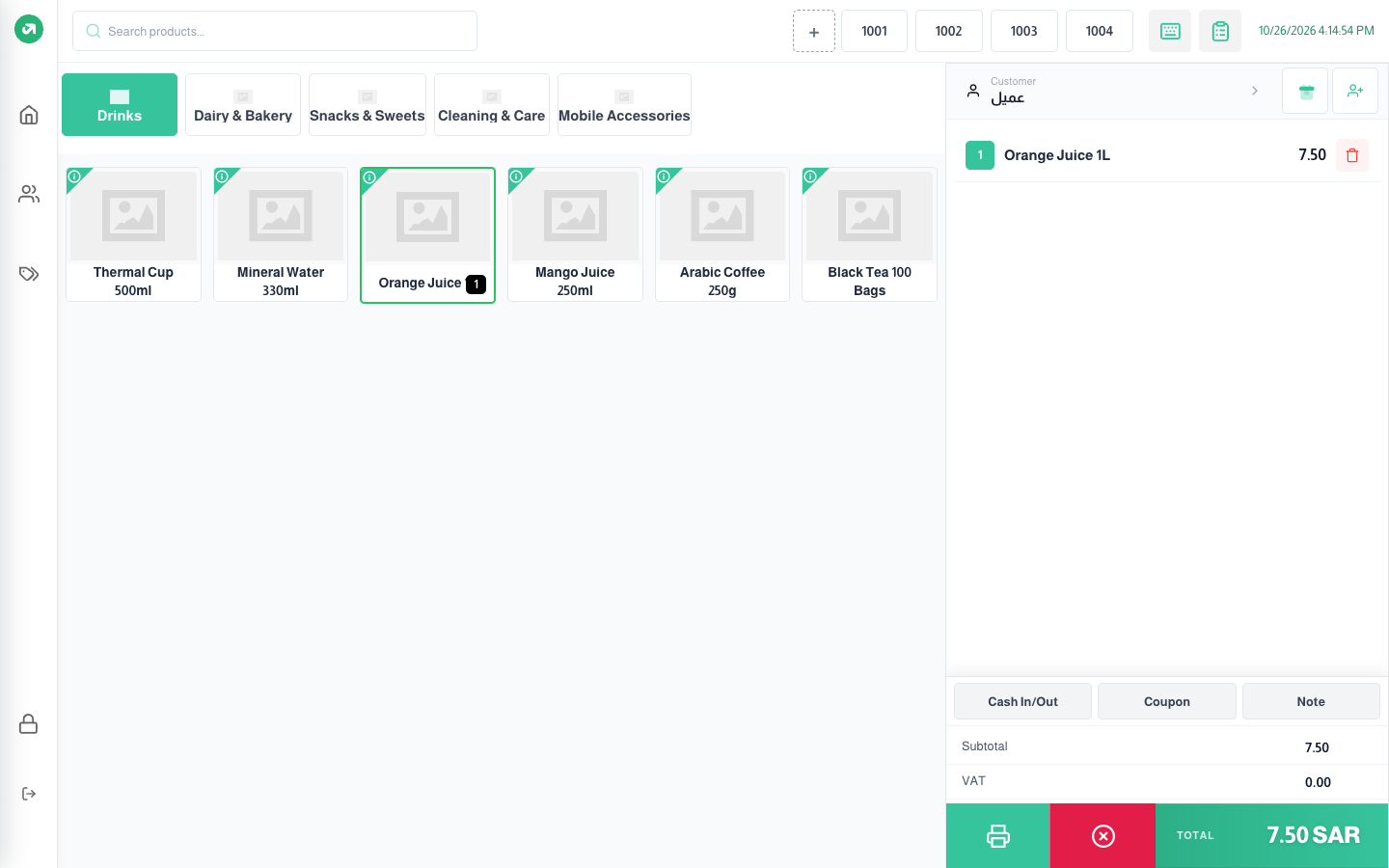
With many held orders, a +count button shows the rest. The full On Hold Orders list lets you search by number, filter by type, View Items, Resume, and delete an order.
Notes
- Held orders are stored in this device’s browser only, do not show on another device, and reach the system only once completed.
- Each order’s total in the on-hold list always shows 0.00, even though the order has items.