
Promotions, coupons and gift cards
Promotions apply automatically when their conditions are met. Coupons and gift cards need their code typed in.
Where to find itPOSCashier screen
Automatic promotions
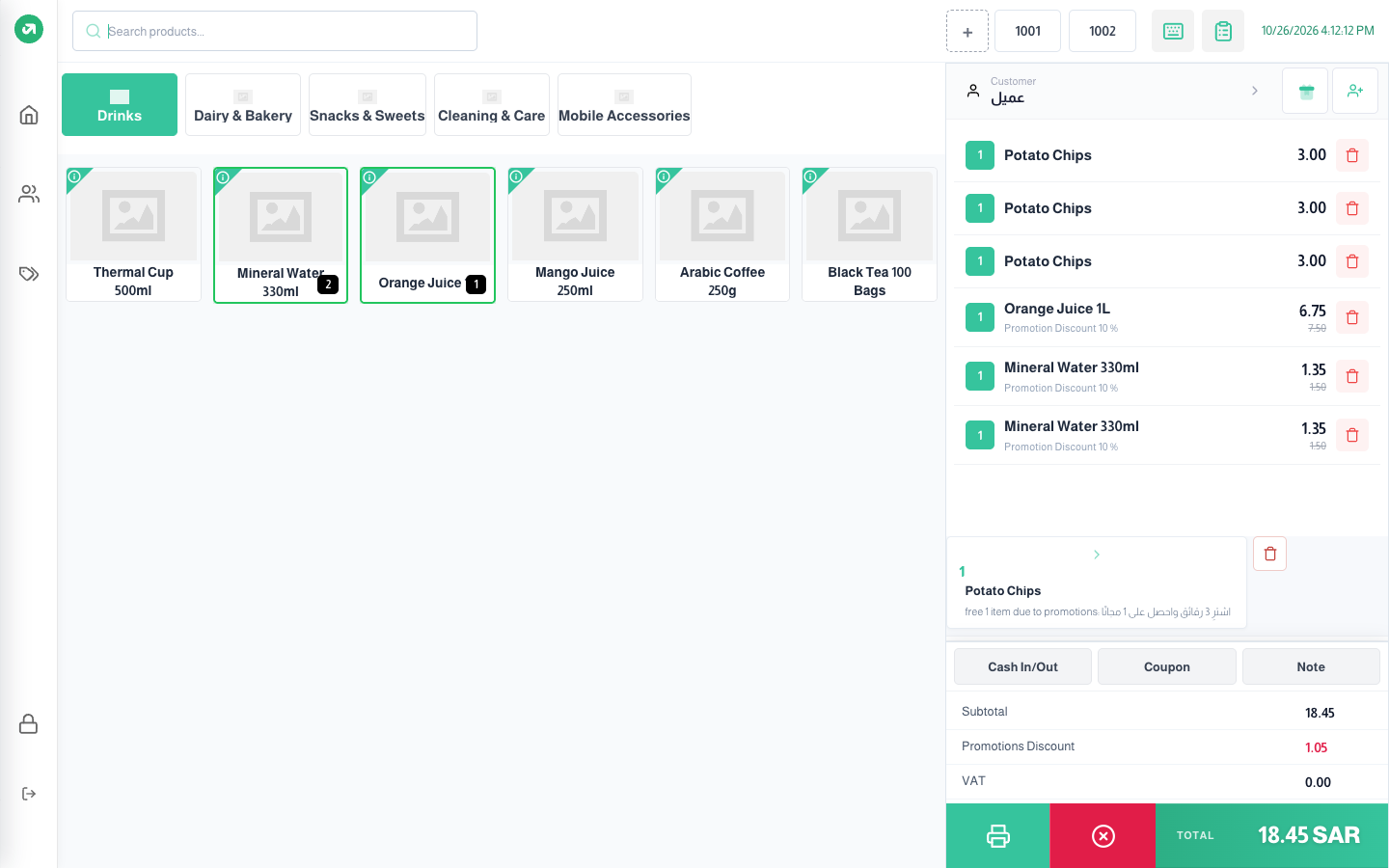
In the picture: the 10% off drinks promotion (needs at least two drinks) shows under each drink as "Promotion Discount 10%" with the old price struck through. The buy 3 chips, get 1 free promotion added a free piece at the bottom of the bill with the reason. The total shows on the Promotions Discount line.
Coupon and gift card
Steps
- Press Coupon under the bill.
- Choose Coupon or Gift Card.
- Type or scan the code, then press Apply.
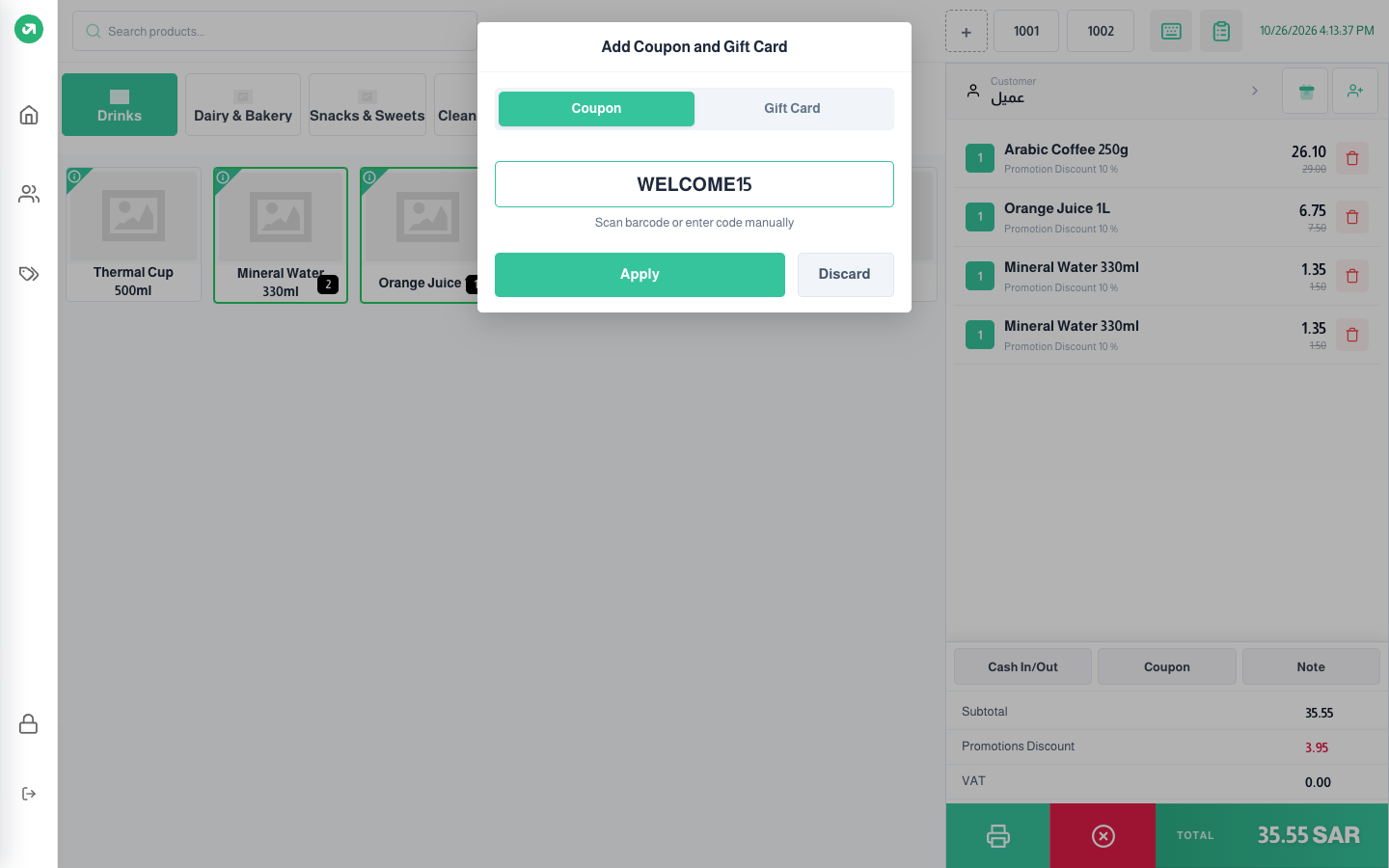
- A coupon is a promotion that needs a code. The system checks the dates, usage limit, allowed customers, and minimum amount and quantity. If a condition fails, a message explains it.
- A gift card has a balance. The system checks it is unused, not expired and allowed for this customer, then deducts its balance from the bill.
Notes
- When tax per product is on, promotions on the whole order or with a fixed amount are refused with "You can’t apply promotion discount on total with tax per product enabled". Use promotions on specific products or the cheapest product. For the same reason the Total Discount button is hidden.
- When remove free products is on, a delete button shows next to the free product.