
Accounting Settings
Default taxes, the accounts operations post to automatically, and the fiscal year, deferred revenue and deferred expense settings. Review them with your accountant before the first invoice.
Overview
Where to find itSettingsBusiness ModulesAccounting
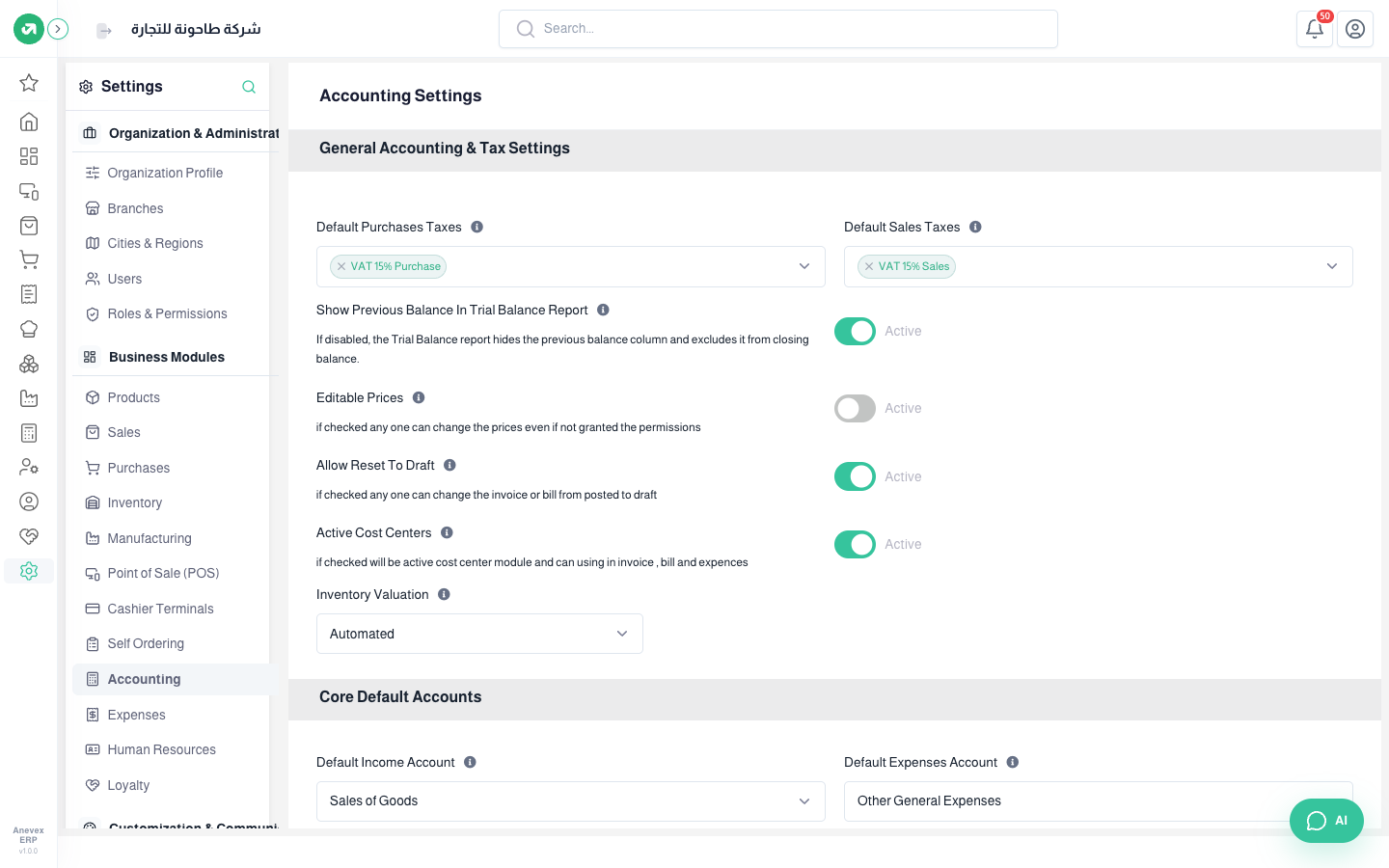
- Default Sales / Purchases Taxes: added to invoices automatically (15% VAT).
- Show Previous Balance In Trial Balance Report.
- Editable Prices: any user can change prices in documents without a permission.
- Allow Reset To Draft: bring a posted invoice or entry back for editing.
- Active Cost Centers: shows the cost center field on invoices and expenses.
- Inventory Valuation: manual or automated. Automated posts a cost of goods entry with every stock movement.
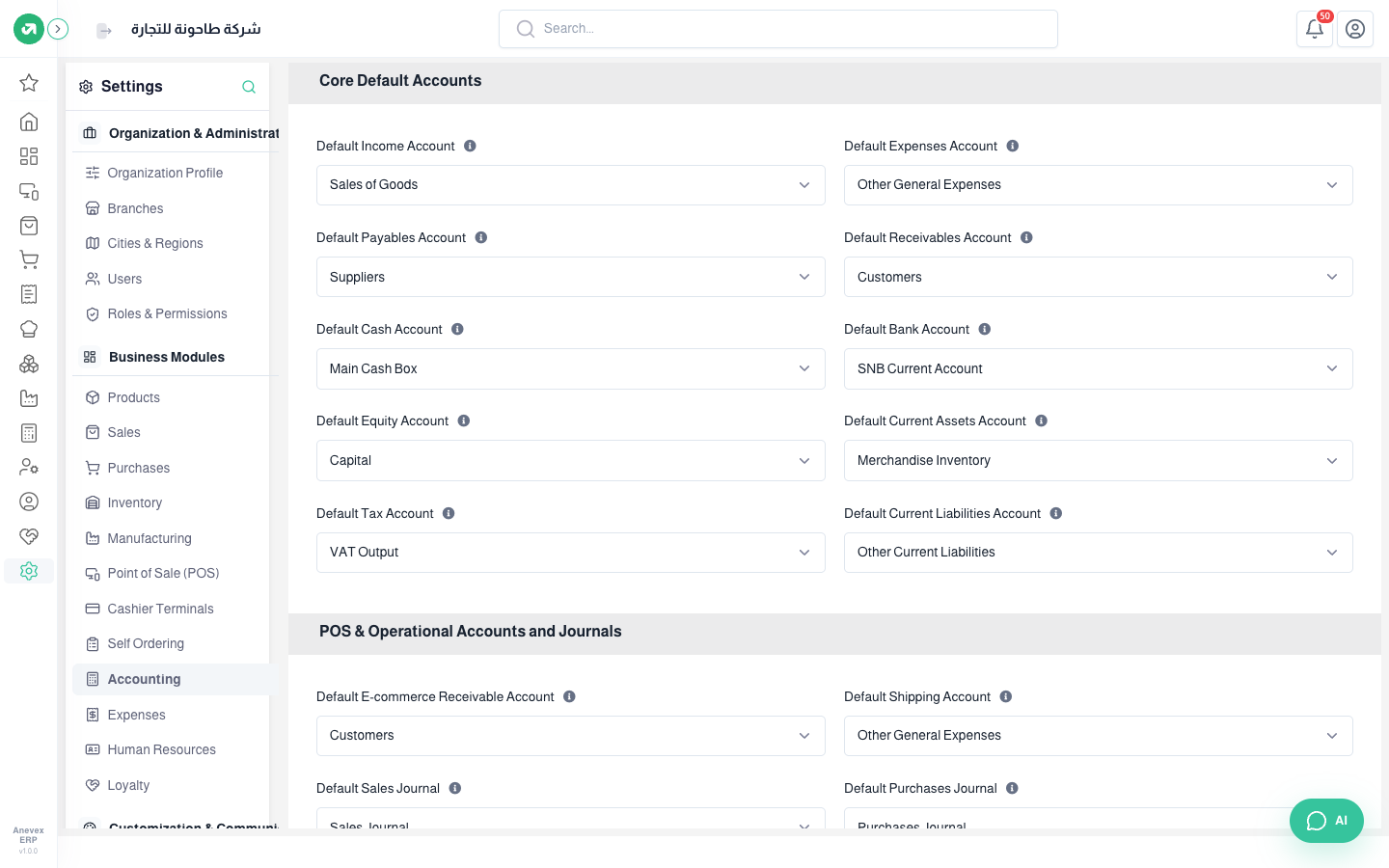
Core Default Accounts: income (sales), expenses, payables, receivables, cash, bank, equity, inventory, tax and current liabilities. Any operation without its own account posts to these.
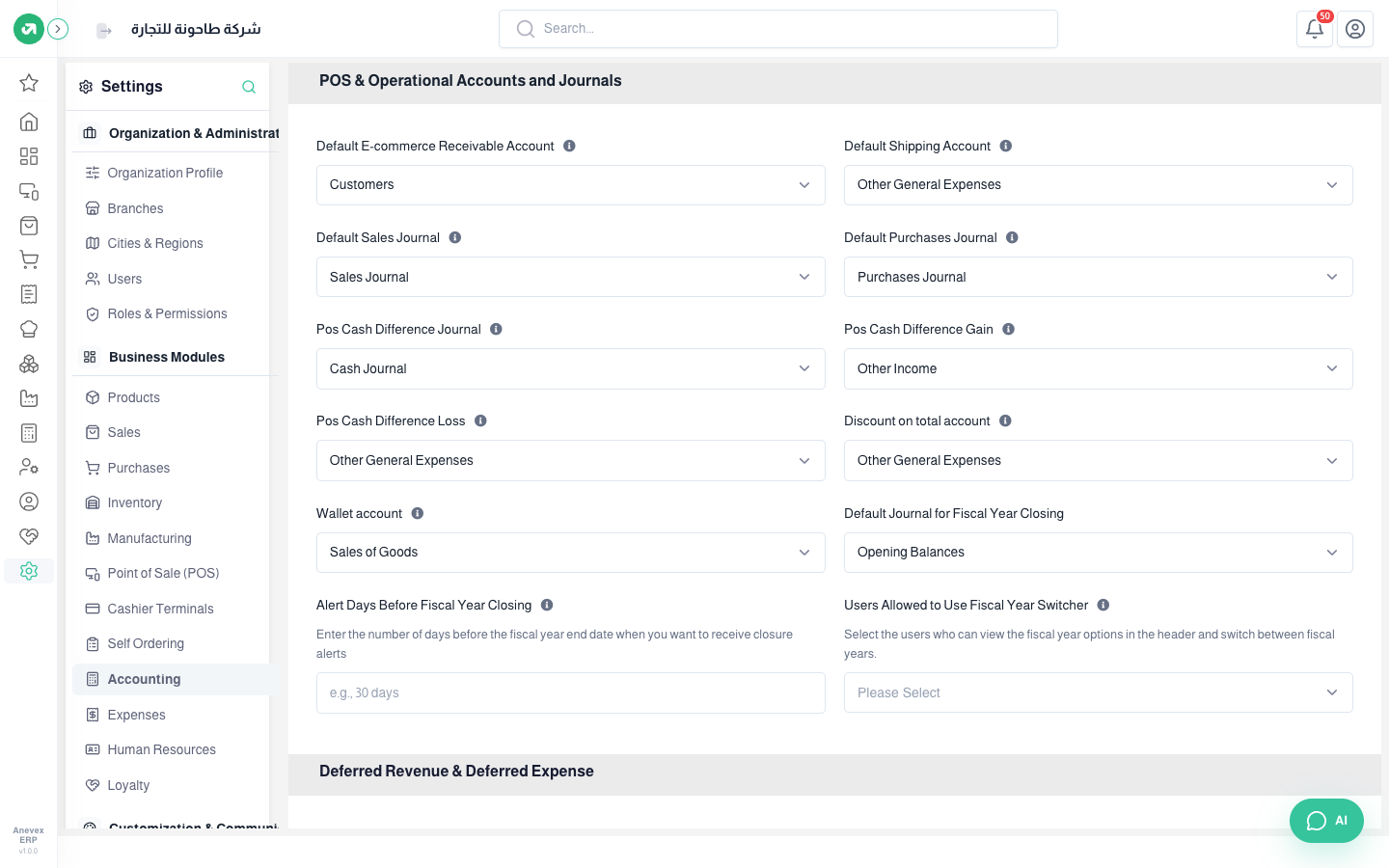
- POS accounts: the cash difference journal, the gain and loss accounts for differences (when a session closes with a different amount), the total discount account and the wallet account.
- Default Sales / Purchases Journal.
- Default Journal for Fiscal Year Closing, Alert Days Before Fiscal Year Closing, and Users Allowed to Use Fiscal Year Switcher at the top of the screen (empty = everyone).
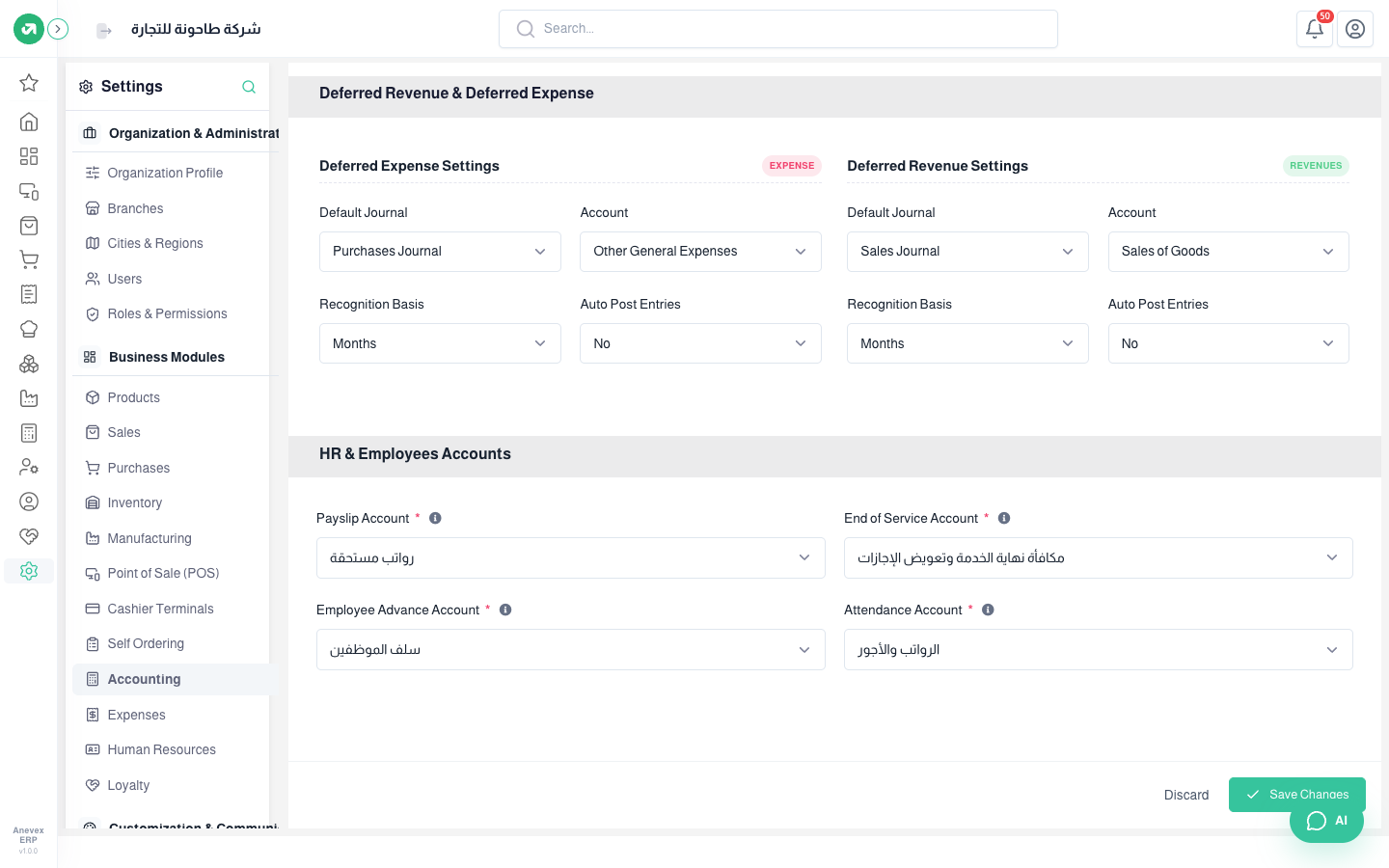
- Deferred expenses and revenue: the journal and account, the recognition basis (months or days), and whether entries post automatically.
- HR accounts: payslip account, end-of-service account, employee advance account and attendance account. Payslips and final settlements use them (see the HR chapter).