
Document Templates
The look of printed documents (invoices, quotations, purchase orders…): the template, colors, font and what details show.
Overview
Where to find itSettingsCustomization & CommunicationDocument Templates
Steps
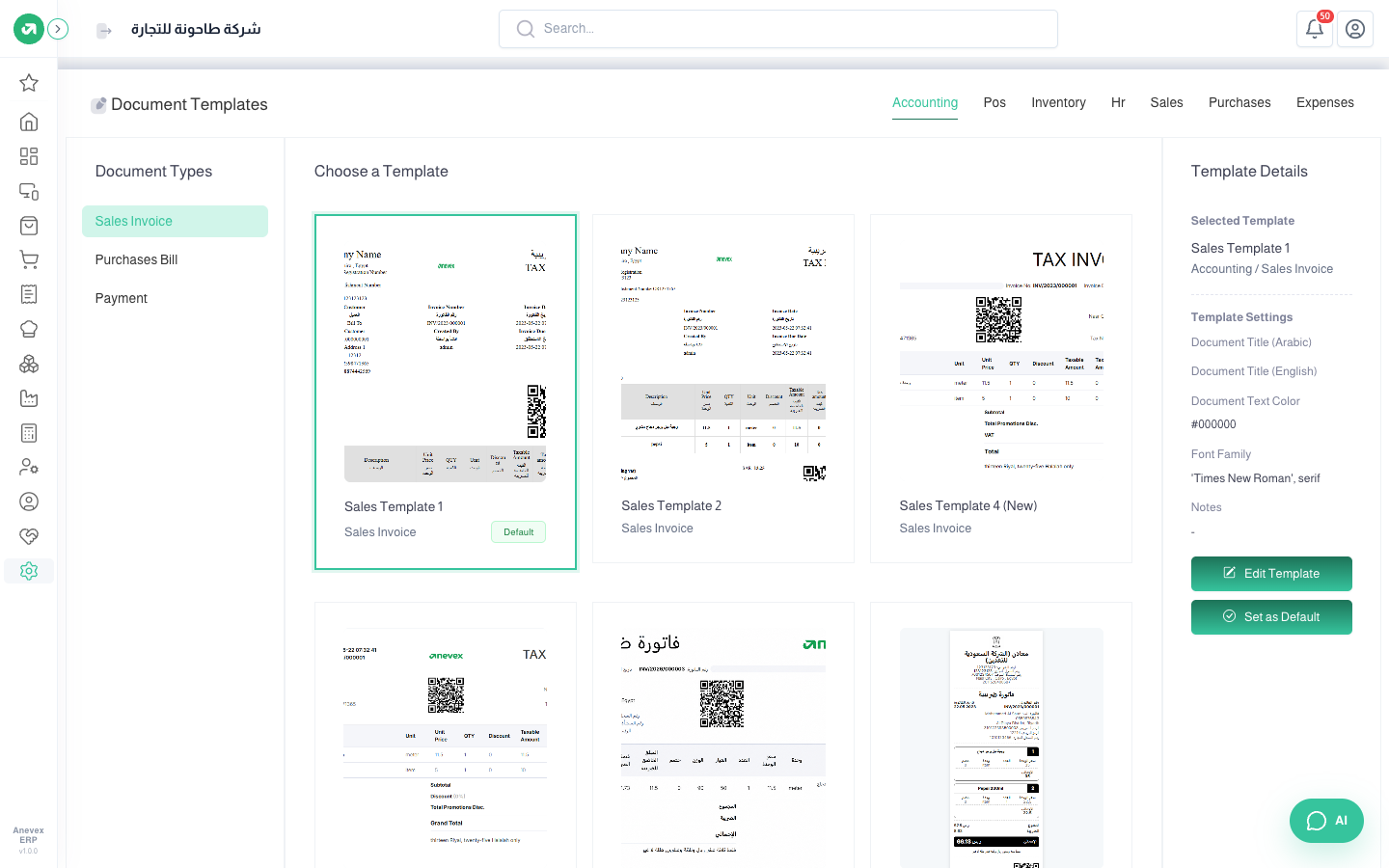
- Choose the document type in Document Types on the side.
- Pick one of the available templates. Template Details show it with the Arabic and English document titles, text color and font.
- Click Set as Default to print this type with it, or Edit Template to change it.
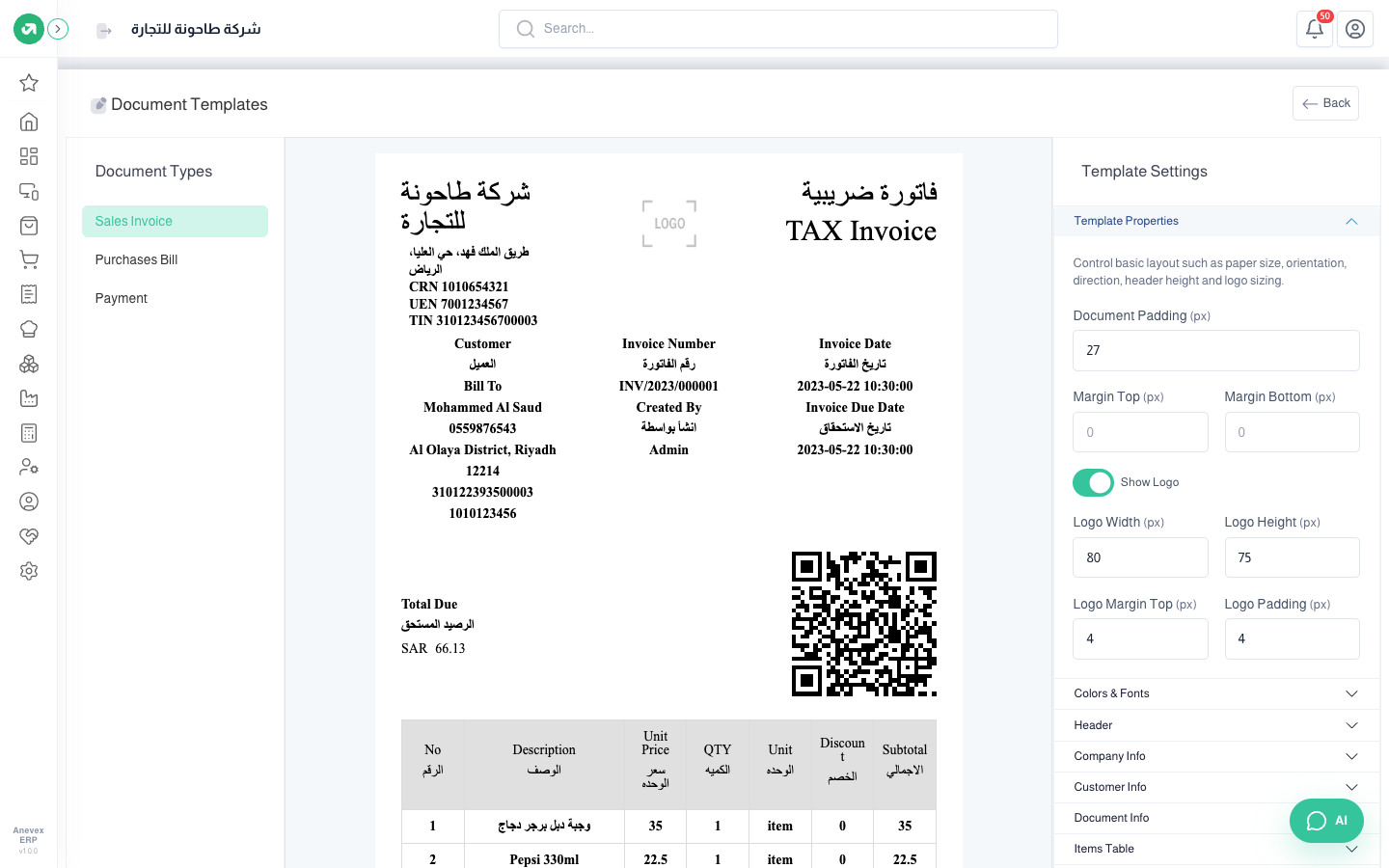
- Template Properties: paper size, orientation (portrait or landscape), margins, the logo and its size, and the watermark.
- Colors & Fonts: font family, size and weight, text and background colors, and the table header color.
- Header: show the header, and the document title in Arabic and English.
- Company Info, Customer Info and Document Info: choose the fields to print (VAT number, commercial registration, due date, salesperson, payment method…).