
Organization Profile
Your company’s official details shown on invoices and reports, the system language, currency and time zone, and the prefixes of document numbers. The screen has four tabs.
Where to find itSettingsOrganization & AdministrationOrganization Profile
Organization Profile
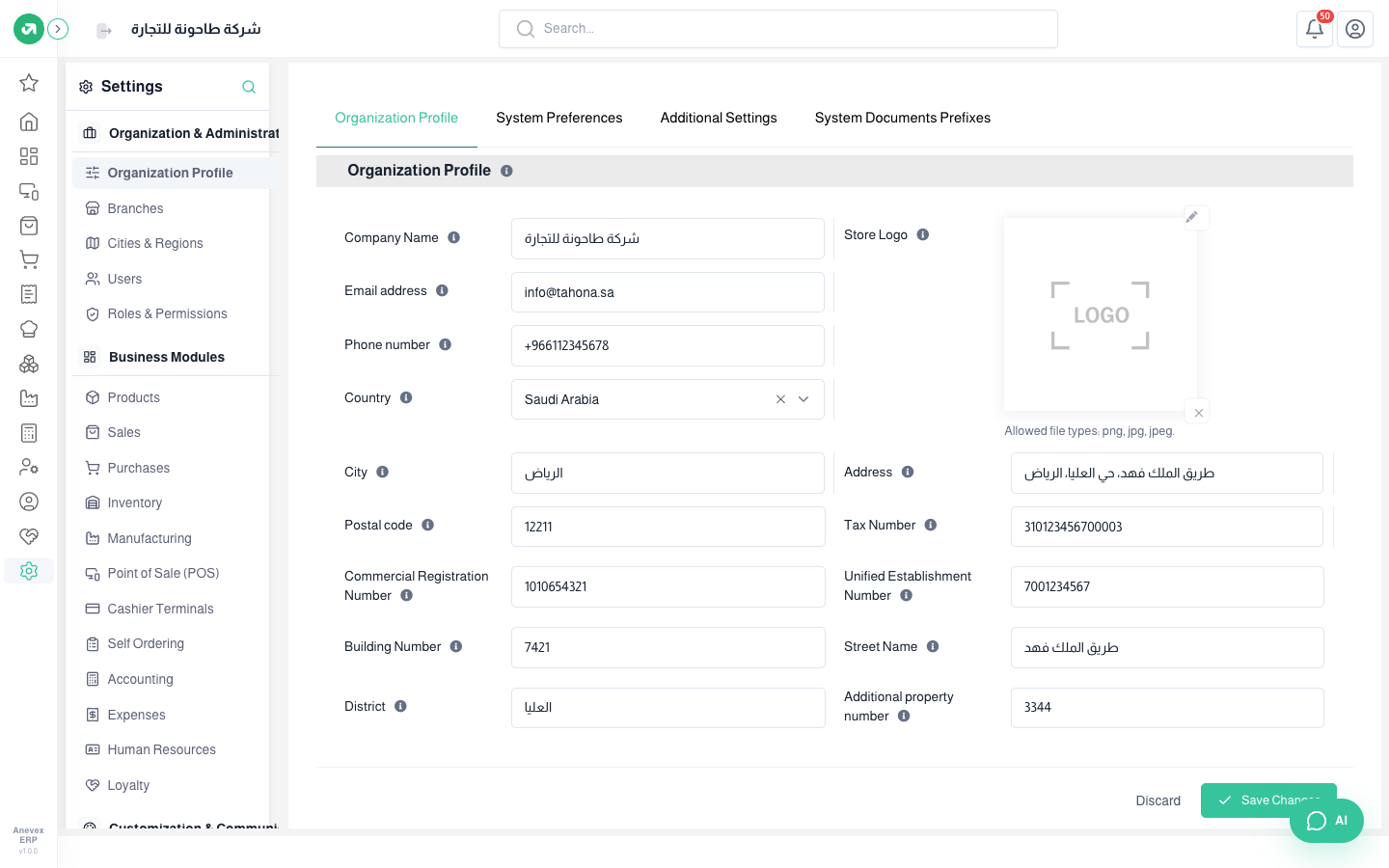
Fields
| Field | Required? | Description |
|---|---|---|
| Company Name | Optional | The trade name as shown on invoices, reports and at the top of the screen |
| Email address / Phone number | Optional | Shown to customers on documents. The email is also used to send invoices and notifications |
| Country | Optional | Decides which city list is imported on the Cities & Regions screen |
| Store Logo | Optional | Printed on invoices and documents. png, jpg or jpeg |
| City / Address / Postal code | Optional | The general address shown on invoices |
| Tax Number | Optional | The number registered with ZATCA (15 digits). Needed on a tax invoice |
| Commercial Registration / Unified Establishment Number | Optional | Shown on invoices and official reports |
| Building Number / Street Name / District / Additional property number | Optional | Parts of the national address. E-invoicing needs them |
System Preferences
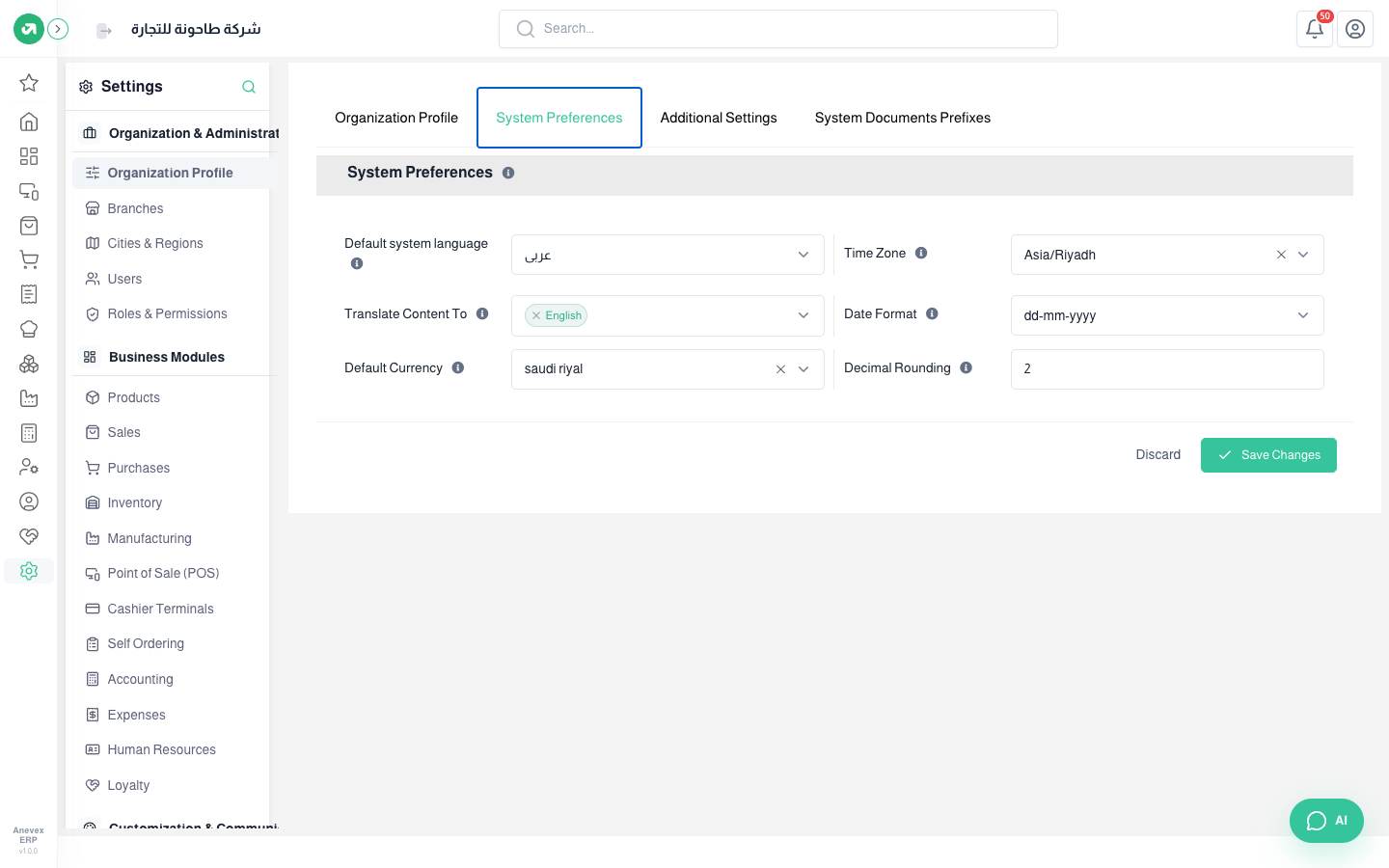
- Default system language: the interface language for every user who has not picked another.
- Translate Content To: the second language for names of products, categories and so on. A button next to those fields lets you enter the translation.
- Time Zone: sets the times of operations in reports. For Saudi Arabia choose Asia/Riyadh.
- Date Format: how dates show on screens and documents.
- Default Currency and Decimal Rounding: the currency of invoices and reports, and the number of decimal places in calculations and prices.
Additional Settings
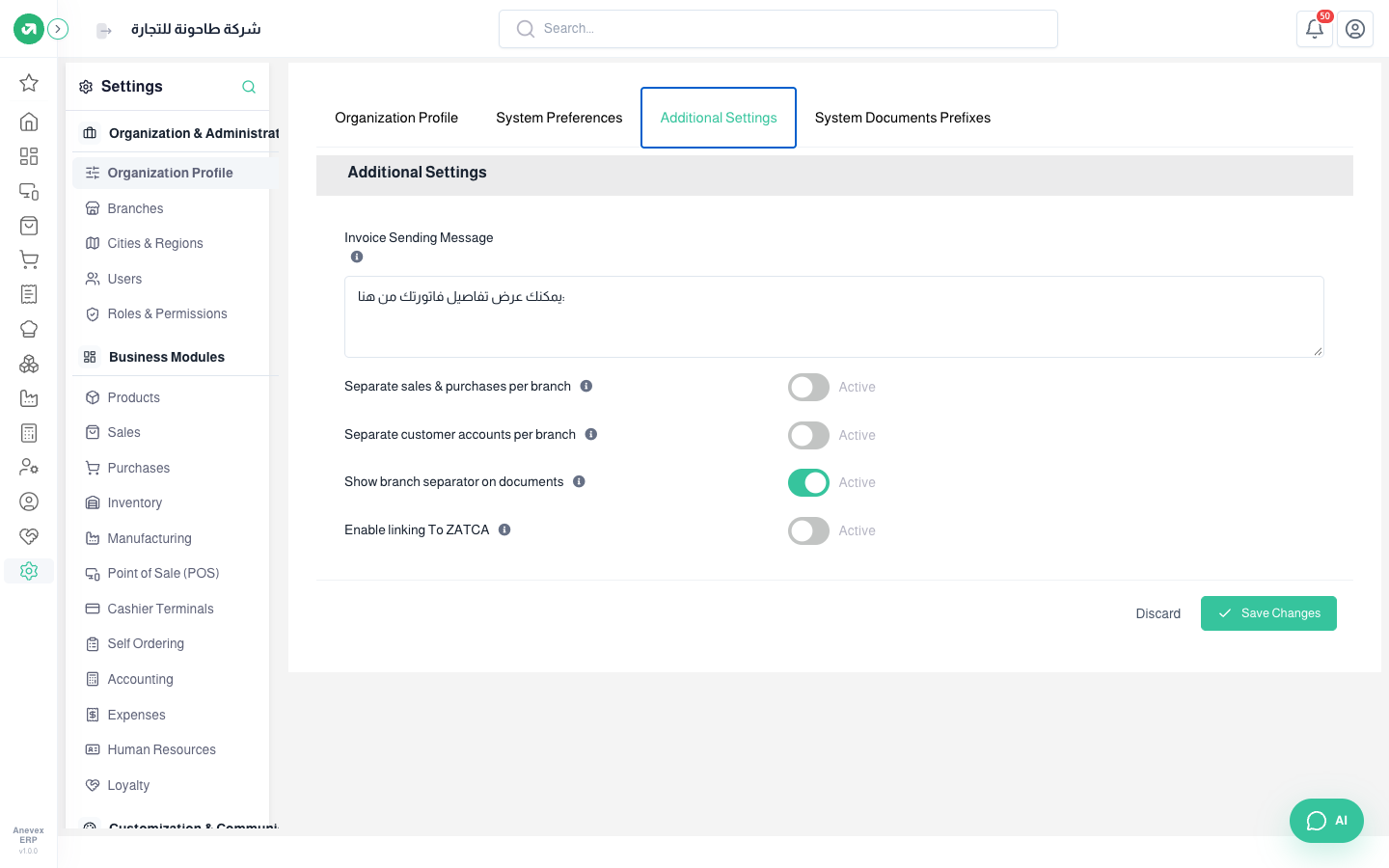
- Invoice Sending Message: the text the customer receives with the invoice link.
- Separate sales & purchases per branch: each branch sees only its own documents.
- Separate customer accounts per branch: each branch manages its own customers and suppliers.
- Show branch separator on documents: prints the branch name and address on invoices and receipts.
- Enable linking To ZATCA: turns on e-invoicing. Once on, Send invoices automatically to ZATCA appears, so you do not have to send each invoice by hand.
System Documents Prefixes
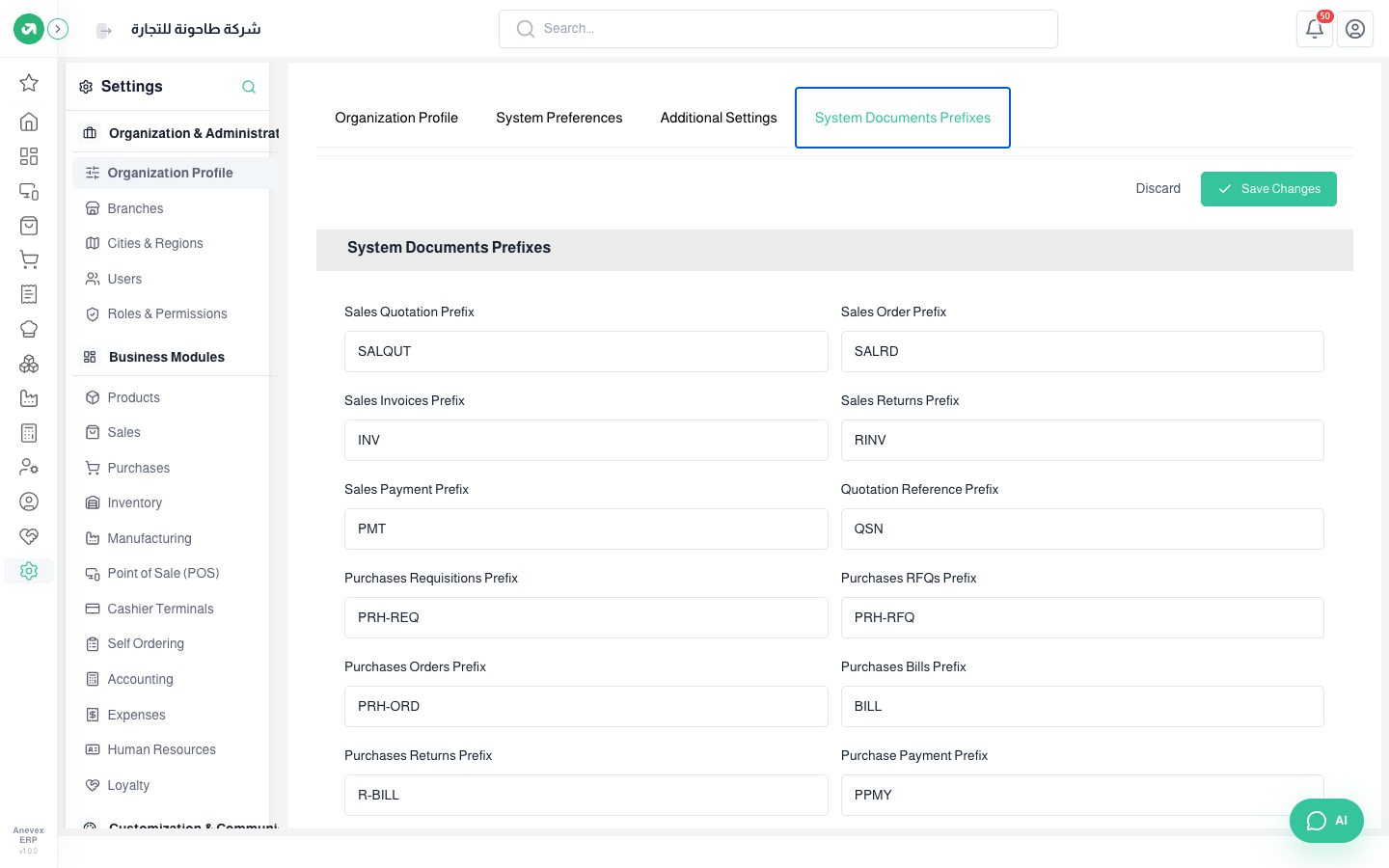
Each document type has a prefix before its number, like INV for sales invoices and PRH-ORD for purchase orders. At the end of the tab, Reference Format sets the shape of the number: year then sequence (INV/2026/0001), year and month then sequence, sequence only, or a random number.
Notes
- Change prefixes and the reference format before the first document. A change does not renumber old documents.