
Notifications Settings
For each document type: when a notification goes out, how, and to whom.
Overview
Where to find itSettingsCustomization & CommunicationNotifications
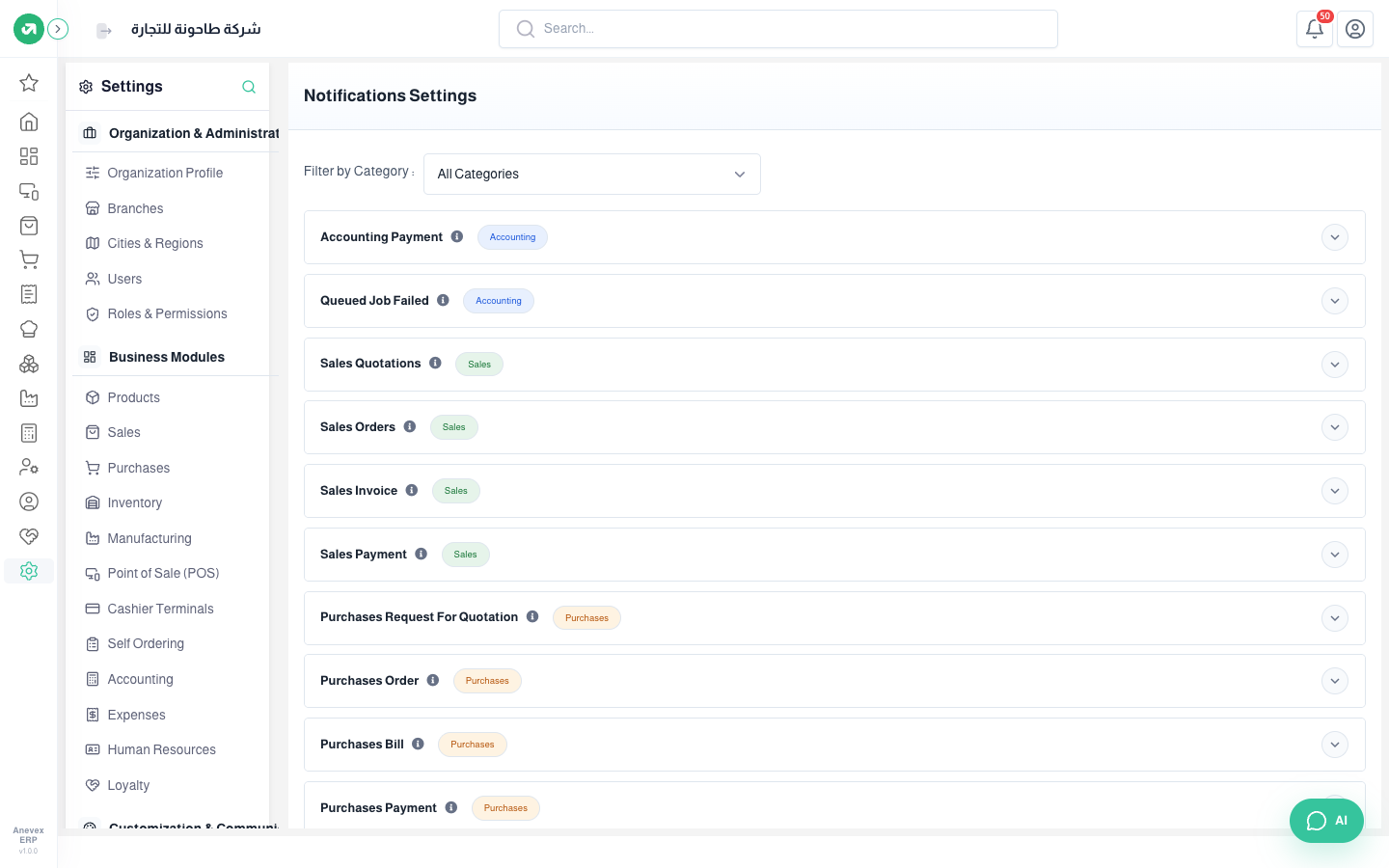
Steps
- Pick a category in Filter by Category or keep All Categories.
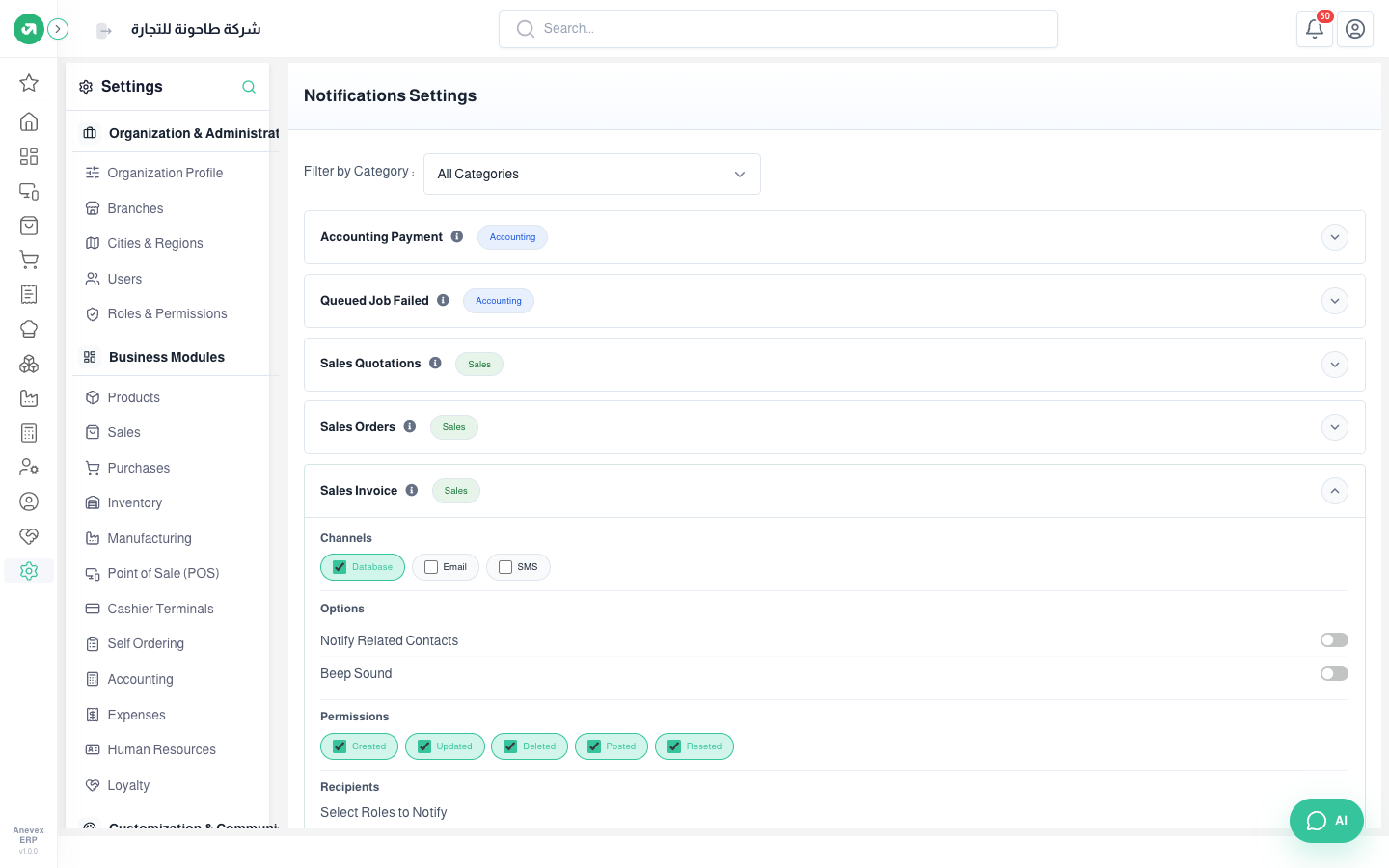
- Click a row to open it, for example Sales Invoice.
- Under Channels choose: Database (the bell inside the system), Email, or SMS.
- Under Options: Notify Related Contacts (the customer or supplier is notified too) and Beep Sound.
- Under Permissions choose the events: created, updated, deleted, posted, reset.
- Under Recipients choose roles or users. Then Save Changes.
Notes
- Email and SMS need the service set up first in Services & Integrations.